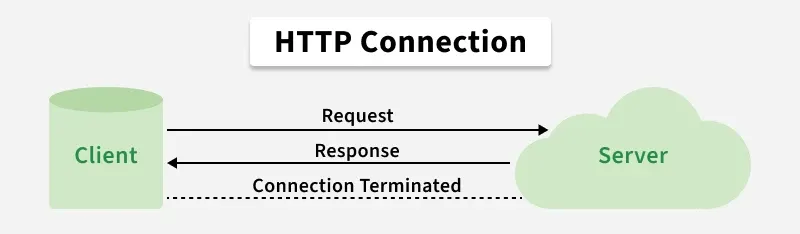
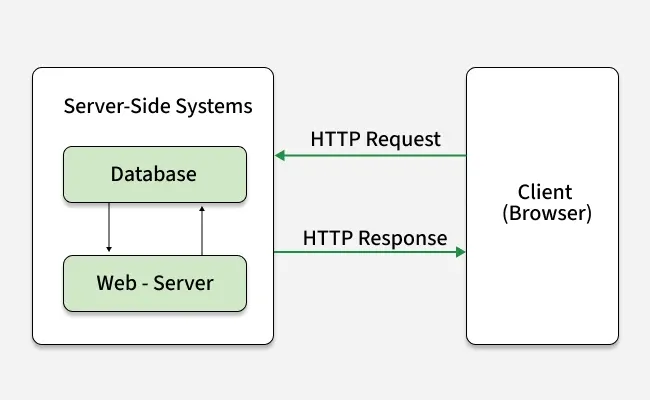
Note: HTTP is an application-layer protocol used implicitly by web browsers to transfer text, images, and multimedia across distributed, hypermedia-based web systems.
Features
HTTP defines a standardized communication mechanism that enables clients and servers to exchange resources efficiently over the web.
Stateless: Each request is independent and the server doesn't retain previous interactions' information.
Text-Based: Messages are in plain text, making them readable and debuggable.
Client-Server Model: Follows a client-server architecture for requesting and serving resources.
Request-Response: Operates on a request-response cycle between clients and servers.
Request Methods: Supports various methods like GET, POST, PUT, DELETE for different actions on resources.
Note: It was renamed as Hyper-Text Transfer Protocol QUIC (HTTP/3) and developed by Google.
Methods of HTTP
HTTP methods define the type of action a client wants to perform on a resource hosted by a server.
GET: Retrieves data without modifying the resource.
POST: Submits data for processing or resource creation.
PUT: Creates or replaces a resource completely.
PATCH: Partially updates a resource.
DELETE: Removes a resource from the server.
HEAD: Retrieves response headers only.
OPTIONS: Returns supported methods and communication options.
TRACE: Echoes the request for debugging (rarely used due to security risks).
CONNECT: Establishes a tunnel, typically for HTTPS via proxies.
HTTP Request/Response:
HTTP follows a request-response model where each client request is answered by a server response, following a defined communication flow.
Client sends request: Sends an HTTP request with method, URL, headers, and optional body.
Server processes request: Handles the request and performs required operations.
Server sends response: Returns status code, headers, and optional data.
Client processes response: Renders or handles the received content.
Explains how HTTP requests work when you visit a webpage and what happens behind the scenes.
Requested Resource
Resource Type
Server Response
HTML Page
HTML
Server sends HTML file
Style Sheet (CSS)
CSS
Server sends CSS file
Image (JPG)
Image (JPG)
Server sends JPG image
JavaScript Code
JavaScript (JS)
Server sends JS file
Data (XML or JSON)
Data
Server sends XML/JSON data
Requested Resource: Specifies the type of content being requested, such as HTML, CSS, images, or JavaScript.
Resource Type: Indicates the format of the requested content (HTML, CSS, image, JS, JSON, XML, etc.).
Server Response: The server returns the appropriate file or data based on the request.
Examples for each request
HTML Page: If you want a webpage, the server sends back the HTML content.
CSS: For styling a webpage, the server sends the CSS file.
Image: If you ask for a picture (like a JPG), the server sends the image.
JavaScript: If you need functionality for the page, the server sends the JS code.
Data: If you're looking for specific data (like in XML or JSON format), the server sends that data back.
Note: The "HTTP Request Circle" is just showing how a web browser requests different kinds of resources from a server and the server responds by sending the corresponding files or data.
HTTP Request and Response Components
Concept
Description
HTTP Request Headers
Key-value pairs sent with the request that provide client details, preferences and request metadata.
HTTP Request Body
Contains data sent to the server, such as form data, credentials, or payload content.
HTTP Response
Server’s reply to a request, including status code, headers, and an optional body.