|
VOOZH | about |
|
VOOZH | about |
So far the operations using Java programs are done on a prompt/terminal which is not stored anywhere. But in the software industry, most of the programs are written to store the information fetched from the program. One such way is to store the fetched information in a file.
What is File Handling in Java?
A file is a container that is used to store various types of information. Data is permanently stored in secondary memory by creating a file with a unique name. A file may consist of text, image or any other document.
Different operations that can be performed on a file are:
Different classes that can be used in Java for File Handling:
In this article, we will learn how Java ByteStreams are used to perform input and output of 8-bits(1 byte) using class RandomAccessFile which consists of method writeBytes() and readBytes() to write and read the data in the form of bytes.
Various Methods used to perform File operation:
File opening modes in Java:
Value | Meaning |
|---|---|
"r" | Open for reading only. Invoking any of the write methods of the resulting object will cause an IOException to be thrown. |
"rw" | Open to reading and writing. If the file does not already exist then an attempt will be made to create it. |
"rws" | Open for reading and writing, as with "rw", and also require that every update to the file's content or metadata be written synchronously to the underlying storage device. |
"rwd" | Open for reading and writing, as with "rw", and also require that every update to the file's content be written synchronously to the underlying storage device. |
Syntax of Opening File using RandomAccessFile:
File file = new File( filename )
RandomAccessFile raf = new RandomAccessFile(file, mode)
CRUD operations using File Handling in Java
Example: Consider that you want to keep records of your friend's contact number in a file. To distinguish between your friend's name and contact number you need a separator. To do, so you need to select a separator such as '!' or '$' or some special symbol which does not appear in your friend's name. Then we will form a string consist of a name, special symbol and number to insert into the file.
Syntax of a Contact in the file friendsContact.txt:
Name!Number
How to Create a File in Java?
Output:
Compiling and Adding the contact in the newly created file:
javac AddFriend.java

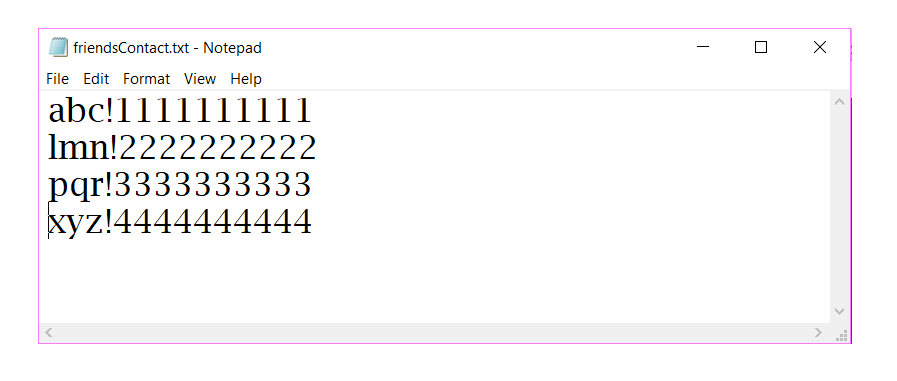
java AddFriend abc 1111111111
Friend added

java AddFriend pqr 1111111111
Input name or number already exist
File:
👁 ImageHow to Read a File in Java?
Output:
Compiling and reading the contacts from the file:
javac DisplayFriends.java

java DisplayFriends
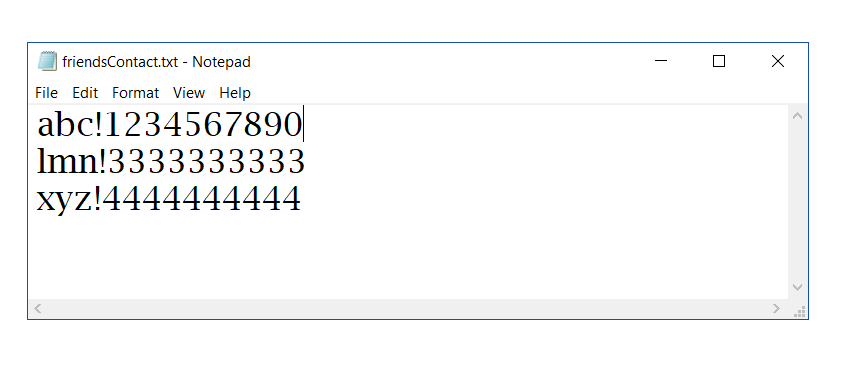
Friend Name: abc
Contact Number: 1234567890

Friend Name: lmn
Contact Number: 3333333333

Friend Name: xyz
Contact Number: 4444444444
File:
👁 Image
How to Update a File in Java?
Output:
Compiling and updating the contact in the file:
javac UpdateFriend.java

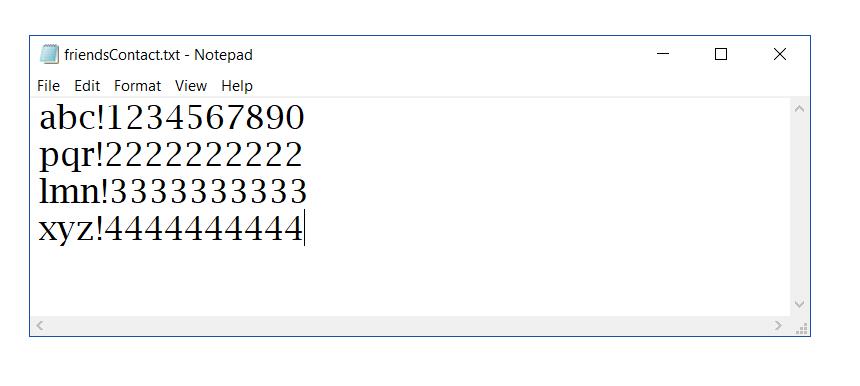
java UpdateFriend abc 1234567890
Friend updated.

java UpdateFriend tqr
Input name does not exists.
File:
👁 ImageHow to Delete a File in Java?
Output:
Compiling and deleting the contact in the file:
javac DeleteFriend.java

java DeleteFriend pqr
Friend deleted.

java DeleteFriend tqr
Input name does not exists.
File:
👁 Image