|
VOOZH | about |
|
VOOZH | about |
Spring Boot is a Java-based framework that simplifies the development of enterprise applications by reducing configuration and setup time. Spring Tool Suite (STS) is an Eclipse-based IDE specially designed for Spring application development with built-in support and developer tools.
- Java Development Kit (JDK 11 or later) installed
- Spring Tool Suite (STS) installed
- Basic knowledge of Java and Maven
- Active internet connection for downloading dependencies
Download and install the latest version of Spring Tool Suite from the official website.
Note: Make sure the installation is completed successfully before proceeding.
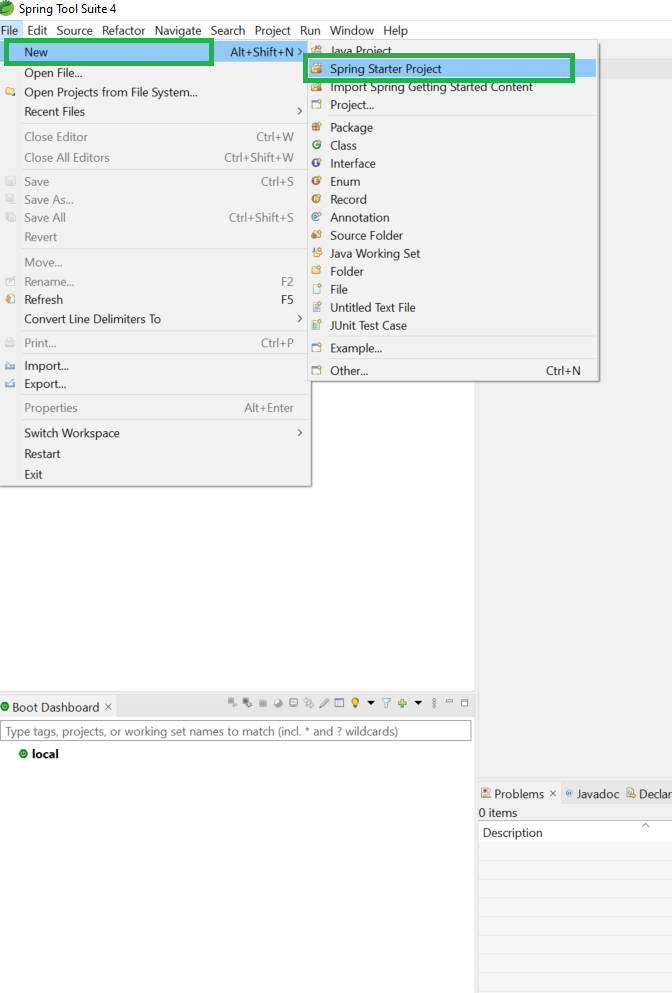
Open Spring Tool Suite (STS). Go to : File -> New -> Spring Starter Project
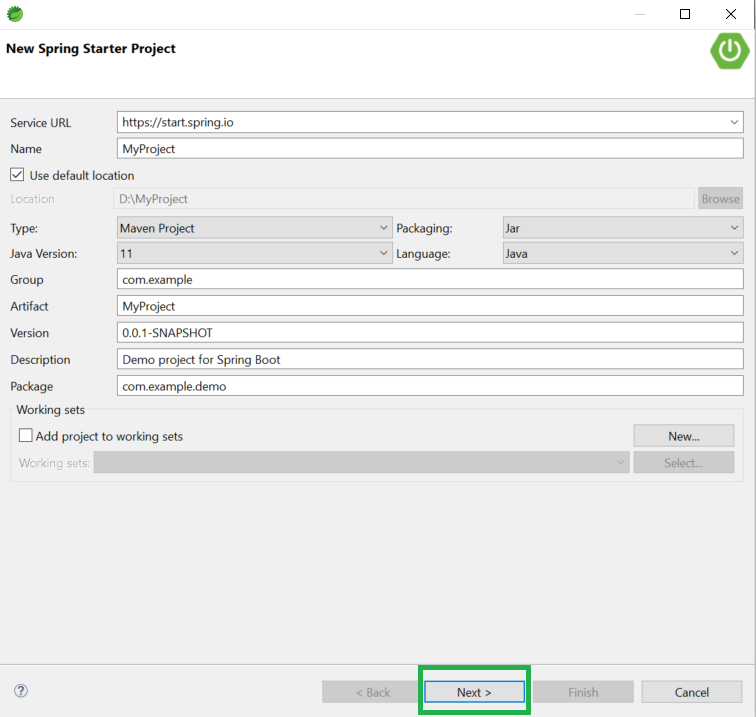
This will open the Spring Starter Project configuration window.
Fill the required project information.
After filling in the details, click Next.
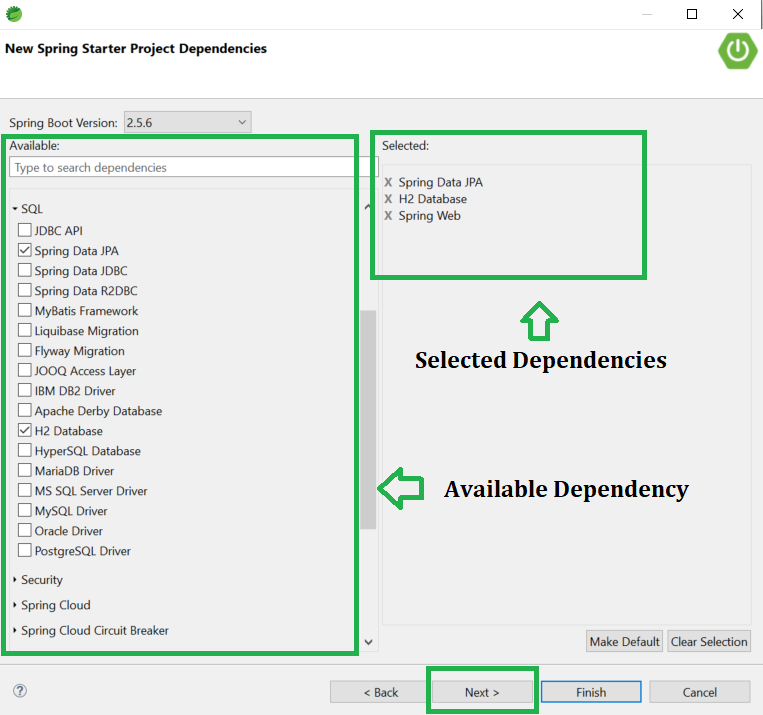
Select the required Spring Boot version (3.3.x). Select dependencies according to your project needs, such as:
After selecting dependencies, click Next.
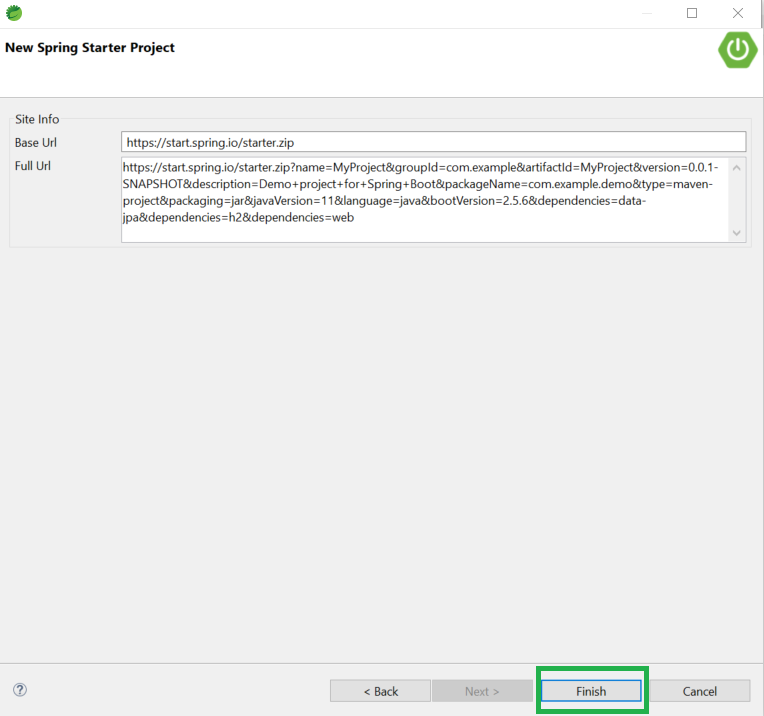
Click the Finish button.
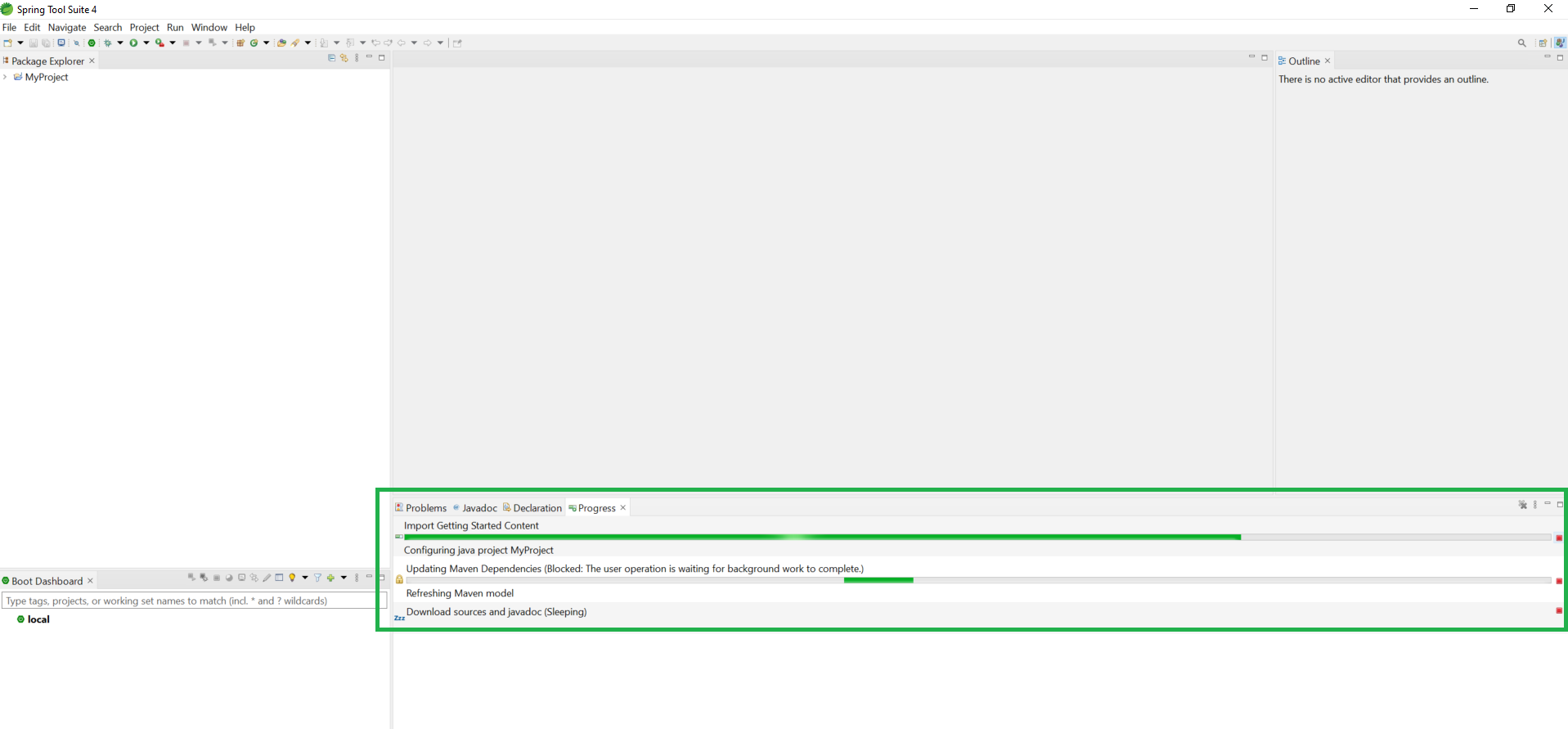
👁 ImageNow, wait for a few moments while STS downloads all required dependencies and sets up the project.
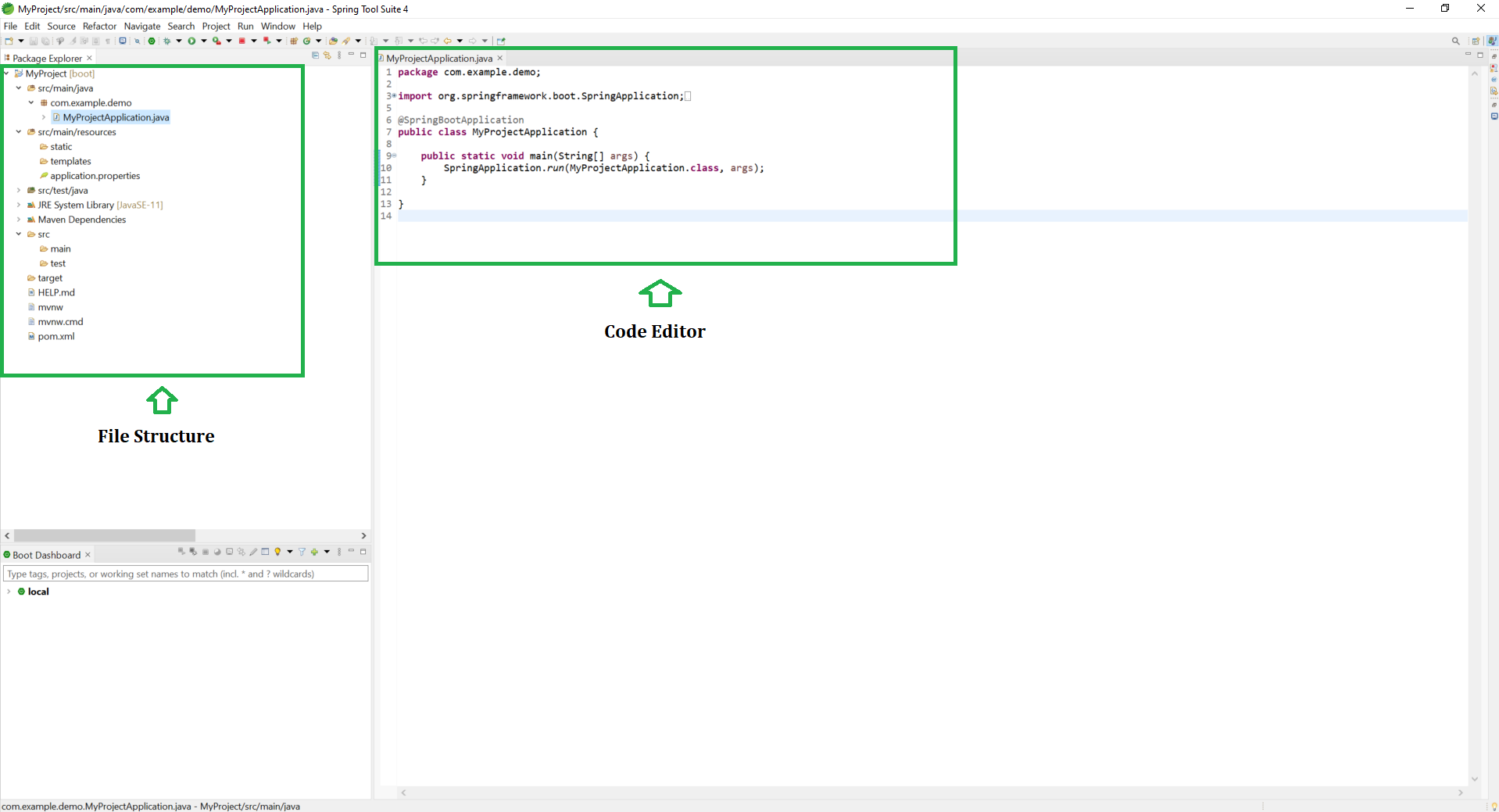
👁 ImageAfter successful setup, your project structure will look like this:
Right-click the project and select: Run As -> Spring Boot App.
http://localhost:8080