|
VOOZH | about |
|
VOOZH | about |
Servlets provide mechanisms to control how a client request is handled and how responses are delivered between web resources. In Java web applications, request forwarding and redirection are commonly used to navigate users between servlets, JSP pages, and other resources efficiently.
The forward() method is used to transfer the same request and response from one servlet to another resource such as another servlet, JSP page, or HTML file within the same server. This forwarding process happens completely on the server side without creating a new client request.
RequestDispatcher rd = request.getRequestDispatcher("resource");|
rd.forward(request, response);
Follow these steps to forward a response from one servlet to another servlet by using forward() method.
Create a Dynamic Web Project in Eclipse.
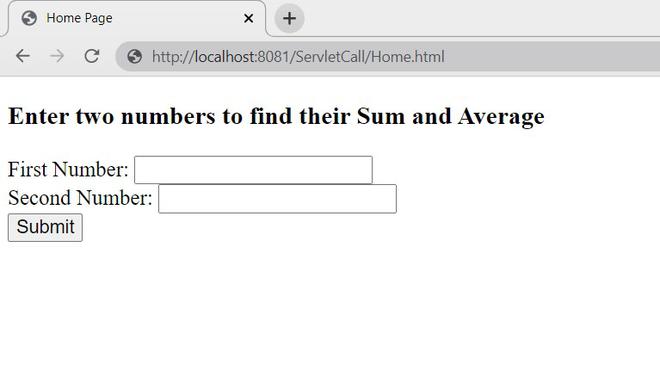
Create Home.html inside the WebContent folder to accept two numbers from the user. When the user submits the form, the request goes to /add.
Create the first servlet AddNum.java to receive the request, calculate the sum, and forward the request to another servlet
Create a second servlet to perform the average operation and send the response.
Run the project on the server.
Run As -> Run on Server
Open the browser and execute:
http://localhost:8081/ServletCall/Home.html
Now form is open on your browser screen.
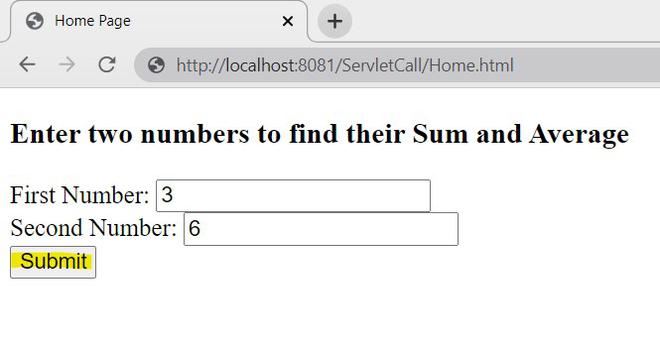
Enter the values and click on submit.
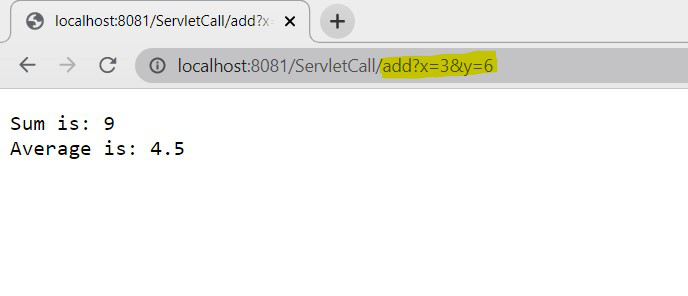
So, the output will be as follow,
Explanation:
After forwarding, the browser URL still shows
/add
This happens because forward() works completely on the server side and does not create a new client request.
The sendRedirect() metho is used to redirect the client request from one resource to another resource using a new request. In this method, the server sends a response to the browser, and then the browser creates a completely new request for the redirected resource.
response.sendRedirect("url");
We will use the same example used in the forward() method. follow these steps to implements sendRedirect() method.
Create Home.html inside the WebContent folder to accept two numbers from the user. When the user submits the form, the request goes to /add.
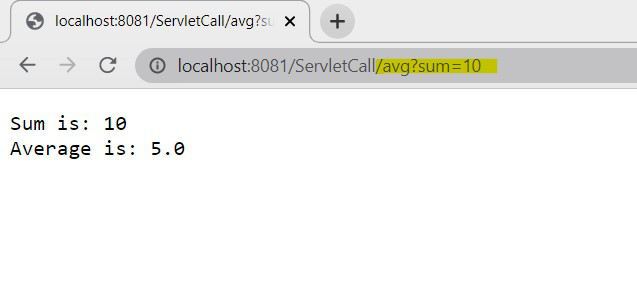
sendRedirect() sends a response to the browser and instructs it to create a new request for the avg servlet along with the sum value
Since sendRedirect() creates a new request, the sum value is received using getParameter() instead of getAttribute()
Run the project on the server using:
Run As -> Run on Server
Open the browser and execute:
http://localhost:8081/ServletCall/Home.html
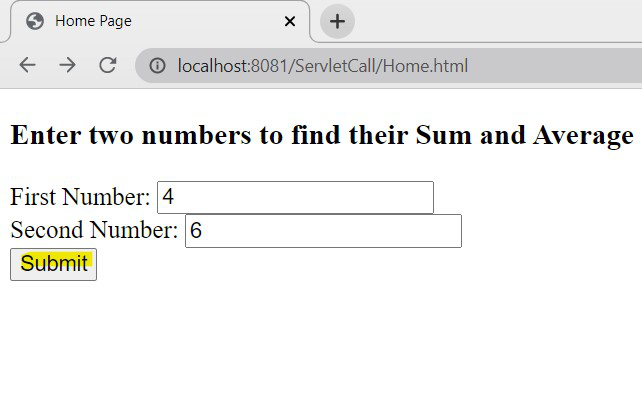
The HTML form will open in the browser and Enter the values and click on Submit.
Output :
The output displays both the sum and average values in the browser.
👁 ImageExplanation:
| Feature | forward() | sendRedirect() |
|---|---|---|
| URL Change | No | Yes |
| Request Object | Same request object is used | New request object is created |
| Response Object | Same response object is used | New response object is created |
| Processing Type | Server-side | Client-side |
| Request Attributes Sharing | Possible | Not possible directly |
| Performance | Faster | Slower |
| Browser Involvement | No | Yes |
| Cross-server Support | No | Yes |
| Data Transfer | Uses setAttribute() and getAttribute() | Uses URL parameters |
| Resource Type | Internal resources only | Internal and external resources |
| Network Calls | No additional network call | Extra client request is created |
| Common Usage | Servlet/JSP communication | Page redirection and external navigation |