|
VOOZH | about |
|
VOOZH | about |
A GET request is one of the HTTP request methods that can be used to retrieve data from a server. In an API context, a GET request is typically used to retrieve a specific resource or a collection of resources from a server. When a client makes a GET request to a server, it sends a request message that contains the URL of the desired resource along with any optional query parameters. The server then responds with a response message that contains the requested data, typically in the form of a JSON or XML document.
In this article we are going to see how we can GET data from an API using the Retrofit library, for this we have to follow some steps :
Api Link:https://api.chucknorris.io/jokes/random
About the API: it is a free Jokes API. The Jokes are refreshed in every Call. It is a GET Request API Call.
To create a new project in Android Studio please refer to How to Create/Start a New Project in Android Studio and select the language as Kotlin
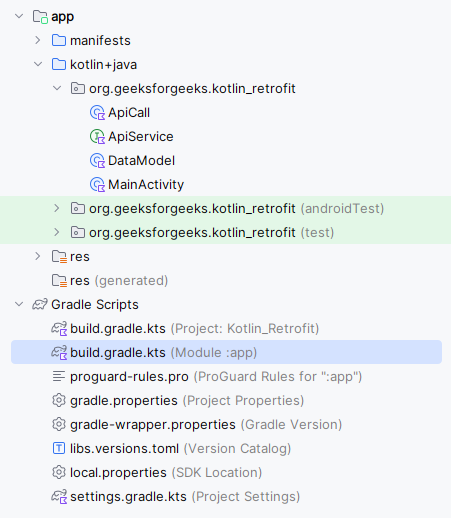
Navigate to the Gradle Scripts > build.gradle(Module:app) and add the below dependency in the dependencies section.
dependencies {
 ...
 implementation ("com.squareup.retrofit2:retrofit:2.9.0")
 implementation ("com.squareup.retrofit2:converter-gson:2.9.0")
}
After adding you need to sync your project.
Note: The Dependencies added will only work in Kotlin DSL Configuration Language not for Groovy DSL in case of Groovy DSL enclose the dependency in the single quotes(') and remove the round brackets.
Navigate to the app > AndroidManifest.xml and add the below code to it.
<uses-permission android:name="android.permission.INTERNET" />Navigate to the app > res > layout > activity_main.xml and add the below code to that file. Below is the code for the activity_main.xml file.
activity_main.xml:
Navigate to the app > java > your app’s package name > Right-click on it > New > create a data class named as DataModel and add the below code to it. Comments are added inside the code to understand the code in more detail.
DataModel.kt:
Navigate to the app > java > your app’s package name > Right-click on it > New > interface and name the file as ApiService and add the below code to it. Comments are added inside the code to understand the code in more detail.
ApiService.kt:
Navigate to the app > java > your app’s package name > Right-click on it > New > class and name the file as ApiCall and add the below code to it. Comments are added inside the code to understand the code in more detail. In this call, we are going to make a Get request to our API using the Retrofit library.
ApiCall.kt:
Go to the MainActivity.kt and follow the below code. Below is the code for the MainActivity.kt. Comments are added inside the code to understand the code in more detail. In this mainly we are going to call the ApiCall class getJokes() method.
MainActivity.kt:
Check out the github repo to get the entire code: Using Retrofit in the Kotlin Android Application