|
VOOZH | about |
|
VOOZH | about |
13 min
read
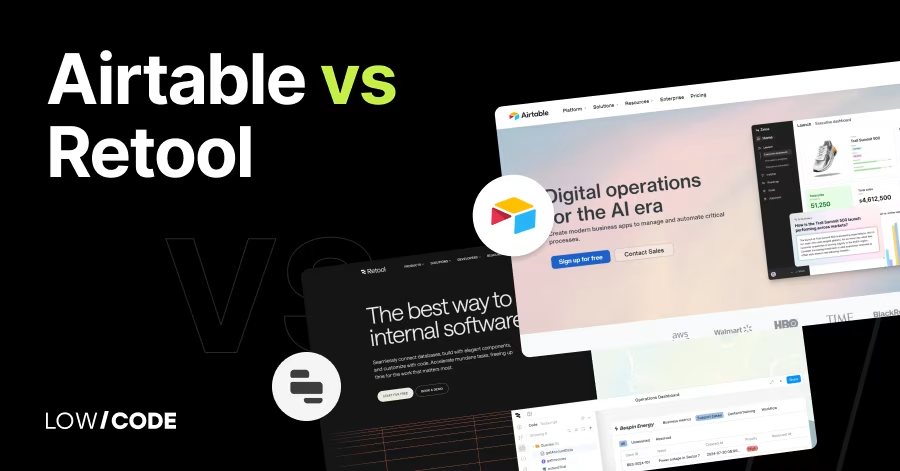
Compare Airtable vs Retool on APIs, automation, UI building, and performance. Choose the right no-code or low-code tool for your team’s internal tools
By
Jesus Vargas
Updated on
May 29, 2026
.
Reviewed by
Real-World Experience with No-Code Tools: With over 320 apps built, we know firsthand what works—and what doesn't—when using no-code platforms like Glide, Bubble, FlutterFlow and Webflow.
Expert Team with 40+ Years of Combined Experience: Our team has deep technical knowledge, with experts who use no-code tools to solve real-world problems for clients every day, ensuring our advice is actionable and reliable.
Detailed Guides Based on Actual Projects: We don’t just talk about no-code; we use it daily to solve real business problems for our clients, from MVPs to complex automations.
Take a deeper look at our editorial guidelines
Airtable is a no-code database app with a spreadsheet-like interface, designed for teams who want to manage structured data and automate workflows without coding.
Retool, on the other hand, is a low-code platform made for developers to build internal tools fast using SQL, JavaScript, and custom APIs.
Airtable is great for content planning, CRM, and project tracking. Retool shines in building admin panels, dashboards, and real-time internal apps. Whether you're an operations manager or a backend engineer, this guide compares both tools across 14 factors so you can pick the best one for your needs.
| Feature | Airtable | Retool |
|---|---|---|
| Ease of Use | No-code, visual spreadsheet | Low-code, built for developers |
| Best For | Non-technical teams, data tracking | Developers building internal tools |
| Data Handling | Stores data directly in bases | Connects to external data sources |
| Automation | Triggers, scripts, Zapier | JavaScript, triggers, event handlers |
| UI Builder | Basic (Interface Designer) | Fully customizable components |
| API Access | REST API with rate limits | Fast GraphQL + REST support |
| Integrations | Zapier, Make, native apps | REST, SQL, Firebase, custom APIs |
| Performance | Slower with large datasets | Optimized for large and fast queries |
| Collaboration | Roles, comments, shared views | Git sync, environments, permissions |
| Limitations | No full app logic or public frontend | Not built for non-technical users |
The core difference between Airtable and Retool lies in who they’re built for.
Airtable is a no-code platform designed for non-technical teams to create spreadsheets that behave like databases. It helps you organize data, set up workflows, and automate tasks using simple views and templates. It’s ideal for marketers, operations, and content teams.
Retool, on the other hand, is built for developers. It’s a low-code platform that lets engineers build custom internal tools quickly by connecting to databases, APIs, and services. You can drag and drop components, write queries, and build complex dashboards in hours—not weeks.
Airtable is best for non-technical teams who need flexible data apps, while Retool is better for engineering teams who want full control over frontend logic, API integration, and custom UIs using code.
Let’s begin with how each platform manages and accesses data.
Yes, Airtable acts as both the front-end and back-end. All data is stored within Airtable bases (databases) on its cloud servers. Users can input, view, and manage their data through different views like Grid, Kanban, and Calendar. Airtable structures data with custom fields, linked records, and attachments.
While you can sync external sources, Airtable is mostly self-contained. This simplicity is great for non-technical users but limits flexibility when working with external databases. For teams managing content, leads, or inventory in one place, Airtable’s direct data handling is easy and efficient.
Retool doesn’t store data. Instead, it connects to external data sources like PostgreSQL, MySQL, MongoDB, Firebase, GraphQL, and REST APIs. It acts as a powerful UI layer that reads and writes data to your systems. You build tools that sit on top of your existing back-end.
This makes Retool ideal for engineering teams needing to build admin panels, dashboards, or internal tools using real-time business data. It also supports auth logic, secure queries, and controlled access, giving developers fine-grained control over how data is fetched and displayed.
Now let’s compare the learning curve and accessibility for each tool.
Airtable is one of the most user-friendly no-code tools available. It looks like a spreadsheet but works like a relational database. Users can get started quickly using templates and intuitive drag-and-drop fields. Creating workflows or automations is simple with visual triggers and actions.
Airtable doesn’t require any coding to build fully functional internal tools for small teams. It’s great for marketers, content creators, and operations managers who want to organize data without writing scripts or managing servers.
Yes, Retool is built primarily for developers. While it includes drag-and-drop components, you need to write SQL queries, JavaScript functions, or REST requests to fetch and manipulate data. It’s not a no-code platform—it’s low-code with high flexibility.
Developers can embed logic, control components with JS, and run advanced operations. Non-technical users may find Retool overwhelming unless paired with engineering support. However, once set up, Retool offers a clean UI for business teams to interact with internal tools safely.
Let’s explore how each platform feels to use and design.
Airtable delivers a clean, polished UI that mimics spreadsheets but with much more flexibility. You can add records, link data, and create multiple views with just a few clicks. Interface Designer allows you to build custom views and dashboards for different team roles.
While it doesn’t offer full UI customization like app builders, it’s more than enough for internal use cases. Airtable focuses on simplicity, making it easy for any team member to collaborate, filter data, and navigate views without needing design experience.
Retool offers a component-based UI builder with drag-and-drop widgets like tables, charts, buttons, forms, and modals. It’s highly flexible but requires configuration through JavaScript and APIs. Developers can bind UI components to queries and create complex UIs that interact with multiple back-end services.
You can also show/hide elements based on logic, build nested views, and customize layouts extensively. While powerful, Retool’s interface builder is best suited for engineers familiar with front-end logic and user flows.
Read more about:
Let’s compare how each tool handles process automation and interactivity.
Airtable provides a visual automation builder that lets users trigger actions like sending emails, updating records, or posting to Slack. Triggers can be based on record changes, form submissions, or scheduled time events.
Users can also connect Airtable with Zapier, Make, or its scripting block for more advanced automations. The system is easy for non-coders but does have limits in terms of branching logic or condition-heavy workflows. It’s ideal for standard team tasks but not built for highly dynamic, logic-heavy flows.
Retool is built for embedding complex business logic into tools. Developers can use JavaScript directly within components to control behavior, visibility, and interaction. You can also run SQL queries conditionally, chain APIs, and store temporary values in the app state.
This allows real-time logic updates, complex data flows, and dynamic UI elements. It’s far more powerful than Airtable in logic handling, but it requires technical knowledge. Retool gives dev teams full control to replicate real-world logic within internal tools.
Now let’s look at how much control each platform gives you over your builds.
Airtable allows customization through views, filters, color coding, and Interface Designer. You can create personalized dashboards for different roles, define linked record relationships, and use buttons to trigger scripts or automations.
While not as deep as custom apps, Airtable gives enough flexibility for small to medium business workflows. However, it lacks component-level design control or user-defined frontend logic. Customization is best suited for teams that want simplicity with some control rather than pixel-perfect layouts.
Retool offers deep customization using JavaScript and APIs. Developers can control every component’s behavior, layout, and logic. You can build fully interactive tools with conditional rendering, form validation, dynamic queries, and component events.
Retool supports reusable modules and versioning, making it ideal for teams maintaining multiple internal apps. The flexibility is excellent for complex use cases but is out of reach for non-coders. Customization in Retool is practically unlimited—if you have technical skills.
Now let’s look at how each tool connects with external services and apps.
Airtable connects with thousands of apps through Zapier, Make, and native integrations like Slack, Gmail, Google Calendar, and Salesforce. It also supports Webhooks and scripting for more advanced needs. You can pull in data from APIs, connect to third-party services, and even trigger automations from external tools.
Airtable’s integration focus is designed for non-developers and operational teams. While it’s not as deep as a dev-first tool like Retool, Airtable handles most business app workflows smoothly through its built-in automation engine and easy-to-use connectors.
Retool supports a wide range of integrations with databases (PostgreSQL, MongoDB, MySQL), APIs (REST, GraphQL), and tools like Firebase, Stripe, Twilio, and AWS. It also connects to SaaS tools like Google Sheets, Airtable, and Salesforce.
Retool excels at working with internal systems—especially those behind auth layers or in staging environments. You can use JavaScript, SQL queries, and custom APIs within the same app. For developers, Retool offers enterprise-grade flexibility in how data is pulled, updated, and presented.
Read more about:
Next, we’ll explore how both tools support teams working together.
Airtable is built for team collaboration. You can invite teammates, assign roles, and control access at the workspace, base, or view level. Features like comments, field-level permissions, and shared views make it easy to work on projects together.
You can tag users, track changes, and even assign records like tasks. Airtable’s Interface Designer also lets you create simplified dashboards for stakeholders. It’s a smooth experience for non-technical teams who need structured collaboration without extra training.
Retool is geared toward developer teams, but it still supports collaboration. You can work on shared apps, manage version control with Git, and use audit logs to track changes. Retool also lets you assign environments (dev, staging, production), manage permissions by app or user, and use comments inside queries or components.
While it lacks real-time co-editing or built-in chat, it fits well into engineering workflows where team roles are clearly defined and collaboration happens through dev tools.
Let’s compare how each platform handles API functionality for developers.
Airtable offers a REST API for every base, which lets developers read, create, update, and delete records programmatically. You can use it to sync data, build custom dashboards, or power external apps. However, the API has rate limits and can become restrictive for complex or high-volume use cases.
Airtable also offers a scripting environment for writing custom workflows inside the platform. While great for extending internal workflows, it’s not ideal for building full applications with complex logic or heavy integration needs.
Retool is built around APIs. You can easily connect any REST or GraphQL endpoint, write custom headers, pass variables, and handle responses visually or with JavaScript. It has a query editor, prebuilt API connectors, and built-in auth tools like OAuth2 and API key storage.
You can use one API response to update multiple UI components, or trigger new calls. This makes building internal tools like CRMs, dashboards, and admin panels incredibly fast. Developers save time and reduce boilerplate with Retool’s powerful API handling.
Now let’s look at how fast you can get started with prebuilt templates.
Airtable offers hundreds of prebuilt templates for use cases like project management, CRM, content calendars, product roadmaps, and marketing tracking. These are ready-to-use bases that include fields, sample data, and views. You can customize each one to fit your team’s needs.
Airtable’s templates are designed for speed and simplicity, helping new users get started without building everything from scratch. It’s ideal for non-technical users who want a quick jumpstart without needing to code.
Retool provides a solid collection of prebuilt app templates for admin dashboards, CRM systems, inventory tools, and support ticketing systems. These templates include working queries, UI components, and sample data structures.
Unlike Airtable’s templates, Retool’s are code-friendly and designed to be deeply modified by developers. You can extend them using SQL, JavaScript, and API connectors. They’re ideal if you want to skip boilerplate and start from a working internal app that’s already wired up to real data sources.
Read more about:
Next, let’s compare how well each platform handles heavy usage.
Airtable performs well for most small to mid-size teams. However, it has limits—100,000 records per base on enterprise plans, and fewer on free and pro tiers. As you grow, performance can slow down with too many linked records, views, or formulas.
Large teams might experience delays when loading views or running automations. While it's excellent for organizing structured data, Airtable isn't built for database-heavy apps with complex queries or massive datasets. It’s great for operational use, but less ideal for backend infrastructure.
Yes, Retool is built for performance. It can handle large datasets, run complex queries, and render UI components without lag. Because you can directly query your databases and APIs, there's no limit on how much data you can work with—beyond what your systems can support.
Retool also offers caching, pagination, and loading controls to improve performance. It’s optimized for developers building robust internal tools that pull from production databases or APIs in real time. Stability remains solid even under heavier workloads.
Every platform has trade-offs—here’s how Airtable and Retool compare.
Airtable isn’t built for full app development. It lacks backend logic, public APIs for authentication, and true frontend customization. You can't build responsive interfaces for users like you can with frontend builders. There are also record and automation limits that can affect scale.
While it’s powerful for internal tools, it's best used for light workflows, data tracking, and prototyping—not full software applications. Teams often pair it with tools like Softr or Glide for public-facing app functionality.
Retool isn’t meant for public apps. It’s best for internal tools behind a login. Also, it requires technical skills—non-coders may struggle to set up queries, use JavaScript, or connect APIs. While the drag-and-drop builder helps, you still need to understand logic, data flow, and security.
It's powerful, but not for everyone. If you’re building tools for clients or marketing pages, Retool isn’t the right fit. But for internal admin panels or dashboards, it’s one of the most developer-friendly tools available.
Read more about:
Let’s close with when each platform makes the most sense.
Choose Airtable if you're a non-technical team that needs a powerful, easy-to-use database to organize workflows, projects, and content. It's ideal for operations, marketing, or product teams who want to build internal tools quickly with no code. If your needs focus on structure, collaboration, and automation—not custom UIs—Airtable is the better fit.
Choose Retool if you're a developer or technical team needing to build internal tools quickly with custom APIs, complex queries, and frontend components. It’s ideal for admin panels, dashboards, and tools that connect to production data. If your team wants full control over logic and layout, and you're comfortable with code, Retool is the better choice.
Last updated on
May 29, 2026
.
Jesus Vargas
-
Founder
Jesus is a visionary entrepreneur and tech expert. After nearly a decade working in web development, he founded LowCode Agency to help businesses optimize their operations through custom software solutions.
Custom Automation Solutions
Save Hours Every Week
We automate your daily operations, save you 100+ hours a month, and position your business to scale effortlessly.
Our AI — trained on 300+ shipped products — tells you what to build, what to skip, and what it'll actually cost. No fluff.
Assess My Idea"Working with LowCode Agency was the best decision I made in 2025"
Franklin Frith
CEO at HRM
Yes. Airtable is built for non-technical users and feels like a smart spreadsheet. Retool is more powerful but requires developer skills to set up and maintain.
You can build full-featured internal apps in Retool, like CRMs, dashboards, and admin panels. However, it’s not designed for public websites or customer-facing portals.
Yes. Retool queries your external databases directly and uses optimized loading. Airtable slows down as bases grow large or complex.
Yes, via Webhooks, scripting, and third-party tools like Zapier or Make. But its API access is limited compared to Retool’s direct, real-time API control.
Yes, but more for engineering teams. It includes Git sync, role-based access, and environments. It's not as simple for non-dev collaboration like Airtable.
Retool is better for complex internal tools that need API access, dynamic forms, and real-time data handling. Airtable is ideal for lighter internal workflows.
Comparison
FlutterFlow
FlutterFlow vs Flutter | Which One Should You Use in 2026?
Compare FlutterFlow vs Flutter to see which fits your app. Learn differences in speed, scalability, control, costs, and when each makes sense in 2026.
Airtable
Comparison
Airtable vs Basecamp | 12 Factors to Decide the Best One
Compare Airtable vs Basecamp on automation, collaboration, views, and team size. Find the best tool for data workflows or project communication
Business Automation
Comparison
Zapier vs Workato | 9 Factors to Decide the Best One
Compare Zapier vs Workato across ease of use, automation power, integrations, and security to find the best no-code platform for your automation needs
Comparison
Glide
Glide vs Softr | 10 Factors Compared (2026)
Glide vs Softr compared across 10 key factors including ease of use, scalability, integrations, pricing, and flexibility. Discover which no-code platform fits your 2026 app goals.
Webflow
Comparison
Webflow vs Typedream | 9 Factors to Decide the Best One
Compare Webflow vs Typedream on design, SEO, CMS, and speed. Learn which no-code builder suits your website goals, full control or fast publishing
Comparison
Webflow
WP Engine vs WordPress: why migrating to Webflow is the solution
Compare WP Engine and WordPress, and see why switching to Webflow offers better speed, control, and an all-in-one website solution