|
VOOZH | about |
|
VOOZH | about |
9 min
read
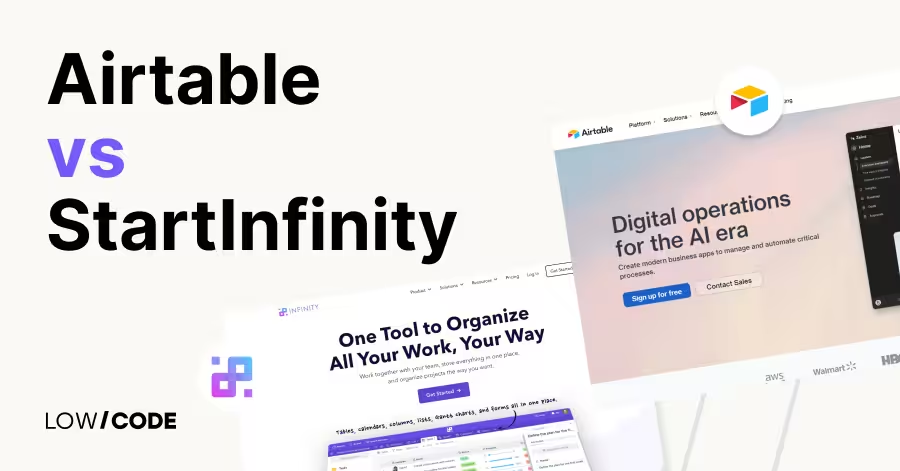
Compare Airtable vs StartInfinity across 8 key factors to find the best tool for your team’s projects, data, and workflows
By
Jesus Vargas
Updated on
May 29, 2026
.
Reviewed by
Real-World Experience with No-Code Tools: With over 320 apps built, we know firsthand what works—and what doesn't—when using no-code platforms like Glide, Bubble, FlutterFlow and Webflow.
Expert Team with 40+ Years of Combined Experience: Our team has deep technical knowledge, with experts who use no-code tools to solve real-world problems for clients every day, ensuring our advice is actionable and reliable.
Detailed Guides Based on Actual Projects: We don’t just talk about no-code; we use it daily to solve real business problems for our clients, from MVPs to complex automations.
Take a deeper look at our editorial guidelines
Over 80% of teams use more than one tool to manage projects and data, often leading to messy workflows and missed updates. That’s why choosing the right all-in-one platform matters. Two tools gaining popularity are Airtable and StartInfinity, both designed to help teams stay organized but built for very different needs.
We’ve worked with over 330 businesses to help them streamline their systems. In this guide, we’ll break down the real differences between Airtable and StartInfinity so you can decide which one fits your workflow best, without wasting time or money on the wrong setup.
| Feature | Airtable | StartInfinity |
|---|---|---|
| Best For | Data-heavy workflows, flexible app-like systems | Task management, project tracking, visual team workflows |
| Ease of Use | Moderate learning curve, especially with database features | Beginner-friendly, quick to set up |
| Views & Layouts | Grid, Kanban, Calendar, Gantt, Form | List, Board, Calendar, Gantt |
| Customization | Highly customizable fields, tables, automations | Custom attributes, flexible folders, structured views |
| Automations | Built-in automations, Zapier, Make | Zapier and Pabbly for basic automations |
| Integrations | Strong native integrations + API | Limited native integrations, mostly via third-party tools |
| Collaboration | Real-time updates, shared views, granular permissions | Team mentions, item-level access, simple task assignment |
| Database Features | Strong database-style linking, filters, and formulas | Basic linking, more focused on project data than deep relational structures |
| Scalability | Suitable for growing teams and cross-department use | Best for small to mid-size teams and client-facing work |
| User Interface | Spreadsheet-style with deep controls | Clean, modern, and visually intuitive |
The core difference between Airtable and StartInfinity lies in their focus and flexibility.
Airtable is a spreadsheet-database hybrid that helps you organize, filter, and link data in smart ways. It feels like Excel but works like a lightweight database. You can build anything from project trackers to content calendars and connect it to other tools using automations or APIs.
StartInfinity, on the other hand, is more of a project and task management tool. It gives you multiple views like lists, tables, and Gantt charts to manage workflows, but it’s not as data-focused as Airtable. Infinity is simpler and better for managing day-to-day team tasks in one place.
In short, Airtable is more flexible for custom workflows and databases, while StartInfinity is easier for structured project management with a clean and collaborative interface. The choice depends on how complex your data or workflow is.
Both Airtable and StartInfinity help teams stay organized, but they shine in different types of workflows and team setups.
Airtable is a better fit when you need to manage complex data, create custom workflows, or organize information across different teams. It works well for content planning, product development, marketing campaigns, and CRM systems. You can link tables, use formulas, and create different views for each team member.
Airtable is also useful when you want to integrate with tools like Zapier, Slack, or Google Calendar. If your workflow involves data-heavy tasks with changing needs, Airtable gives you the flexibility to scale.
StartInfinity is best for teams that need a clean, structured space to manage tasks and projects. It's popular among agencies, small businesses, and startups looking for a simple yet flexible tool.
You can switch between Kanban, list, calendar, and Gantt views depending on your workflow. Infinity is ideal if you want one tool to handle to-do lists, client work, team collaboration, and timelines without dealing with complex setups.
Read more about:
While both platforms offer multiple views and collaboration tools, their feature sets are designed for different needs and team styles.
Yes, Airtable is built around the idea of turning spreadsheets into smart databases. You can link records between tables, use formulas, create filtered views, and build custom workflows. It supports attachments, dropdowns, checkboxes, and even user-assigned fields.
Airtable also has powerful automation tools, scripting options, and integrations with hundreds of apps. It’s ideal for teams that manage a lot of data and want more control without needing to write full code.
If your work involves tracking complex relationships, Airtable offers features that go far beyond traditional task managers.
StartInfinity focuses on clean organization and visual flexibility. Its unique features include customizable attributes, where you define your own field types like priorities, stages, or deadlines. It also supports multiple views such as columns, lists, calendars, and Gantt charts—all within the same workspace.
Unlike Airtable, Infinity puts a strong focus on team collaboration and communication. You can add comments, mention teammates, and control access on each folder or item. For teams that care about simple project execution without database complexity, Infinity’s structure feels more natural.
Read more about:
Both tools let you shape your workspace, but they differ in how deep the customization goes and how flexible the setup feels.
Airtable is highly customizable. You can build your own tables, define field types, and link data across different bases. It supports formulas, filters, automations, and scripts, making it easy to adapt for almost any use case—like inventory management, content calendars, applicant tracking, or product roadmaps.
You can also create custom views for each team role, embed interfaces, and control access levels. Whether you’re managing one project or multiple workflows, Airtable gives you the tools to build a tailored solution that grows with your needs.
StartInfinity is flexible for structured projects, but it may feel limited for complex, data-heavy workflows. You can customize attributes, create folders for each workflow, and switch between views like list, Kanban, or Gantt. It’s great for teams that want to keep things organized without needing advanced formulas or scripts.
While it’s not as deep as Airtable in automation or relational data, Infinity still adapts well to team tasks, client pipelines, and project timelines—especially when simplicity and visual clarity are more important than backend logic.
The layout and ease of use play a big role in how quickly your team can get started and stay productive.
Airtable has a clean interface, but it may feel slightly complex at first for users who are not familiar with spreadsheet-style tools. It uses tables, records, and fields similar to Excel but adds layers of views, automations, and linked data that can take time to understand.
However, once you get past the basics, navigation becomes smooth. Airtable offers tooltips, templates, and tutorials to help users learn quickly. It’s user-friendly for teams that are comfortable with data and want to customize their setup.
StartInfinity is very beginner-friendly. The layout is simple, modern, and easy to explore even without prior experience. You can switch between list, board, calendar, and other views with one click. Creating new folders, tasks, or attributes is straightforward, and everything feels intuitive.
There's little technical setup involved, making it great for teams who just want to jump in and start organizing. The interface focuses more on visual clarity and task flow than database depth, which helps users stay focused and avoid confusion.
Read more about:
Both Airtable and StartInfinity are designed for teamwork, but their collaboration features focus on slightly different needs.
Airtable supports real-time collaboration across teams with shared bases, comment threads, and permission controls. You can assign tasks, mention teammates, and view activity history. Each user can create personal views without affecting others.
Airtable also integrates with Slack, email, and project tools to keep updates flowing. While it’s powerful for working on shared data, collaboration is more data-focused than task-focused. It’s best for teams managing structured content or databases across different departments or roles.
StartInfinity focuses more on structured task management and teamwork. It offers built-in features like member mentions, team-specific folders, and permission settings per workspace or item. You can assign tasks, set due dates, and comment directly on items.
Infinity’s interface is built around helping teams track progress, communicate, and stay aligned without switching tools. While it lacks Airtable’s deep data features, it shines in keeping projects moving through better task ownership and visual collaboration tools.
Connecting your workspace with other tools helps automate tasks and save time. Airtable and StartInfinity take different approaches here.
Airtable offers a wide range of native integrations. It connects directly with tools like Slack, Google Calendar, Gmail, Microsoft Teams, and more.
Airtable also supports Zapier, Make, and its own Airtable Automations, allowing you to trigger actions like sending emails, updating records, or posting messages automatically. You can also use its API for custom setups.
These features make Airtable ideal for teams that rely on multiple tools and want smooth, no-code automation between them.
StartInfinity does not have as many native integrations as Airtable, but it can still connect to third-party tools through Zapier and Pabbly. These platforms allow you to sync tasks with apps like Trello, Gmail, Slack, or Google Sheets.
While the integration options are more limited, they still cover the basics most teams need. StartInfinity focuses more on in-app organization, so if external automation is important, you may need to rely more on third-party tools for advanced setups.
Read more about:
The right tool depends on your team’s workflow, how you manage data, and how much structure or flexibility you need.
Choose Airtable if your work involves managing large amounts of data, building custom workflows, or connecting multiple tools. It’s ideal for marketing teams, product managers, content planners, and operations who need more than just task tracking.
Airtable’s database features, automations, and integrations give you flexibility to build exactly what you need. If your project scales quickly or spans different departments, Airtable offers the structure and power to grow with your needs.
StartInfinity is the smarter pick if you need a clean, easy-to-use project management tool without the complexity of a database. It’s great for small businesses, creative agencies, and service teams that focus on collaboration, task progress, and client work.
You can visually manage everything from timelines to daily checklists without extra setup. If you want simplicity, flexibility in views, and clear task ownership in one place, StartInfinity delivers exactly that without overwhelming your team.
Last updated on
May 29, 2026
.
Jesus Vargas
-
Founder
Jesus is a visionary entrepreneur and tech expert. After nearly a decade working in web development, he founded LowCode Agency to help businesses optimize their operations through custom software solutions.
Custom Automation Solutions
Save Hours Every Week
We automate your daily operations, save you 100+ hours a month, and position your business to scale effortlessly.
Our AI — trained on 300+ shipped products — tells you what to build, what to skip, and what it'll actually cost. No fluff.
Assess My Idea"Working with LowCode Agency was the best decision I made in 2025"
Franklin Frith
CEO at HRM
Yes, Airtable can replace traditional tools like Trello or Asana, especially if your team works with complex data. It combines project tracking with spreadsheet-like power, allowing you to link tasks, assign owners, and automate updates. With views like Kanban, calendar, and Gantt, Airtable adapts to many workflows. However, teams looking for a simpler, task-first tool may find the extra features more than they need.
Yes, StartInfinity is a great choice for small teams, freelancers, and solo business owners. It’s simple to set up, easy to use, and provides just the right amount of structure. You can manage projects, track tasks, and collaborate with clients in one clean interface. Its visual views, flexible folders, and custom attributes make it ideal for teams that need a reliable system without the learning curve of advanced tools.
Yes, Airtable includes powerful automation features built into its platform. You can automate tasks like sending emails, updating records, or creating new entries when conditions are met. It also works with Zapier and Make for broader automation across apps. Airtable’s automations are great for reducing manual work and improving team efficiency, especially when working with lots of structured data or managing workflows across departments.
Yes, StartInfinity integrates with other tools using Zapier and Pabbly. You can connect it with Slack, Google Calendar, Gmail, Trello, and more to automate simple tasks like reminders, event syncing, or message alerts. However, it doesn’t have as many built-in native integrations as Airtable. If your team relies on automation between many platforms, you may need to set up those connections manually through third-party tools.
Airtable is better for database-style organization. It allows you to link records between tables, use formulas, filter data, and create relational structures. It feels like a spreadsheet but behaves like a lightweight database. This makes it ideal for managing complex systems like CRMs, inventory, and editorial calendars. StartInfinity, while flexible, is more focused on task and project tracking and doesn’t support deep data relationships like Airtable does.
Yes, StartInfinity is easier for most people to learn. It has a clean layout, fewer technical terms, and a more visual task-focused experience. You can jump in quickly, create folders, assign tasks, and manage progress with minimal setup. Airtable is powerful but can feel overwhelming at first, especially with its database features, formulas, and multiple field types. For simple team setups, StartInfinity often feels more approachable from day one.
Comparison
FlutterFlow
FlutterFlow vs Adalo | 10 Factors Compared (2026)
Compare FlutterFlow vs Adalo across 10 key factors including customization, backend control, scalability, pricing, and performance to choose the right app builder in 2026.
Comparison
FlutterFlow
FlutterFlow vs BuildFire: 10 Factors Compared (2026)
Compare FlutterFlow vs BuildFire across 10 key factors including pricing, scalability, customization, backend control, and code export to choose the right app builder in 2026.
Webflow
Comparison
Webflow vs Typedream | 9 Factors to Decide the Best One
Compare Webflow vs Typedream on design, SEO, CMS, and speed. Learn which no-code builder suits your website goals, full control or fast publishing
Comparison
FlutterFlow
FlutterFlow vs WeWeb | 10 Factors Compared (2026)
FlutterFlow vs WeWeb compared across 10 key factors including scalability, pricing, backend, and flexibility. See which no-code builder fits your 2026 app goals.
Comparison
Airtable
Airtable vs Excel | 10 Factors to Decide the Best One
Compare Airtable and Excel on use cases, ease of use, views, automation, and collaboration to decide which one fits your workflow best
Business Automation
Comparison
Zapier vs n8n | 9 Factors to Decide the Best One
Compare Zapier vs n8n for automation. See which tool fits your team’s needs—no-code ease or low-code control—with clear pros and use cases