|
VOOZH | about |
|
VOOZH | about |
14 min
read
Compare Airtable vs SmartSuite on automation, views, permissions, and more. Find out which no-code platform fits your team's workflow best
By
Jesus Vargas
Updated on
May 29, 2026
.
Reviewed by
Real-World Experience with No-Code Tools: With over 320 apps built, we know firsthand what works—and what doesn't—when using no-code platforms like Glide, Bubble, FlutterFlow and Webflow.
Expert Team with 40+ Years of Combined Experience: Our team has deep technical knowledge, with experts who use no-code tools to solve real-world problems for clients every day, ensuring our advice is actionable and reliable.
Detailed Guides Based on Actual Projects: We don’t just talk about no-code; we use it daily to solve real business problems for our clients, from MVPs to complex automations.
Take a deeper look at our editorial guidelines
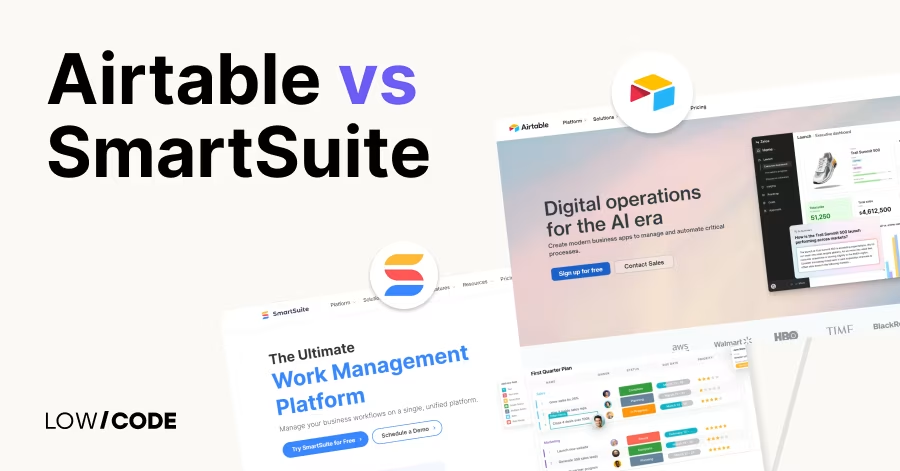
Airtable, used by millions, combines a spreadsheet interface with database logic and strong integrations. It’s flexible, beginner-friendly, and works well for fast-moving teams.
SmartSuite, a newer tool, brings together structured templates, dashboards, and business-ready features like time tracking and task management. It’s built for operations, HR, and multi-department collaboration.
While Airtable lets you build your workflow from scratch, SmartSuite gives you pre-built systems to run your business faster. In this guide, we compare them across 14 factors to help you choose the right platform for your team.
| Feature | Airtable | SmartSuite |
|---|---|---|
| Ease of Use | Spreadsheet-style, quick setup | Guided onboarding, templates |
| Automation | Built-in and Zapier support | Visual builder, native triggers |
| API | REST API with limits | Fast GraphQL API |
| Integrations | Zapier, Make, native apps | Zapier, native apps expanding |
| Permissions | Workspace-level roles | Field, view, and record-level roles |
| Linked Records | Intra-base only | Cross-solution linking |
| Customization | Extensions, Interface Designer | Built-in dashboards and widgets |
| Collaboration | Comments, mentions, Interface views | Task feeds, assignments, Slack sync |
| Community | Large, mature, with forums | Growing, focused on business users |
| Stability | Proven but slower with large data | Stable, newer but responsive |
| Security | SOC 2, SSO, 2FA | SOC 2, HIPAA-ready, role control |
| AI/Reporting | Basic dashboards, no native AI | Strong native reporting tools |
| Best For | Creatives, PMs, fast prototyping | Ops, HR, Sales, structured teams |
The core difference between Airtable and SmartSuite lies in maturity vs structure.
Airtable is a flexible, spreadsheet-style database tool used by teams worldwide for project tracking, CRM, and content planning. It supports various views, built-in automations, and integrations, making it ideal for non-technical users who need visual control of structured data.
SmartSuite, on the other hand, is a newer platform that blends project management and database features into one system. It comes with over 200 solution templates and offers built-in task assignments, permissions, and process tools out of the box. While Airtable focuses on customization and flexibility, SmartSuite leans toward pre-configured business solutions for teams who want structure right away.
If you prefer to build your system from scratch, choose Airtable. If you want ready-made apps with CRM, HR, or marketing tools built-in, go with SmartSuite.
Let’s begin by comparing how easy it is for teams to start using each platform.
Airtable is known for its friendly interface that feels like a spreadsheet but works like a database. Teams can jump in with almost no learning curve. You can create bases, customize field types, and view data in Grid, Kanban, Calendar, and Gallery views. Templates help speed up setup, and drag-and-drop features make organizing data easy.
Even users without technical backgrounds can build working solutions quickly. While advanced features like scripts or automation may need exploration, basic functions are very accessible. Airtable is great for fast onboarding and flexible team use.
SmartSuite is designed with non-technical users in mind. It comes with over 200 pre-built solution templates across use cases like CRM, HR, and operations. This reduces the setup time dramatically. The interface is clean and guided with tooltips, onboarding flows, and built-in tutorials. Users can start managing records, tasks, and timelines right away.
SmartSuite also uses plain language for labels and settings, making it approachable for users new to database apps or project management tools. It strikes a good balance between structure and customization, making it beginner-friendly and business-ready from day one.
Next, let’s explore how each platform supports automation and workflows.
Airtable allows you to create automations triggered by actions like record creation, updates, or scheduled times. You can automate sending emails, updating fields, posting to Slack, or running webhooks. It also integrates easily with tools like Zapier, Make, and custom scripts.
Airtable’s automation builder is visual and easy to understand, helping teams reduce manual tasks without needing to code. Although it doesn’t match enterprise workflow engines, it’s powerful enough for common use cases and integrates well with the broader no-code ecosystem.
SmartSuite includes built-in automation tools similar to Airtable but with added business logic features. You can trigger actions like record updates, notifications, or task creation based on defined conditions. The automation builder is also visual, and it supports scheduled jobs, conditional logic, and app-specific triggers.
SmartSuite also offers native integrations and API support for external automations. The workflow setup is structured more like project tools such as ClickUp or Monday, making it ideal for teams managing processes across departments.
Now let’s look at how well each platform handles API tasks and large data calls.
Airtable offers a REST API that’s easy to use, especially for developers who want to build simple integrations. Each base has auto-generated API docs. However, the API has rate limits that can slow performance for high-volume workflows.
It works well for lightweight apps and scheduled syncs but isn’t ideal for real-time processing of large datasets. Still, for most small to mid-sized use cases, Airtable’s API is responsive and widely supported by automation platforms and tools.
SmartSuite’s API is built to support heavier business workflows and larger datasets. It uses GraphQL for more efficient queries, letting developers pull exactly what they need. This speeds up performance, especially in large-scale setups.
SmartSuite also promotes its enterprise-readiness through low-latency API responses, making it better for teams that require more real-time or batch-heavy API integrations. It’s a strong choice for scaling operations that involve multiple apps or system syncing.
Read more about:
Let’s compare how well both platforms connect with other tools.
Airtable connects with over 1,000 tools using Zapier, Make, and native integrations. It supports Slack, Gmail, Google Calendar, Typeform, and more. Built-in Extensions (formerly Blocks) let you add visual elements like charts or maps.
Airtable also has scripting and webhooks for advanced integrations. Whether you're managing simple form submissions or syncing CRM records, Airtable covers most use cases with minimal setup. Its strong Zapier support makes it highly flexible even for complex workflows.
SmartSuite integrates natively with platforms like Slack, Google Drive, Dropbox, and Microsoft 365. It also connects with Zapier, Make, and other third-party tools for broader automation support. SmartSuite’s focus is on connecting key business tools such as email, file sharing, and calendars into structured workflows.
It also supports API and webhook access for developers. The integration depth is slightly newer than Airtable, but it covers essential tools and is expanding rapidly.
Now let’s look at how both tools handle user access and team roles.
Airtable offers permission levels at the base and workspace level. You can assign roles like Owner, Creator, Editor, Commenter, and Read-only. It supports shared views, table-level permissions (Enterprise only), and Interface Designer for role-specific dashboards.
While good for teams, Airtable’s permission structure can feel limited on lower-tier plans. You may need Enterprise features to get full control over who sees and edits each part of your data.
SmartSuite provides more granular permission control across apps, solutions, fields, and records. You can assign roles at the team or workspace level and set permissions by field or view. It also supports access by status, ownership, and conditions.
This makes SmartSuite better suited for managing multi-team access and ensuring data is only visible where needed. It’s ideal for companies with layered access needs or multiple business units.
Next, let’s explore how well each platform connects data across tables.
Yes, Airtable supports linked records between tables in the same base. This lets you build relational databases by referencing one table inside another. You can roll up data, look up values, and filter by relationships.
However, cross-base linking is not natively supported, and workarounds require sync features or scripts. It works well for teams managing structured data but has some limitations for large-scale relational mapping across multiple bases.
Yes, SmartSuite supports linking records across solutions and apps. You can create relationships between records in different solutions, roll up summary fields, and use lookups to pull data across workspaces. This helps teams create full systems that connect CRM, projects, and HR data in one place.
It feels more integrated than Airtable when working across departments, especially for teams building multi-app business systems inside one platform.
Now let’s compare flexibility and built-in functionality.
Airtable offers a feature called Interface Designer, where you can build custom dashboards and layouts without coding. You can display records in forms, cards, or reports tailored to different team roles.
Airtable also supports Extensions (Blocks), which add charts, maps, timelines, and other widgets inside your base. These tools enhance how data is visualized and interacted with. While not fully app-like, they make Airtable more flexible for teams that need reporting or workflow UI.
SmartSuite comes with built-in dashboards, time tracking, task management, and document storage as core features. You don’t need third-party add-ons for these functions. Each workspace can have multiple dashboards, and you can display metrics, charts, and reports from live data.
SmartSuite feels more like a project management platform blended with database power. It’s suited for teams that want ready-made business operations tools without building from scratch.
Read more about:
Let’s now explore how both tools support team collaboration.
Airtable supports real-time collaboration with features like comments, mentions, shared views, and Interface Designer dashboards. Multiple team members can edit data simultaneously, and you can track changes using revision history. Users can create custom views for different roles and workflows.
Airtable integrates well with Slack and email to send updates and reminders, helping teams stay on the same page. While it lacks built-in messaging, its collaboration setup is clean and effective for task and data management.
SmartSuite includes native collaboration tools such as commenting, mentions, real-time notifications, and task assignments. Each record has a built-in activity feed where team members can chat, leave updates, or upload files.
You can assign items, track progress, and receive alerts based on workflows. SmartSuite also integrates with Slack for team messaging. It offers a more structured, task-focused collaboration space compared to Airtable, especially useful for operational and cross-functional teams.
Now let’s compare how active and helpful each platform’s ecosystem is.
Airtable has a strong community ecosystem with thousands of templates, user forums, webinars, and third-party resources. The Airtable Universe allows users to share full bases and templates for others to copy and use.
There are also experts and consultants available to help with implementation. With its broad user base, Airtable’s community is active and beginner-friendly, making it easier to find help and inspiration for new use cases.
SmartSuite’s community is newer but growing quickly. They offer an official community space, webinars, and active support channels. The partner program includes consultants and service providers helping with deployment, customization, and training. SmartSuite is also investing in template sharing and user stories.
While smaller than Airtable’s, the SmartSuite community is engaged and focused on practical business solutions rather than just templates or code snippets.
Read more about:
Let’s examine how stable and reliable each platform is at scale.
Airtable is stable for small to mid-sized teams, especially on Business and Enterprise plans. However, performance may slow if you're working with large record counts, complex formulas, or many users. The 250,000-record base limit applies on top-tier plans.
Airtable has strong uptime and rarely experiences outages. For most use cases, it remains reliable, but large-scale relational data or backend logic may feel restricted.
SmartSuite is relatively new and still maturing, but it offers solid stability for mid-sized teams. It performs well even with many users and record types thanks to its scalable backend. The team regularly rolls out updates and feature fixes.
While some users may encounter occasional bugs or UI glitches, SmartSuite is actively supported and improved. It's well-suited for operational teams and multi-department setups.
Now let’s compare how both platforms handle enterprise-grade security.
Airtable provides SOC 2 Type II certification, SSO (on enterprise plans), two-factor authentication, and encryption in transit and at rest. Admins can set permissions at the base, table, and view levels.
Enterprise plans also offer audit logs, admin panels, and domain restrictions. Airtable meets the needs of most regulated teams and offers strong documentation for IT reviews and security assessments.
Yes, SmartSuite is SOC 2 Type II certified and offers role-based access, audit logging, and secure encryption. It supports SSO and is built with HIPAA compliance in mind for healthcare organizations.
Teams working in finance, healthcare, or government can use SmartSuite with confidence. Its enterprise security setup is robust, and self-service tools help admins enforce access policies across teams and solutions.
Let’s look at the tools each platform offers for reporting and smart insights.
Airtable does not currently offer built-in AI tools but can be connected to OpenAI or other services via Make, Zapier, or custom scripts. For reporting, Airtable provides summary blocks, charts, and dashboards through Interface Designer and Extensions.
You can track metrics and display KPIs, but for advanced analytics, you’ll need to export data to tools like Google Data Studio or use third-party solutions.
Yes, SmartSuite includes native dashboards, charts, and analytics tools. You can visualize data with bar, pie, line, and metric widgets directly from your records. Each solution can have multiple dashboards tailored to different roles.
While SmartSuite doesn’t yet include built-in AI tools, its reporting capabilities are stronger out-of-the-box compared to Airtable, especially for internal team use and operational tracking.
Read more about:
Let’s close with guidance on when each tool is the better fit.
Choose Airtable if you need a flexible, visual workspace that works like a spreadsheet but adds automation, linked records, and views. It’s best for fast-moving teams who want to build custom workflows with minimal friction.
Airtable shines when you need quick results, strong third-party support, and a large community. It’s ideal for startups, creatives, and non-technical users.
Choose SmartSuite if your team wants structure, built-in dashboards, and ready-to-use business templates. It’s better for operations, HR, sales, or cross-functional teams who need tools like time tracking, document storage, and project dashboards out of the box.
If you’re scaling across departments or need enterprise access control and reporting, SmartSuite is the stronger choice.
Last updated on
May 29, 2026
.
Jesus Vargas
-
Founder
Jesus is a visionary entrepreneur and tech expert. After nearly a decade working in web development, he founded LowCode Agency to help businesses optimize their operations through custom software solutions.
Custom Automation Solutions
Save Hours Every Week
We automate your daily operations, save you 100+ hours a month, and position your business to scale effortlessly.
Our AI — trained on 300+ shipped products — tells you what to build, what to skip, and what it'll actually cost. No fluff.
Assess My Idea"Working with LowCode Agency was the best decision I made in 2025"
Franklin Frith
CEO at HRM
Yes, SmartSuite offers pre-built templates and guided onboarding, which speeds up setup. Airtable is also beginner-friendly but requires more manual building to get started.
Yes, with automations and integrations, Airtable can handle workflows, but SmartSuite may be more structured for multi-team business operations out of the box.
Yes. SmartSuite includes time tracking, dashboards, and task management natively. Airtable needs add-ons or third-party tools to match that level of functionality.
Airtable’s API is solid but rate-limited. SmartSuite’s GraphQL API is faster and better for large data syncs or backend workflows, making it more developer-friendly.
Yes. Airtable and SmartSuite both offer SOC 2 compliance, role-based access, and SSO on enterprise plans. SmartSuite also supports HIPAA-readiness for healthcare teams.
Choose Airtable if you want flexibility, a simple spreadsheet feel, and fast prototyping. It's great for marketing, project tracking, and no-code enthusiasts.
Comparison
Bubble
Bubble vs Adalo | 11 Factors to Decide the Best One
Compare Bubble vs Adalo across 11 key factors, including app types, backend capabilities, scalability, pricing, limitations, and which platform suits your goals.
Comparison
Airtable
Google Sheets vs Airtable: We compared +13 factors
Discover the key differences between Google Sheets and Airtable in 2024. Learn which tool best suits your data management and analysis needs.
Webflow
Comparison
Webflow vs Webstudio | 9 Factors to Decide the Best One
Compare Webflow vs Webstudio across 9 key factors like design, CMS, pricing, and performance to find the right builder for your next project
Webflow
Comparison
Webflow vs Wix | 12 Factors to Decide the Best One
Compare Webflow vs Wix across 12 key factors to find the best website builder for your needs. Design, ease of use, pricing, SEO, and more—explained simply
Comparison
WeWeb alternatives: Top 9 picks for every use case
Explore our top choices of WeWeb alternatives along with tips to choose the best no-code platform to fit your project
Glide
Comparison
Glide vs Retool | 10 Factors to Decide the Best One
Compare Glide vs Retool across 10 key factors to choose the right no-code tool for your internal apps, MVPs, or custom dashboards