|
VOOZH | about |
|
VOOZH | about |
10 min
read
Compare Airtable vs Trello for team projects, task management, and workflows. See which no-code tool fits your needs best in 2025
By
Jesus Vargas
Updated on
May 29, 2026
.
Reviewed by
Real-World Experience with No-Code Tools: With over 320 apps built, we know firsthand what works—and what doesn't—when using no-code platforms like Glide, Bubble, FlutterFlow and Webflow.
Expert Team with 40+ Years of Combined Experience: Our team has deep technical knowledge, with experts who use no-code tools to solve real-world problems for clients every day, ensuring our advice is actionable and reliable.
Detailed Guides Based on Actual Projects: We don’t just talk about no-code; we use it daily to solve real business problems for our clients, from MVPs to complex automations.
Take a deeper look at our editorial guidelines
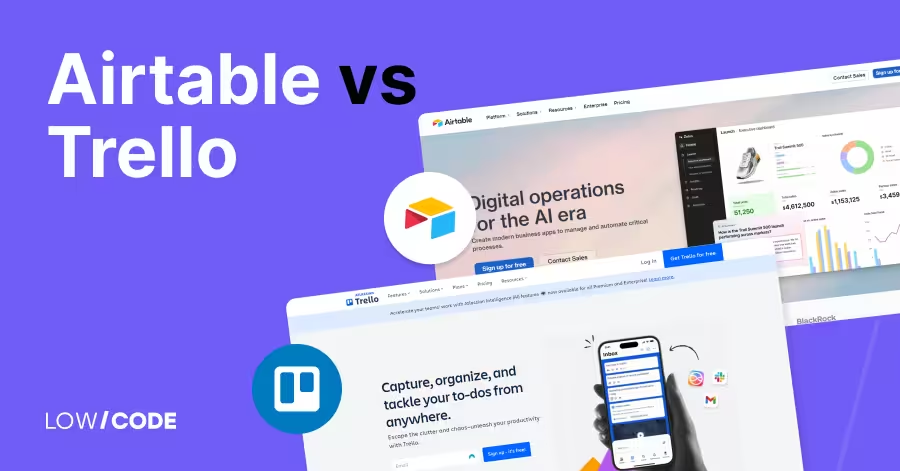
Both Airtable and Trello help teams stay organized, but they work in very different ways. Trello is a Kanban board built for simplicity, used by over 2 million teams for everyday task tracking.
Airtable, with 450,000+ active organizations, goes deeper—it blends spreadsheets and databases with views like calendar, Kanban, and timeline. Airtable is more flexible for structured projects, while Trello is easier for quick setups.
Whether you’re managing content, product tasks, or team sprints, this guide compares their features, customization, and collaboration tools to help you choose the right one.
| Feature | Airtable | Trello |
|---|---|---|
| Best For | Structured data, content calendars, scalable projects | Simple task tracking, Kanban boards, small teams |
| Ease of Use | Moderate, needs setup | Very easy, no setup needed |
| Views | Grid, Calendar, Kanban, Timeline, Gantt | Kanban only (others via Power-Ups) |
| Customization | Custom fields, linked records, formulas | Basic fields, limited layout options |
| Automations | Built-in no-code workflows, Zapier, Make | Butler automation, Power-Ups |
| Collaboration | Real-time, permissions, team views | Comments, mentions, basic sharing |
| Scalability | Great for complex projects and large teams | Best for small, focused projects |
| Mobile Experience | Good, limited design control | Excellent for quick task edits |
| Integrations | Slack, Gmail, Outlook, Zapier, Make, API | Slack, Google Drive, Calendar, Jira, Salesforce |
| Free Plan Limits | Bases, records, features vary by usage | Boards, users, 1 Power-Up per board |
The core difference between Airtable and Trello is how they handle information and workflows.
Trello is a Kanban-style task manager where you organize work into boards, lists, and cards. It’s simple, visual, and great for tracking to-dos or project stages. It works best for small teams or personal planning.
Airtable, on the other hand, combines a spreadsheet with database features. You can use different views—like grid, calendar, Kanban, or gallery—to manage projects, content, or workflows. It’s more powerful for structured data, custom fields, and linking tasks across tables.
Choose Trello if you want a lightweight, visual task board with easy drag-and-drop features. Go with Airtable if you need more flexibility, connected data, or different views to manage larger or more complex projects. Airtable gives you more structure, while Trello keeps it simple.
Let’s start with how each platform helps you visualize your tasks and data.
Yes. Trello is known for its easy-to-use Kanban board layout. You create lists for different stages like “To Do,” “Doing,” and “Done,” then drag cards between them. It’s simple and clear, especially for teams new to project tools. Each card holds checklists, comments, labels, and due dates.
Trello works best when your workflow fits into a straight process with clear steps. It doesn’t require training, and teams can start using it right away. While it lacks other view types, its simplicity makes it great for tracking work in a visual, flexible way.
Airtable offers multiple views, giving more flexibility than Trello. You can switch between Grid (like a spreadsheet), Kanban, Calendar, Timeline, Gantt, and Gallery views. Each view helps you organize and visualize data differently.
For example, Calendar view is useful for deadlines, while Kanban works well for workflows. You can also filter and group tasks based on any field, such as status, owner, or priority. Airtable’s views are connected to the same data, so when you update one view, all others stay in sync. This makes it easier to plan complex projects with many layers.
Next, let’s see how much control you get over how tasks and data are organized.
Airtable lets you fully customize how your data is structured. You can create different tables for tasks, people, projects, or anything else—and link them together. Fields can be checkboxes, dropdowns, attachments, long text, or even formulas.
This means you can build a simple to-do list or a full content calendar or CRM. Each project can be built to match your team’s exact needs. If you’re used to spreadsheets but want something smarter and more visual, Airtable offers the best mix of structure and flexibility without needing to code.
Yes. Trello is great for basic to-do lists, project boards, and team check-ins. You can create cards, set due dates, assign teammates, and add checklists. You don’t need to build tables or manage fields—everything is in a simple list view. Trello keeps things lightweight and doesn’t overwhelm users with options.
However, if you need structured fields, linked data, or more detailed reporting, Trello might fall short. For simple workflows like managing tasks or tracking client projects, Trello is more than enough. It’s best when you want clarity and speed.
Read more about:
Now let’s look at how both platforms handle repeated tasks and processes.
Airtable includes a built-in automation builder where you can set up triggers and actions. For example, when a status changes to “Done,” it can send an email or update another record. You can automate Slack messages, reminders, or sync tasks between tables.
Airtable also works with Zapier, Make, and other tools to connect it to thousands of apps. Automations are visual and easy to set up without code. This helps teams save time by reducing manual steps, especially in content planning, marketing, and operations.
Yes. Trello includes a tool called Butler, which helps automate simple actions. You can create rules like “when a card is moved to ‘Done,’ mark the due date as complete” or “every Monday, create a weekly planning card.” Butler uses a natural language style that’s easy to understand.
It can also send emails, set labels, and more. While Butler is not as advanced as Airtable’s automations or external tools like Zapier, it works well for basic task flows. It’s useful for keeping boards clean and reducing small repetitive steps.
Let’s compare how easy each tool is for teams to start using and collaborate daily.
Yes. Trello is one of the easiest tools for teams to start using. You create a board, invite teammates, and add tasks. The drag-and-drop system is simple, and everyone can see progress right away. Trello is great for quick meetings, daily check-ins, and assigning tasks on the fly.
Even new team members understand it within minutes. While it’s not built for deep project data, its ease of use keeps things moving. For fast setup and teamwork, Trello works well across departments and team sizes.
Yes. Airtable is built for real-time team collaboration. You can invite team members to your base, assign tasks, leave comments, and update records together. Everyone sees changes instantly. You can also control who sees or edits each view or field. Airtable works well for larger teams that need more structure than Trello.
It’s especially useful for cross-functional teams managing content, design, or operations. While it may take more time to learn, Airtable’s permissions, views, and real-time features make it powerful for teams that need to organize more than just simple to-dos.
Read more about:
Let’s look at how well each tool handles bigger teams and more detailed workflows.
Yes. Airtable scales well as your project grows. You can create linked tables, set up dashboards, and build advanced workflows. Whether you’re tracking marketing campaigns, customer feedback, or product tasks, Airtable lets you organize everything in one place.
It supports different user roles and permission levels, so large teams can manage their work safely and clearly. Airtable’s flexibility means it grows with you—you don’t have to switch tools as your team or needs expand. It’s ideal for long-term use across multiple departments.
Trello works well for small to mid-sized projects, but it can feel limited as complexity grows. You only get one board view per project, and managing many cards across lists can become hard to follow.
While Power-Ups and automation help extend its features, Trello isn’t built for advanced workflows or deep data relationships. Teams with larger projects often need to create multiple boards, which can become hard to manage. Trello is best for focused projects, not large-scale multi-team coordination.
Read more about:
Now let’s compare how well each tool connects with other apps your team may use.
Airtable supports direct integrations with tools like Slack, Google Drive, Outlook, and more. It also works with automation tools like Zapier, Make, and Workato, so you can connect it to thousands of apps. You can create workflows between Airtable and email, CRMs, forms, or even social tools.
Airtable also has an API for custom development and offers extensions to add charts, maps, and dashboards. This makes it ideal for teams looking to centralize data and build custom workflows between tools they already use.
Trello uses Power-Ups to connect with other services. These include Slack, Google Calendar, Dropbox, Microsoft Teams, Jira, Salesforce, and many more. Each Power-Up adds new features to your board, like viewing calendars, syncing tasks, or seeing analytics. Free plans allow only one Power-Up per board, while paid plans unlock unlimited options.
Trello also supports Zapier and native automation. While Trello has fewer integration options than Airtable for data-heavy use, its Power-Ups are simple to use and help extend its core functions for task and team management.
Now let’s see how both tools perform on mobile for remote and busy teams.
Yes. Trello is very mobile-friendly. Its app works smoothly on iOS and Android, keeping the same card-based experience as the desktop version. You can drag and drop tasks, add comments, and check notifications on the go. It’s perfect for quick updates during meetings or fieldwork.
Trello’s clean interface and fast sync make it easy to stay on track from anywhere. Whether you're assigning tasks or checking deadlines, Trello’s mobile app feels natural and lightweight. It’s one of the easiest tools to use on mobile for managing day-to-day tasks.
Yes, but with some limits. Airtable’s mobile app lets you view, search, and edit records across different views. You can update data, add attachments, and switch between tables. However, it’s not as flexible as the desktop version—custom views and design options are limited on mobile.
Still, it works well for light updates or reviewing tasks while away from your desk. For example, sales teams can update client info, or project managers can check task status during travel. If you need full access to all features, desktop is better, but mobile is solid for basic work.
Read more about:
Let’s break down which tool is right depending on your project needs.
Choose Airtable if your projects involve structured data, need multiple views, or require linking between tasks. It’s great for content planning, campaign tracking, CRMs, and product management. Teams who need to scale, collaborate in real-time, and create flexible workflows will benefit from Airtable’s power.
You also get automation, reporting, and API access. If your team is growing or working cross-functionally, Airtable gives you control without needing code. It’s more than a task tracker—it’s a full project and data platform.
Choose Trello if you want a fast, simple way to manage tasks without setup or training. It’s best for individuals, small teams, or simple projects like weekly planning, content calendars, or to-do lists. Trello’s Kanban style keeps everyone aligned visually, and its mobile app is excellent.
If your work doesn’t need complex tables or linked data, Trello gets you going quickly. It’s also ideal for teams that don’t want to overcomplicate project tracking and prefer a clean, card-based view.
Last updated on
May 29, 2026
.
Jesus Vargas
-
Founder
Jesus is a visionary entrepreneur and tech expert. After nearly a decade working in web development, he founded LowCode Agency to help businesses optimize their operations through custom software solutions.
Custom Automation Solutions
Save Hours Every Week
We automate your daily operations, save you 100+ hours a month, and position your business to scale effortlessly.
Our AI — trained on 300+ shipped products — tells you what to build, what to skip, and what it'll actually cost. No fluff.
Assess My Idea"Working with LowCode Agency was the best decision I made in 2025"
Franklin Frith
CEO at HRM
Yes, Airtable can replace Trello if you want more control, views, and custom fields. Airtable works well for task tracking, especially in teams that need structure and reporting. But if you only need simple to-do lists, Trello may be easier and quicker to use.
Yes. Trello is great for small teams who need to manage tasks without complex features. Its drag-and-drop board makes it easy to plan and update work quickly. Airtable is more powerful but can feel heavier for small or short-term projects that don’t need advanced views or automation.
Yes, you can use both together. Some teams use Airtable for tracking data and Trello for daily task updates. Tools like Zapier or Make can sync the two platforms, so when a task is created in Airtable, it can show up in Trello for execution or reminders.
Yes. Airtable is great for reporting. You can create custom views, charts, and filters to track task status, team performance, or project progress. It also supports dashboards through extensions. If your team wants to review data visually, Airtable gives more control than Trello.
Yes, but only through the Calendar Power-Up. Trello doesn’t have a built-in calendar by default. Airtable, however, offers a native calendar view in every base. If you plan events, deadlines, or campaigns, Airtable’s built-in calendar is more flexible than Trello’s add-on version.
Airtable is more customizable. You can build custom fields, link tables, use different views, and automate workflows. Trello focuses on visual task boards, and while it has Power-Ups, it’s not as structured as Airtable. If you need flexibility and data control, Airtable is better.
Comparison
Webflow
Webflow vs Shopify | 17 Factors to Decide the Best One
Compare Webflow vs Shopify across 17 key factors including design, SEO, eCommerce, and pricing to choose the right platform for your business goals
Comparison
FlutterFlow
Best Backends for FlutterFlow (8 Options in 2026)
Looking for the best backend for FlutterFlow? We compare 8 backend options, explaining features, use cases, limits, and when each makes sense.
Bubble
Comparison
Bubble vs Bravo Studio | 11 Factors to Decide the Best One
Compare Bubble vs Bravo Studio for building web or mobile apps. Learn which no-code tool suits your app goals, skills, and publishing needs
Airtable
Comparison
Airtable vs StartInfinity | 8 Factors to Decide the Best One
Compare Airtable vs StartInfinity across 8 key factors to find the best tool for your team’s projects, data, and workflows
FlutterFlow
Comparison
FlutterFlow vs Noodl | 10 Factors to Decide the Best One
Compare FlutterFlow vs Noodl across 10 key factors like performance, pricing, customization & more to find the best no/low-code platform for your app
Comparison
Airtable
Google Sheets vs Airtable: We compared +13 factors
Discover the key differences between Google Sheets and Airtable in 2024. Learn which tool best suits your data management and analysis needs.







.avif)