|
VOOZH | about |
|
VOOZH | about |
16 min
read
Learn how to translate a Glide app into any language using tables, computed columns, AI, and best practices for multi-language app setup and scaling.
By
Jesus Vargas
Updated on
May 29, 2026
.
Reviewed by
Real-World Experience with No-Code Tools: With over 320 apps built, we know firsthand what works—and what doesn't—when using no-code platforms like Glide, Bubble, FlutterFlow and Webflow.
Expert Team with 40+ Years of Combined Experience: Our team has deep technical knowledge, with experts who use no-code tools to solve real-world problems for clients every day, ensuring our advice is actionable and reliable.
Detailed Guides Based on Actual Projects: We don’t just talk about no-code; we use it daily to solve real business problems for our clients, from MVPs to complex automations.
Take a deeper look at our editorial guidelines
Translating a Glide app is entirely possible, but it requires a different approach than most platforms. Glide does not have a built-in language switcher or native localization system, which means you need to architect multi-language support yourself.
This guide explains every method, when to use each one, and how to build it correctly from the start.
Before committing to this architecture, it helps to understand the broader Glide advantages and disadvantages so you know where manual configuration is expected.
Glide App Development
Turn Sheets Into Apps
As the largest Glide agency, we help businesses transform spreadsheets into powerful internal tools, CRMs, and mobile apps
Glide apps can support multiple languages, but not through a native translation system. Some UI elements respond to device locale automatically, but custom labels, tab names, component text, and database content require manual architecture or third-party tools to translate.
Understanding this upfront prevents the most common mistake: building an entire app and then discovering that translation requires restructuring the whole data model.
Before building anything, define the exact scope of translation your app requires. The architecture for translating static UI labels is completely different from translating dynamic database content, and both are different from serving SEO multi-language pages.
Define which of these your project actually needs:
Most internal business apps need Option 1 (static labels) plus Option 3 (per-user preference). Most consumer-facing or content apps need dynamic content translation. Define your scope before you open the editor.
Build a Translations table that stores every UI string in every supported language, then use computed columns and lookup logic to display the correct string based on the user's language preference.
This is the most flexible and scalable approach for serious multi-language apps.
If you want to see structured builds using similar relational logic, review real Glide app examples that rely heavily on computed columns and relations.
Create separate tabs or screens for each language and use visibility rules to show only the tab matching the user's language.
Simpler to build than the translations table approach, but significantly harder to maintain as content grows.
At that stage, evaluating long-term Glide scalability becomes important before your architecture becomes difficult to refactor.
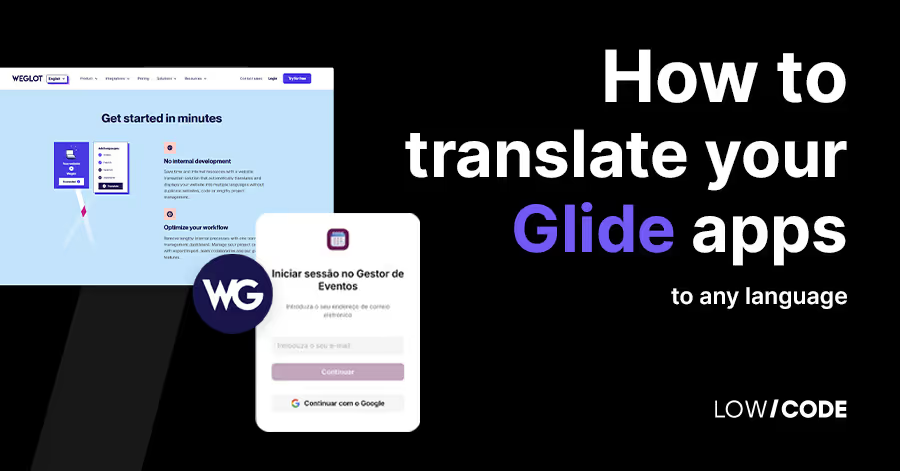
Weglot and similar tools can automatically translate Glide app content by intercepting page rendering at the DNS level, translating text, and serving it from language-specific subdomains.
This approach requires a custom domain and has specific limitations with Glide's authentication.
Because Glide apps run as browser-based deployments, you should understand how Glide PWA infrastructure works before implementing DNS-level translation proxies.
Building manual multi-language support requires seven structured steps: adding a language selector to user profiles, creating a translations table, connecting translations to components, and adding fallback logic for missing strings.
Add a Language column to your Users table as a choice field with your supported language codes (EN, FR, ES, DE, etc.).
Add a language selector component to the user profile screen so users can set their preference. Set a default value (EN or the app's primary language) to ensure all users have a valid language value.
Create a new table called Translations. Add a String Key column for unique identifiers and one column for each supported language. Populate it with every text string your app displays: button labels, screen titles, form field labels, empty state messages, and navigation labels.
Keep your structure simple and explicit. Each row is one string, each language column holds that string's translation.
For example: String Key = "nav_products", English = "Products", French = "Produits", Spanish = "Productos".
Avoid JSON-based structures unless you have a specific technical reason, as they add parsing complexity without meaningful benefit at small to medium language counts.
For each component that displays text, instead of entering text directly, reference a computed column that returns the translated string.
Create a relation from a screen's data source to the Translations table matching on String Key, then use a lookup column to retrieve the correct language column based on the user's Language field.
The core pattern is: an If-Then computed column checks the current user's Language value and returns the corresponding language column from the Translations lookup. This column is what you display in your component instead of hardcoded text.
Wrap every translation lookup in a fallback condition: if the translated value is empty, display the English (default) value instead. This prevents blank labels appearing if a translation row has not been filled in yet for a given language.
Switch your test user's language to each supported option and navigate through every screen. Check that labels, buttons, titles, and messages all display correctly. Pay particular attention to screens with dynamic content, forms, and any computed column that generates display text.
Translating dynamic database content (product names, descriptions, categories) requires either separate columns per language within each row or separate rows per language per record. Separate columns is simpler for small content sets; separate rows scales better for large catalogs.
Place the language selector in the user profile screen, use icons for navigation elements that cannot change dynamically, set a sensible default language, and always test the switching experience on mobile where layout constraints are tightest.
Several Glide elements cannot be dynamically translated including tab labels, some system UI text, email templates, and authentication screens. Each has a practical workaround, but knowing these limits upfront prevents frustration during build.
For apps with ten or more languages and hundreds of translated strings, computed column volume can affect load performance. Mitigate by reducing unnecessary computed columns and using Glide Tables rather than Google Sheets as your data source
Managing two languages is straightforward. Managing ten or more requires disciplined table structure, a translation management workflow, and a clear strategy for updating content without breaking existing translation references.
Automatic translation tools like Weglot make more sense for marketing-focused apps, read-only content tools, SEO-driven multi-language sites, and fast MVPs where translation quality is secondary to speed of deployment.
Glide App Development
Turn Sheets Into Apps
As the largest Glide agency, we help businesses transform spreadsheets into powerful internal tools, CRMs, and mobile apps
Work with a specialist product team when your app has hundreds of UI strings, serves multiple enterprise regions, requires frequent multi-language content updates, needs AI-powered translation workflows, or demands clean architecture that scales without rebuilding.
This type of workflow goes beyond configuration and often benefits from experienced top Glide experts who have handled multi-region builds.
At LowCode Agency, we design multi-language Glide apps and custom-built applications with translation architecture built into the data model from the first planning session.
Whether the right answer is a Glide translations table, a hybrid approach with external tools, or a fully custom multilingual system, the decision should be made before the first screen is built.
Last updated on
May 29, 2026
.
Jesus Vargas
-
Founder
Jesus is a visionary entrepreneur and tech expert. After nearly a decade working in web development, he founded LowCode Agency to help businesses optimize their operations through custom software solutions.
Custom Automation Solutions
Save Hours Every Week
We automate your daily operations, save you 100+ hours a month, and position your business to scale effortlessly.
Our AI — trained on 300+ shipped products — tells you what to build, what to skip, and what it'll actually cost. No fluff.
Assess My Idea"Working with LowCode Agency was the best decision I made in 2025"
Franklin Frith
CEO at HRM
No. Glide does not include a native translation system or language switcher. Some system UI elements respond to device locale, but all custom text including labels, tab names, and button text requires manual translation architecture or a third-party tool.
Yes, with the right architecture. By storing a language preference in the Users table and using computed columns to look up translated strings, users can change their language in their profile and see the app update accordingly. Tab labels are the main exception, as they cannot change dynamically.
For small content sets (two to four languages, under 500 rows), add separate language columns to your content table (Name_EN, Name_FR) and use a computed column to return the correct one. For large catalogs or many languages, use separate rows per language linked by a master ID, filtered by the user's language preference.
Yes. Weglot is the most commonly used tool for this purpose. It requires a custom domain and works by proxying your app through Weglot's servers, translating visible text, and serving it from language subdomains. It works best for content-heavy or read-only apps. Authentication flows and dynamic interactions can have compatibility issues.
Yes, though with limitations. Glide's authentication screens (email entry, verification) are system-generated and cannot be translated. Once a user is logged in, the app experience can be fully translated based on their profile language setting. For Weglot-based translation, login flows require additional testing as proxy-based tools can conflict with Glide's auth behavior.
With the Translations table approach, there is no hard limit on language count. Practically, two to five languages are straightforward to build and maintain. Ten or more languages require disciplined table management and a translation workflow for adding new strings. Beyond that, the maintenance overhead often justifies investing in a more purpose-built multilingual architecture.
Glide
AI
Benefits of Glide AI-Powered Apps: What You Actually Gain
Explore Glide AI-powered apps: Streamline development, enhance user experiences, and innovate across industries with no-code AI integration.
Comparison
Glide
Bubble
Bubble vs Glide | 10 Factors to Decide the Best One
Compare Bubble vs Glide across 10 key factors, including use cases, backend needs, scalability, pricing, limitations, and which platform fits your app goals.
Comparison
Glide
Glide vs Adalo | 10 Factors Compared (2026)
Adalo vs Glide: Choosing the right platform for your no-code app. Why Glide might surprise you!
Glide
Mobile App Development
Build Mobile Apps Using Glide (Read this Before You Start)
Learn how to build mobile apps using Glide, what it can and can’t do, pricing limits, and when it makes sense for real business use cases in 2026.
Glide
13 Best Glide Alternatives (Compared for Real Use Cases)
Explore 13 best Glide alternatives compared for real use cases. See features, pricing, scalability, and when to choose each no-code platform in 2026.
Glide
Are Glide Apps Scalable? (Honest Growth Analysis)
Are Glide apps scalable? We break down performance limits, database constraints, pricing tiers, and real-world growth scenarios to help you decide confidently.








.avif)