
MySQL is the most popular, free and open-source relational database management platform, which is used to host multiple databases on any single server by allowing multi-user access to each database.
The latest MySQL 8.0 version is available to install from the default AppStream repository using the MySQL module that is enabled by default on the CentOS 8 and RHEL 8 systems.
There is also MariaDB 10.3 database version is available to install from the default AppStream repository, which is “drop-in replacement” for MySQL 5.7, with some restrictions. If your application is not supported with MySQL 8.0, then I recommend you to install MariaDB 10.3.
In this article, we will walk through you the process of installing the latest MySQL 8.0 version on CentOS 8 and RHEL 8 using the default AppStream repository via YUM utility.
Install MySQL 8.0 on CentOS8 and RHEL 8
The latest version of the MySQL 8.0 is available to install from the default Application Stream repository on CentOS 8 and RHEL 8 systems using the following yum command.
# yum -y install @mysql
The @mysql module will install the most recent version of MySQL with all dependencies.
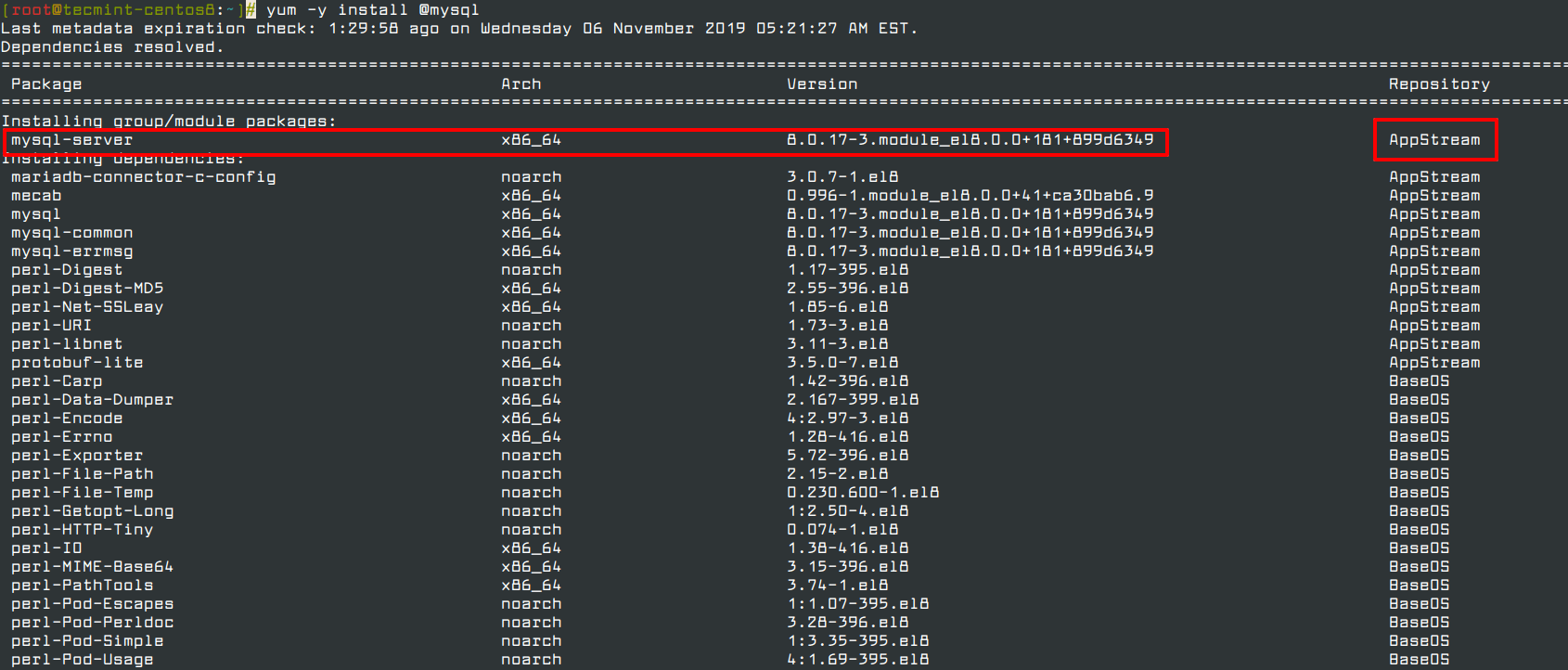
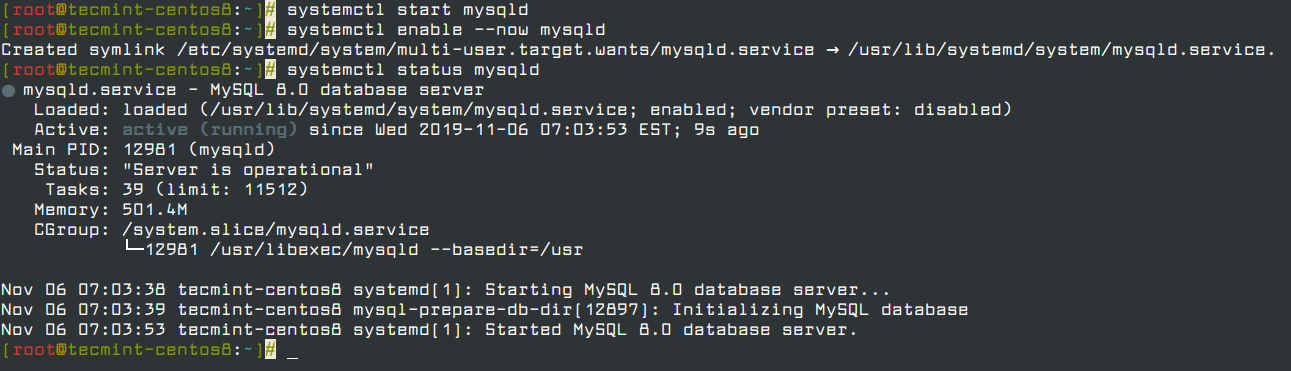
Once the installation of MySQL completes, start the MySQL service, enable it to automatically start at system boot and verify the status by running the following commands.
# systemctl start mysqld
# systemctl enable --now mysqld
# systemctl status mysqld
Now secure the MySQL installation by running the security script that carries several security-based operations such as setting the root password, removing anonymous users, disallow root login remotely, remove test database and reload privilege.
# mysql_secure_installation
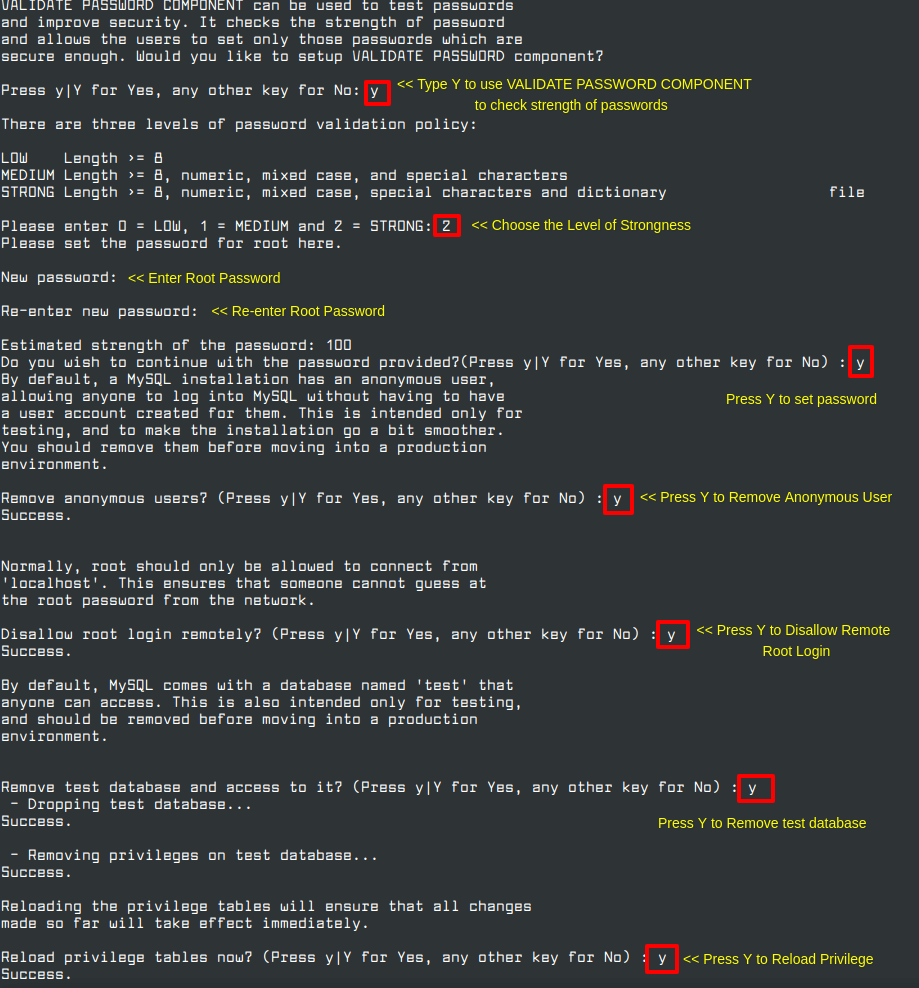
Once MySQL installation is secured, you can log in to the MySQL shell, and start creating new databases and users.
# mysql -u root -p
mysql> create database tecmint;
mysql> GRANT ALL ON tecmint.* TO ravi@localhost IDENTIFIED BY 'ravi123';
mysql> exit
That’s all! In this article, we’ve explained how to install MySQL 8.0 on CentOS 8 and RHEL 8. If you have any questions or feedback, do share it with us in the comment section below.
If this article helped you solve a problem, consider buying a coffee. It helps keep TecMint free, supports the authors, and keeps the project going.


Got Something to Say? Join the Discussion... Cancel reply