
PHP, a recursive acronym for PHP Hypertext Preprocessor, is a popular server-side scripting language used in web development for creating powerful and dynamic websites.
In this article, you will learn how to install PHP 7.4 on CentOS 8 Linux.
Step 1: Add EPEL and Remi Repositories
To get started, you need to add EPEL & Remi repository from where you will be able to install PHP 7.4 on CentOS 8 Linux.
To install and enable the EPEL repository on CentOS 8, execute the following dnf command.
# dnf install https://dl.fedoraproject.org/pub/epel/epel-release-latest-8.noarch.rpm
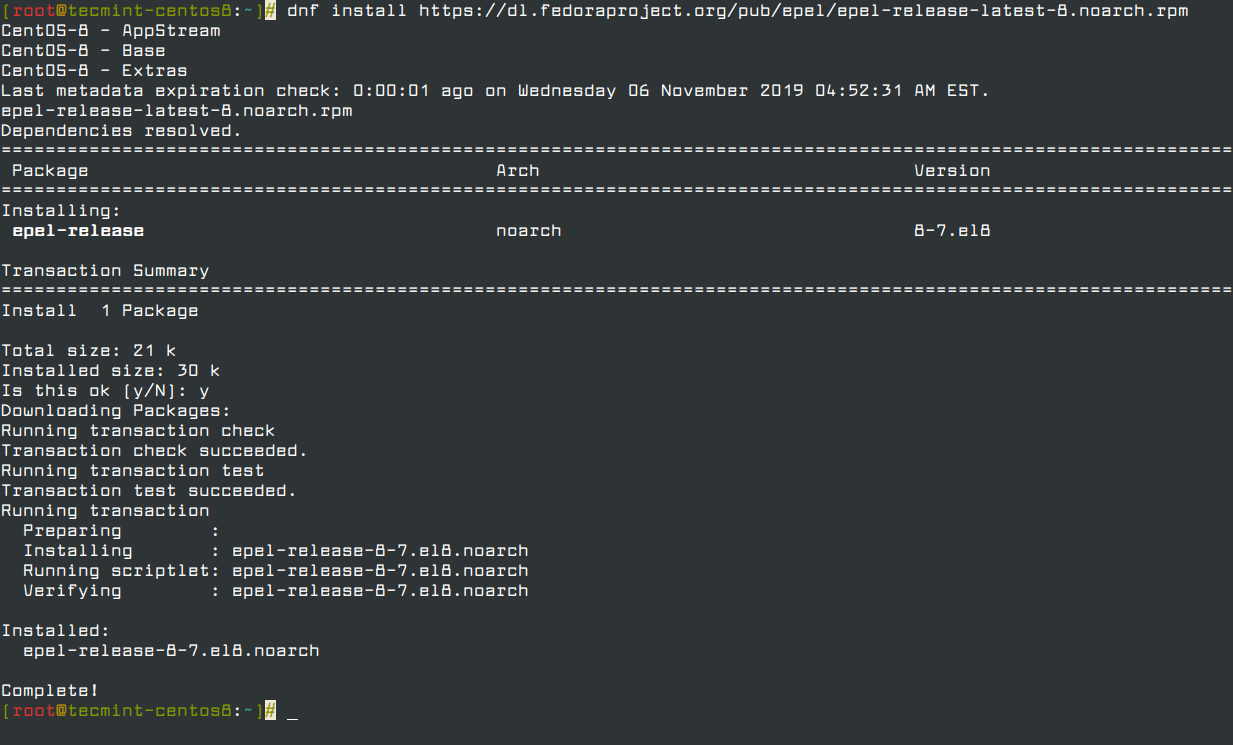
To confirm the presence of the EPEL repository, run the following rpm command.
# rpm -qa | grep epel

Next, run the command below to add the Remi repository.
# dnf install https://rpms.remirepo.net/enterprise/remi-release-8.rpm
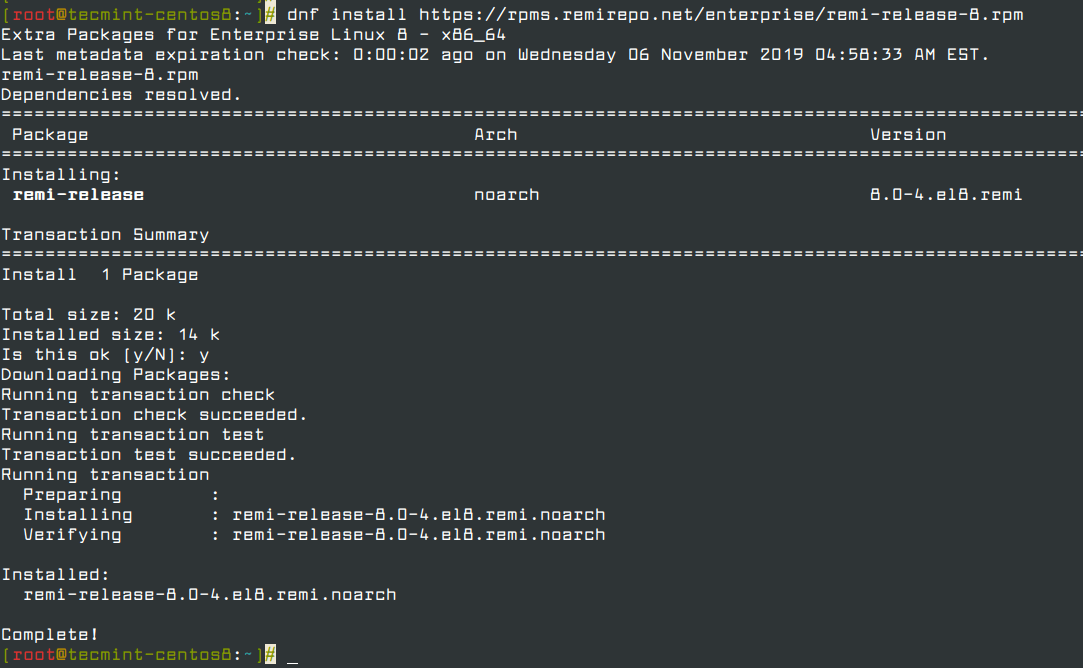
Once again, to verify the existence of the Remi repository, run the command.
# rpm -qa | grep remi

Step 2: Install PHP 7.4 on CentOS 8
Upon successful addition of EPEL and Remi repositories, execute the command below to get a list of available PHP module streams.
# dnf module list php
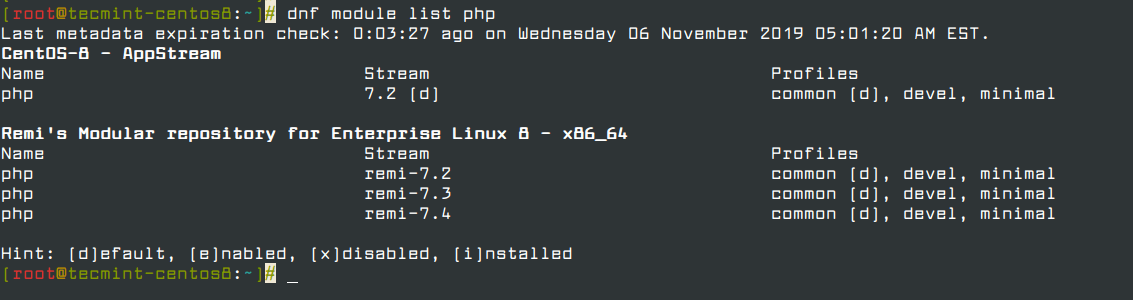
From the output above, remi-7.4 is the latest PHP stream, and therefore we are going to enable the module stream as shown below.
# dnf module enable php:remi-7.4
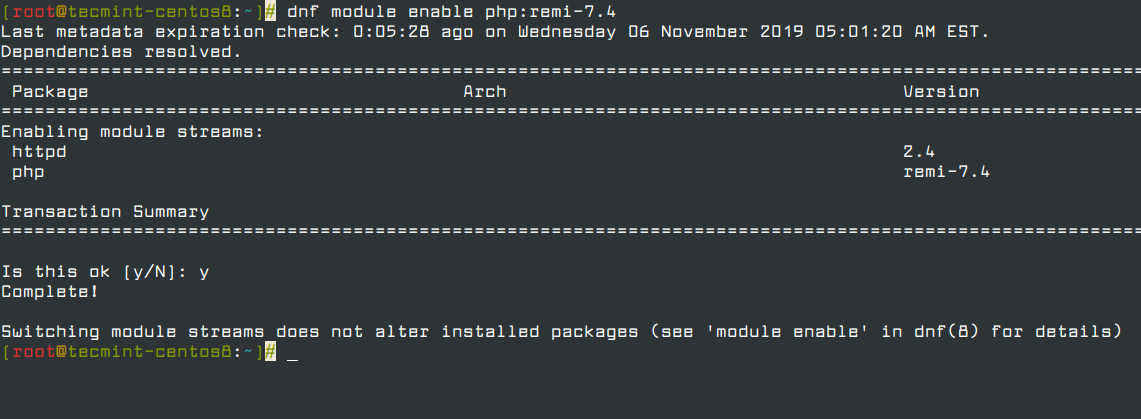
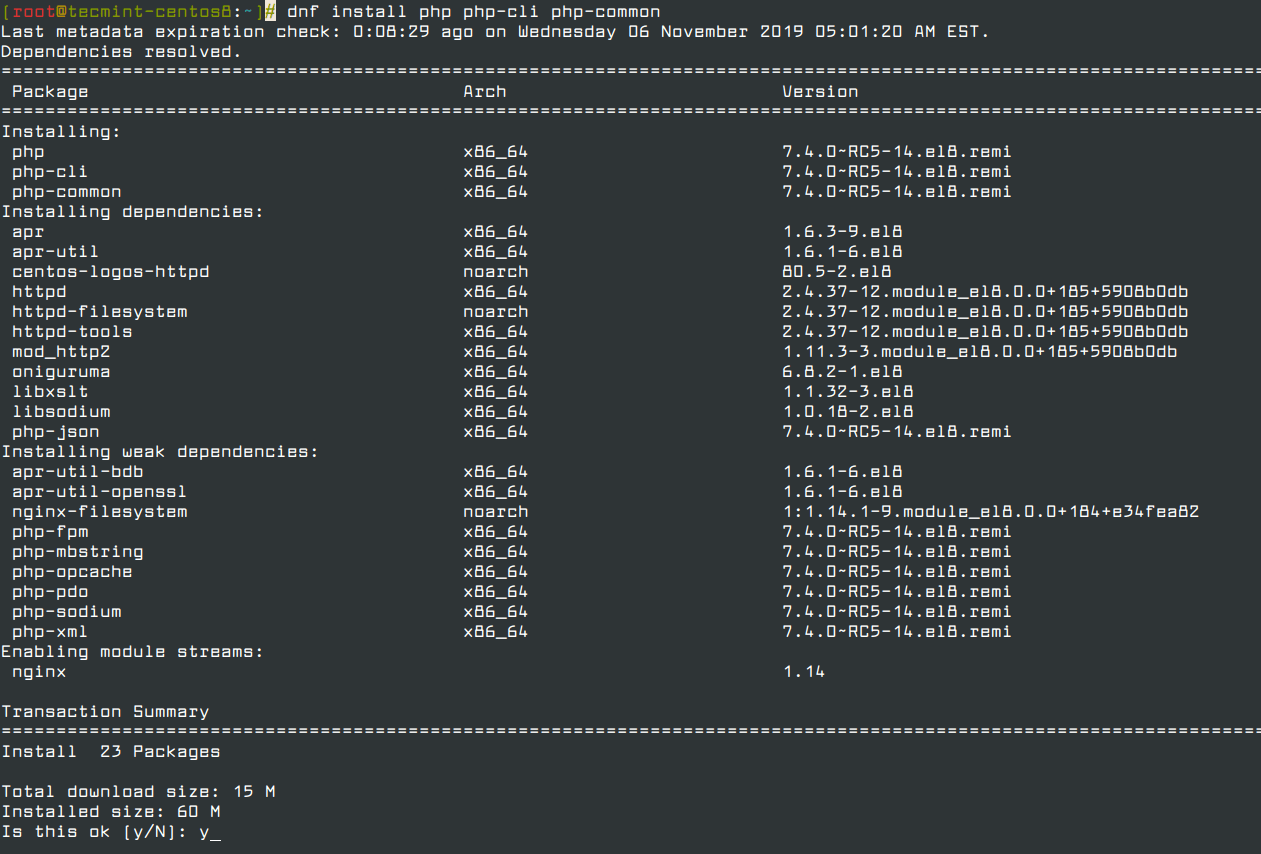
Once the PHP remi-7.4 module has been enabled, you can then proceed and install PHP using the command below. This will also install a host of other packages such as Apache and Nginx modules.
# dnf install php php-cli php-common
To check the version of PHP installed, run the command.
# php -v

From the output, we can clearly see that we have installed PHP version 7.4! You can now proceed to test and deploy your applications using PHP. And that’s just about it for now. We do hope you found this guide helpful.
If this article helped you solve a problem, consider buying a coffee. It helps keep TecMint free, supports the authors, and keeps the project going.


Got Something to Say? Join the Discussion... Cancel reply