
A cross-platform solution that provides secure remote access, remote control, and remote support solution across devices. The data traffic between devices are encrypted which makes the TeamViewer very secure. This software is available for “Linux, Windows, Mac, Chrome OS” and even for mobile devices like “iOS, Android, etc.”.
We can also remotely connect to servers, IoT devices, and commercial-grade machines from anywhere and at any time through their secure global remote access network.
Related Read: How to Install TeamViewer on RHEL 8
TeamViewer is installed over 2 Billion devices and each device generates a unique ID. It also connects 45 million online devices at any point in time. TeamViewer provides Two-factor authentication and End to End encryption to make it more secure. It also supports integration with applications via API.
In this article, we will explain how you can install the latest version of the TeamViewer application on your CentOS 8 Linux distribution through the command line.
TeamViewer packages are available for both 32-bit and 64-bit platforms. I am using the 64-bit system and downloading the package for the same. You can directly download the TeamViewer package from the web.
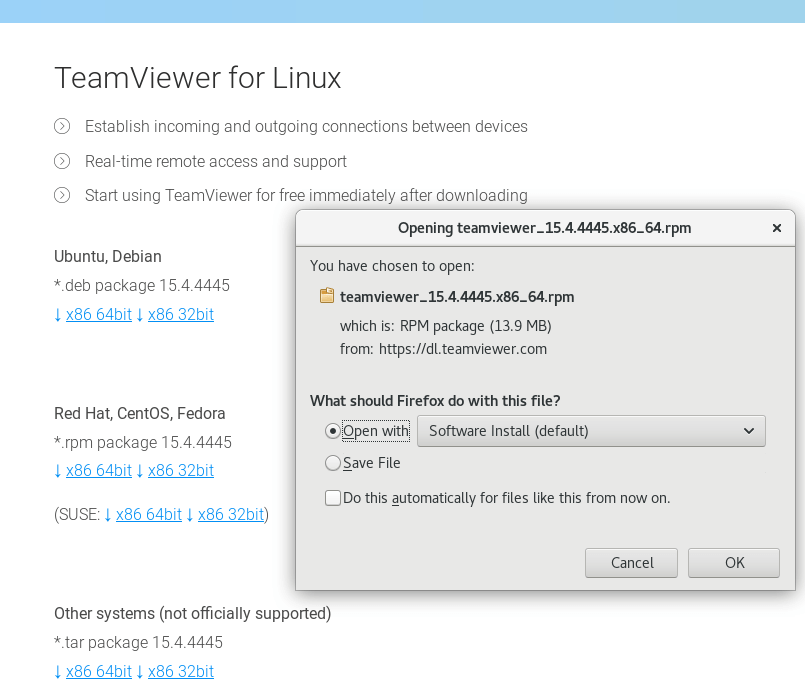
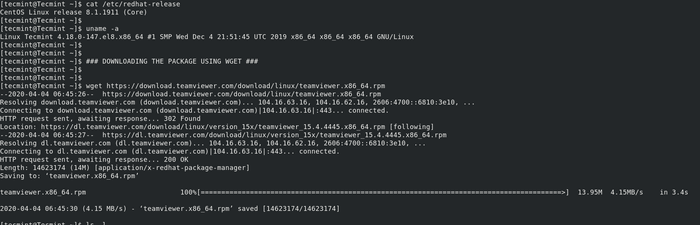
Alternatively, you can use wget utility to download the package directly from the command-line.
$ wget https://download.teamviewer.com/download/linux/teamviewer.x86_64.rpm
The TeamViewer requires additional dependent packages and that can be installed from the EPEL repository as shown.
Enable EPEL Repo on CentOS 8
You can install EPEL repo using the below command. This command will enable the repo if it is not already installed. Since I have already configured EPEL repo it shows nothing to do.
$ sudo yum install https://dl.fedoraproject.org/pub/epel/epel-release-latest-8.noarch.rpm -y

Install TeamViewer on CentOS 8
Now you can proceed further to install TeamViewer on CentOS 8.
$ sudo yum install teamviewer.x86_64.rpm -y
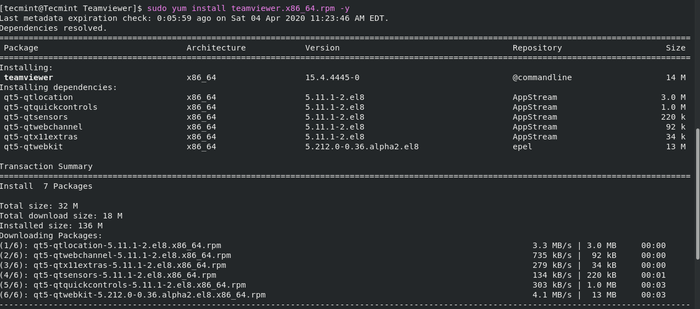
Once the package is installed you can start using team viewer.
$ teamviewer
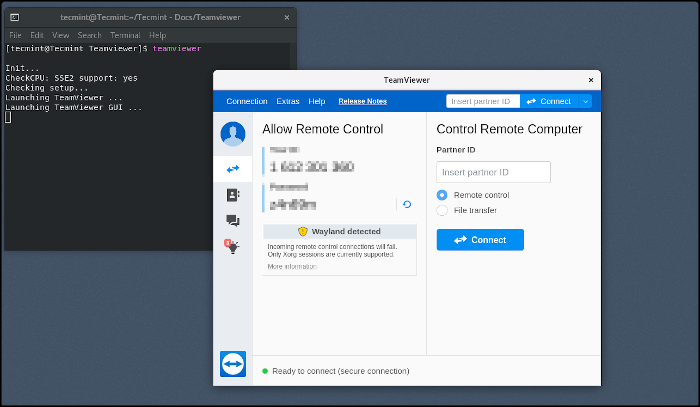
In this article, we have seen how to install TeamViewer on CentOS 8 operating system. TeamViewer is an easy to go solution when it comes to remote desktop sharing application.
If this article helped you solve a problem, consider buying a coffee. It helps keep TecMint free, supports the authors, and keeps the project going.





Got Something to Say? Join the Discussion... Cancel reply