
What do you think of when you hear the term "undervolting"? We commonly associate squelching voltage with lowering clock speeds, higher efficiency, and power savings, not necessarily better performance. In reality, the last few hardware generations have pushed undervolting into the mainstream for just that: better performance. Tuning down the voltage of your components allows them to maintain the same level of performance with the same clock speed. In theory, (and sometimes in practice) this also allows them to boost higher, increasing performance.
I've tried undervolting components in my system indivdually for testing, but I've never run them like that for an extended period of time. My main workstation is equipped with a Ryzen 7 7800X3D and a Radeon RX 9070 XT GPU, two components that are known to take pretty well to undervolting, so I decided to see what kind of performance gains would be possible if I undervolted everything I could in my system.

4 reasons to undervolt your laptop's CPU
Undervolting is not only safe but also beneficial to your laptop
Undervolting my RX 9070 XT
A significant boost
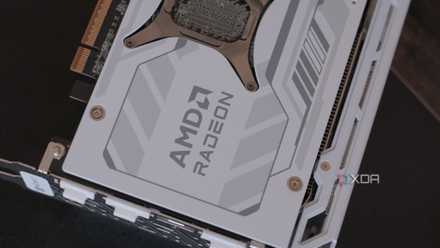
I decided to begin by undervolting my GPU, as it's the easiest component to get into a stable undervolting configuration rather quickly. Using AMD's Adrenalin Software, I applied a -70mv voltage offset to start. Most cards can easily reach this threshold, and while I'm sure my Sapphire NITRO+ card can handle a heftier undervolt than this, it's better to start small. I also enabled a power limit of +5%, just to push clocks a little bit higher. After enabling Fast Timing on the VRAM, I ran some tests in the form of the canned Cyberpunk 2077 benchmark.
After going through the process of lowering it multiple times, I managed to get the card stable with a -100mv voltage offset. While lower offsets did pass the benchmark, I experienced some crashing on the Battlefield 6 beta, so I had to turn it up a bit. In Cyberpunk: 2077 with high settings and RT enabled at medium, I saw my average framerate go from 58 to 63. With the really aggressive undervolt, I saw up to 10% gains, which aligns with what de8auer saw in his undervolt testing around the launch of the RX 9070 XT.
Temperatures and overall power draw were already superb on my NITRO+ card, but this made them even better. The fans were already very quiet under load, and this undervolt made them very difficult to hear through my headphones, even with no audio playing. If you have an RX 9070 XT, I highly recommend giving an undervolt a try.
Dialing back the 7800X3D
Not entirely significant
Next up, my Ryzen 7 7800X3D. These chips weren't unlocked, so while overclocking is mostly out of the question, undervolting is certainly on the table. To test the effects of the undervolt, I used Prime95 to stress test and Cinebench 2024 to measure the difference in performance. Using Ryzen Master, I dialed back the all-core value in the Curve Optimizer by -20. I used the integrated "Validate Offset" function within Ryzen Master, but this won't always ensure your system is 100% stable. The only way to do so if with a full stress test, such as Prime95. I managed to get it down to around -35 before I saw consistent crashing in Prime95, but I was getting some weird suttering in other applications, so I had to dial it back to -20.
The results were somewhat expected. While I didn't see a great difference in performance, I did see my temperatures decrease significantly. Under load, my CPU would fluctuate between 70 and 80 degrees Celsius at stock, and with an undervolt, this went down to the mid-60 degree range. Cinebench scores only had a performance delta of around 30 points, which isn't very much. Definitely not enough to be noticeable in any gaming scenarios.

4 scenarios where a Ryzen X3D CPU might be the worst choice
Despite the fame, Ryzen X3D CPUs might be a bad investment for you
Everything else
RAM and chipset undervolting?
In my quest to undervolt all the things, I looked into what would happen if I undervolted my RAM, and perhaps even my chipset. Spoiler: while undervolting RAM is certainly possible, it's not something you should do, and undervolting a chipset is just not possible.
Undervolting RAM alone would just result in memory errors and crashes, so to get it in a working state, you'd have to combine it with a decrease in speed and looser timings. This is just worse than stock, and there's really no reason to do this.

5 things I wish I knew before spending extra money on faster RAM
Sometimes faster isn't actually faster.
Stick to the big two when it comes to undervolting
All in all, you should just stick to your CPU and GPU when it comes to undervolting. Depending on the components in your system, your mileage will definitely vary. Some GPUs, such as the RX 9070 XT, take really well to an undervolt, while others do not. The same principle goes for CPUs. Some will do better with less voltage pushed through them, while others can see greater gains if you just try a standard overclock with higher voltages. There is a lot of performance on the table when it comes to undervolting, so give it a try for yourself!