
My NAS was initially a personal project, set up to help me better manage my storage setup, which consisted of numerous portable drives at the time. However, over time, I managed to convince my family to share the device and appreciate the convenience it offers. It didn’t take too long to see that it’d be a task that would need a lot of habit changes — because no one should be deleting files stored by another person or messing up the NAS’s core settings.
I needed to set some ground rules, and quickly, because the chaos was getting out of hand. These rules were a combination of operating procedures and literal rules established from the NAS’s settings panel. Here they are:
6 Everyone gets their own account
No more shared logins
Sure, you can share your Netflix account with your family, but sharing a NAS account is a no-go. Besides giving each other privacy, these separate accounts help keep everyone's things separate. So, my personal photos won’t merge with my mum’s saves — and it saves you from accidental deletions or renaming.
Each account receives its own set of permissions and folder access, which they can keep and use as they see fit. One can go all wild in their own space, affecting no one else on the NAS. It’s particularly crucial to have a separate admin account with no admin privileges given to anyone else.

A lazy person’s guide to NAS data security at home
Quick and easy ways to secure your NAS data
5 Read-only access to shared folders
Accidental edits are no joke
I share a bunch of folders with my family for access to everyone. The media library is one such folder that I have meticulously put together, with folders for each movie that house the main file and its corresponding subtitles. With open access, I had to deal with someone renaming files for their convenience, and I’d end up not being able to find what I knew was called something else.
The only solution was to make these shared folders read-only. No one else is now allowed to edit, rename, delete, or make any other changes to the content. My finely tuned archive stays as I intended it to be.

7 services on my NAS that save me money
What started as a backup box now does a lot more
4 Not streaming 4K during working hours
Bandwidth hogs aren’t allowed
Wi-Fi bandwidth is a critical commodity, especially during my working hours. If someone started streaming media in full 4K quality while I was on a Zoom call, I could see issues with my meetings. The video would pixelate, frames would drop, and the audio would become robotic — it just means the experience is awful.
Streaming media over Wi-Fi quickly becomes a problem for others. So, it’s either streaming media over LAN, or watching movies for off-work hours. The NAS itself may not trouble me, but the limited wireless bandwidth is the real bottleneck.

I self-host Jellyfin on my Proxmox server - here's how
Thanks to LXC containers and SMB shares, your Proxmox rig can double as a media server
3 Fixed storage quotas
Fair and equated distribution
A lot of my family members have massive WhatsApp backups — most of it is random video forwards that are a one-time watch, but add to the backup file unnecessarily. All this media in the photo backups ends up on the NAS, and no one bats an eye anymore since the NAS storage isn’t capped like cloud storage.
Just like there are separate accounts for everyone, there are storage caps in place now, too. If they hit the limit, they have to clean up their mess to make more space. As a result, they’ve become more mindful of what really needs to be backed up and what can be skipped.
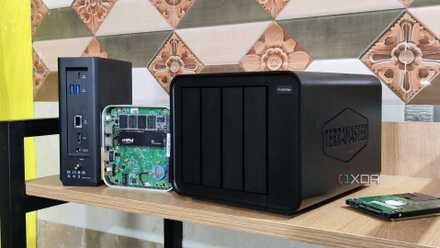
6 reasons you need a NAS, not an external drive
Store more stuff, while sharing.
2 Scheduled backups only
Manual backups need approval
Backup, backup1, backup-final, backup-final-2(1) — I have seen all versions of these files on my NAS from my family members. At one point, they backed up several hard drives in multiple parts, creating chaos of such magnitude that I had to take charge.
The solution was simple: automation and scheduling. Now all their devices are set to back up on a fixed daily or weekly schedule. They have to keep an eye on these backups to see if they’re working well. Anything that needs manual saving goes through me, so I can minimize duplication.
1 No changes to system settings
Although they can bribe me with a cup of coffee
Once, someone tried to uninstall the apps they didn’t use (but I did) to free up some space — as they’d do on a smartphone. It created a mess that took me days to fix and bring back all my automations. That was the last straw for me.
Everyone is barred from touching system settings unless they know exactly what they are doing. Not having admin privileges has already minimized such instances. But everyone needs to tell me what they suggest should change in the NAS’s system settings. Otherwise, it can’t happen.

6 NAS upgrades I didn’t think I needed until I installed them
Once the storage part is sorted, here’s what comes next
Well worth the effort
Despite requiring all the effort of setting up a new NAS from scratch and then enabling family sharing — only to encounter such issues almost every other day — using a NAS is perhaps the most fulfilling experience, second only to my headphones (music listening is unbeatable). It has replaced several online services that I used to pay a lot of money for in monthly subscriptions. Using a NAS is a journey, and these pit stops only make the experience better for everyone in the long run.