
The Steam Machine was a very exciting piece of hardware when it was first announced last year. The idea of a compact PC that can live in my living room and run most modern games is excellent, and I'd be more on board with it than with a typical desktop PC.
But Valve has seemingly delayed the Steam Machine indefinitely, and I'm tired of waiting. So I decided to make my own Steam Machine with the mini PC I already have at home, and I love it. In some ways, it's even better than the Steam Machine might end up being.
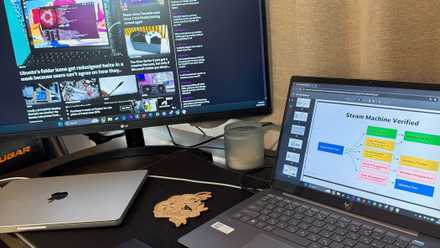
Steam Machine Verified just made the mini PC the most interesting gaming device of 2026
The hardware is nice, but the label is what finally makes it usable.
SteamOS or Bazzite?
The choice was made for me
To get started with my own improvised Steam Machine, I first needed to choose the software experience I wanted to power it. The official SteamOS release is a valid option, but right now, official hardware support is pretty limited, so it might not boot on Intel-based PCs or the newest AMD hardware.
Bazzite made more sense to me, as it's more actively supported with frequent updates for Linux itself, and it targets a much broader range of hardware. Basically, any PC should be able to run Bazzite just fine, and you still get the benefits of SteamOS, like the Gamescope compositor and easy-to-use UI. In fact, Bazzite offers benefits with power controls designed to work on all kinds of hardware, so you can tune your machine's performance and energy consumption at any time.

In this case, I'm installing the OS on a Minisforum AI X1 Pro, a rather large "mini PC" but a powerful one, featuring an AMD Ryzen AI 9 HX 370, which wouldn't support Steam OS right now. Bazzite is also a part of Universal Blue and lets me rebase the installation to a different distro if I ever want to move on from SteamOS or fix any issues I may have with it.
Setting up Bazzite is easy
It keeps improving
I've tried Bazzite a couple of times before, but it's been a while since I set it up from scratch, and doing it for the first time here was pretty seamless. The Bazzite team recently redesigned the installer to make it more of a guided experience, so you can choose things like the keyboard layout, storage setup, and the main user account easily without having to think much. I always thought the old installer was more convoluted than it needed to be, so this is a very welcome improvement.
Once the installation finishes, the initial setup is fairly easy, too. After connecting to the internet, you're immediately taken to the Steam Gaming Mode UI, where you can log into Steam to start enjoying your library of Steam games.

I turned my gaming handheld into a Steam Deck and I love it
You don't need a Steam Deck... do you?
Bazzite also comes with Lutris preinstalled, so you can load up non-Steam games through emulators or with Wine to support Windows games. Lutris provides an easy-to-use UI and guidance for setting up most games, and it can integrate your games directly into the Steam Gaming Mode UI, so you can easily access them with a controller.
Of course, since this is a PC, I can also just use it with a keyboard and mouse if I want to, but the Gaming Mode is mostly designed for controllers, and it's easier to have a controller on my coffee table in front of the TV, so that's what I stuck with. Unlike in my previous test with Steam OS, where my Nintendo Switch Pro Controller experienced significant lag, it seemed to respond more quickly this time. Unfortunately, it disconnected randomly instead, so I had to do my testing with a mouse and keyboard. I suspect an Xbox controller or something designed for PCs first would do much better here.
Bazzite also includes a tool called Handheld Daemon, or HHD, which lets you adjust the TDP settings of your processor. Here, it's best to disable TDP controls altogether because these limits are designed for handhelds, and this processor can use much more power.
I can play all my games on the TV
A great experience with solid performance
Not too long ago, I tested Steam OS on another compact PC, but I had to settle for a slightly older desktop CPU because Steam OS didn't work with the Ryzen AI series processors. So I was very curious to see the integrated GPU's performance on this machine, and I tested the usual suite of games I like to run on the PCs I test, which includes Control, Hellblade: Senua's Sacrifice, Elden Ring, and, this time around, the 2016 DOOM.
Starting with that last one, I was able to run DOOM at 1080p with the High graphics preset, and it hovered between 50fps and 80fps, which is more than good enough for this kind of game. My TV doesn't support VRR, so I noticed some stuttering when it dropped below 60 FPS, but it was still great. Hellblade is a good bit more demanding, but it still runs fairly well at over 30fps on the Very High preset at 1080p with FSR in Quality Mode. In Elden Ring, I was able to set the graphics preset to the maximum (still at 1080p) and get around 30 FPS, so it was more than playable.

I tried gaming on Linux with an Nvidia GPU, and it's actually pretty solid
It could be better, but it could definitely be worse
Control always seems to be the most problematic of the bunch, but even it ran well here. Setting the graphics preset to Low and disabling effects like motion blur and film grain gave me around 50fps, which is the smoothest I recall seeing this game run on integrated graphics. The gaming experience is pretty great on this machine with Bazzite.
Of course, if you're playing something less demanding like a 2D game, it's a good idea to use Handheld Daemon to enforce some TDP controls. We may not be talking about battery life here, but it can reduce your electricity bill.
This is all the Steam Machine I need
My biggest takeaway from this experiment is that AMD's integrated graphics on the Ryzen AI HX 300 series is incredibly powerful, and if you find a mini PC with these chips, you can have your Steam Machine right now. Those chips have been superseded recently, too, so you can probably find mini PCs with this hardware for a relatively low price, but still have a great gaming experience.
Plus, Bazzite is an excellent software experience that includes everything you need to start gaming, whether it's from your Steam library or from your own library of retro and Windows games outside of Steam. If you can't be bothered to wait for a Steam machine, this combination of hardware and software is excellent.
Minisforum AI X1 Pro
- CPU
- AMD Ryzen AI 9 HX 370
- Graphics
- AMD Radeon Graphics 890M (integrated)
- Memory
- Up to 96GB DDR5-5600MHz
- Storage
- Up to 2TB PCIe 4.0 SSD
The Minisforum AI X1 Pro is a powerful compact PC that can handle most modern games with no issues. The model below includes 32GB of RAM and a 1TB SSD, though you can start with a barebones configuration to save money.