
PC upgrades are often called out for being largely unnecessary and overpriced, unless you're an enthusiast who has to have the latest and greatest always. Let's be honest — 95% of us don't even need the latest mid-range GPU, 8-core processor, or ultra-fast DDR5 RAM for our gaming PCs. Still, many of us spend countless hours daydreaming about expensive upgrades instead of focusing on the most important ones.
If you want to make truly functional upgrades to your PC, consider adding Wi-Fi instead of buying an expensive motherboard. Look at replacing your stock cooler and thermal paste with aftermarket alternatives, and maybe get a discrete graphics card and a fast SSD to give your PC the proper facelift it deserves, and not the one you think it needs right now.
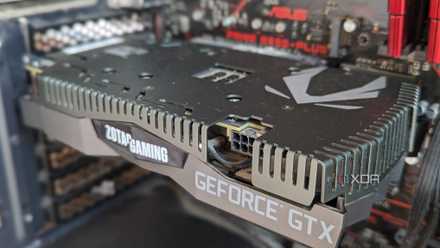
The only 5 reasons that justify upgrading your gaming PC
Upgrading your gaming PC might always feel urgent, but it's only sensible in certain scenarios
7 A Wi-Fi adapter
Bring modern networking to your old motherboard
I'll go out on a limb and assume that most of the people reading this are still rocking a budget AM4 motherboard from several generations ago. Chances are that your motherboard didn't come with integrated Wi-Fi or Bluetooth, and you have somehow routed an Ethernet cable from your router to your PC to make things work. An Ethernet connection might be superior and painless on a stationary desktop PC, but Wi-Fi has its perks.
First, you should always have a backup internet connection if your main network goes down. With a Wi-Fi adapter, you can easily get online by connecting to your phone's hotspot. Second, if you ever need to move your PC to, say, your living room on a whim to play your favorite games on your large-screen TV, you might prefer a wireless connection instead of littering the room with a long LAN cable.
Third, many Wi-Fi adapters also feature Bluetooth connectivity, so you can kill two birds with one stone, allowing you to connect wireless peripherals to your PC, such as a controller, headset, mouse, or keyboard. This upgrade is one of the most inexpensive ones, so it's a no-brainer for those with older motherboards.
TP-Link Archer TX55E
The TP-Link Archer TX55E is a fairly modern Wi-Fi card for your older PC, also bringing Bluetooth 5.2 to your motherboard. You're getting a dual-band signal, MU-MIMO, up to 3000Mbps speeds, and a fairly compact PCIe form factor.

For gamers, a wireless connection is completely fine
Wireless technology adoption has outpaced faster wired connections, so you can happily use Wi-Fi for online gaming.
6 An aftermarket air cooler
Your stock cooler's stock is down
Stock coolers used to be just fine on entry-level and budget CPUs a few years ago. TDPs weren't sky-high; unless you were overclocking your CPU, the stock cooler (especially on AMD chips) was more than enough. In 2025, however, using a stock cooler might not be the smartest idea since a decent aftermarket air cooler offers multiple benefits and costs a fraction of the entire PC budget.
For around $35, you can get something like the Thermalright Peerless Assassin for your budget or even a mid-range CPU and get a superior experience. Your CPU temps will be significantly lower, the noise levels will be lower than ever, and you'll not have to stress the fan too much to adequately cool your CPU, increasing the cooler's life.
Ignoring the importance of CPU cooling is one of the worst purchase decisions you can make when choosing parts for your PC. Not only does a quality CPU cooler improve your PC experience, it also allows the CPU to perform at its maximum and even increases its shelf life.
Thermalright Peerless Assassin 120 SE ARGB
Thermalright's Peerless Assassin 120 SE ARGB offers incredible cooling for its price. You don't need liquid cooling for your high-end processor; the dual-tower Peerless Assassin can easily tame it while rocking a great, RGB-infused design.

5 signs your CPU cooler is not enough and needs an upgrade
Sometimes, it's the CPU, case, or fans - or perhaps it's your CPU cooler that needs an upgrade
5 Thermal paste replacement
There's no argument for stock thermal paste
The thermal paste on your CPU and GPU might not be on your mind when thinking of PC upgrades, but it's vital, especially if you haven't checked it in years. The thermal paste is prone to drying out in around 2 to 3 years, and can be the reason behind poor cooling performance and high CPU temperatures on your PC. Besides, the stock thermal paste on many CPUs isn't up to snuff.
Replacing it with an affordable aftermarket thermal paste can be incredibly rewarding for your system. I have personally used the Arctic MX-4 to replace the stock TIM (Thermal Interface Material) on my brother's Ryzen 5 7600X and seen it do wonders for his idle temps. On many PCs, the difference between low-quality and high-quality thermal paste can be the difference between a noisy machine and a whisper-silent one.
Arctic MX-4 GPU Thermal Paste
The Arctic MX-4 is one of the most affordable aftermarket thermal pastes on the market, featuring high thermal conductivity and great cooling performance. It's easy to apply and you can use it for your CPU, GPU, laptop, or console.

Cheap vs quality thermal paste: Should you go for a generic company or stick with the popular brands?
While the average temperatures aren't too bad on an cheap thermal paste, the maximum temps tell a different story
4 16GB of RAM
A must-have in 2025
People have different levels of tolerance for insufficient memory. You might not feel that your 8GB RAM regularly slowing down your system is a big deal. When you're used to something, it's hard to imagine what an upgrade would feel like, but I can assure you that going from 8GB to 16GB of RAM will feel game-changing, even if you aren't gaming all that much on your PC.
The day-to-day experience of using your PC is bound to change if you just add another 8GB stick of RAM. Whether opening multiple browser tabs, navigating between windows, or downloading a game on Steam while you're working on a document and jumping between multiple browser windows for research, having additional memory is a boon.
You don't need to jump to 32GB of RAM yet, but upgrading to 16GB has kind of become mandatory in 2025. If you're using DDR4 RAM, it shouldn't even cost much — an 8GB DDR4-3200 stick is available for around $15-$20.
Patriot Viper Steel DDR4 RAM kit
The Patriot Viper Steel DDR4 RAM offers 3200MHz speeds with CL16 latency for an affordable price. You also get a great design with an aluminum heatsink, and XMP support.

How much RAM do you need in your computer?
Let's explore how much RAM you need in your computer in order to properly tackle a variety of tasks.
3 A 6-core CPU
Hexa-core supremacy
I recently wrote about 4-core CPUs being mostly fine even in 2025, but you can still feel a night-and-day difference by upgrading to even a modest 6-core CPU. While your trusty quad-core can still keep up with less intensive workloads and a fair bit of gaming, anything remotely intensive will limit your 1% lows, hurting the experience more than you might think. And if you're interested in any multi-core workloads, quad-core chips are just not competitive anymore.
Besides, you don't even need to consider the latest Ryzen 9000 or Arrow Lake CPUs if you're worried about the investment. Upgrading to a Ryzen 5 5600 and a cheap B550M motherboard won't cost you more than around $220. You can retain your existing DDR4 RAM and all other components, making the most of your $200.
6-core CPUs are more than enough for gaming in 2025 since games still rely on single-core performance more than multiple cores. A Ryzen 5 5600 is old, sure. Still, you are making the jump from an even older 4-core CPU, plus it's not going to be too far off from, say, a Ryzen 5 7600, considering you won't be using a GPU like the RTX 4090 with it (less powerful GPUs minimize the performance differential between CPUs).
Ryzen 5 5600
- Speed
- 3.5GHz
- Socket
- AM4
- Brand
- AMD
- TDP
- 65W
The Ryzen 5 5600 is still one of the best value-for-money CPUs available. This 6-core AM4 chip can be paired with a variety of GPUs for any gaming PC, and is more than enough for light multi-threaded workloads.

4 reasons AM4 won't die for a long time
While some may say that AM4 is dead, AMD and others say it still has plenty of life left
2 A discrete graphics card
For the real gamers out there
Integrated graphics might have come a long way from the days of Intel HD graphics, but discrete GPUs are still a league apart when it comes to gaming. You'll need a discrete graphics card unless you are content with playing older classics, indie games, and esports titles at 1080p with low settings. Most modern games don't play well with APUs, and even budget GPUs are far ahead when it comes to extracting 60+ FPS at high settings.
You don't need to spend a bomb on a discrete GPU, either. Something like the RX 7600 XT is often available for under $200 on Amazon (if you have your price trackers enabled). The new Intel Arc B580 is a fantastic 1440p GPU for around $250. Finding it at that price is a challenge, so you can consider the RTX 4060 for around $300 as well, especially if you want to try a bit of ray tracing.
GIGABYTE Radeon RX 7600 XT Gaming OC 16G
The RX 7600 XT is a 16GB graphics card from AMD's RDNA 3 lineup, and is easily one of the best value GPUs available. It competes with Nvidia's RTX 4060 Ti, and can often be found at deep discounts, sometimes for under $200.

7 critical points to remember before buying a gaming GPU
Buying a graphics card for gaming is hardly a simple endeavor, so here's everything you need to remember
1 A fast and spacious SSD
The time for hard drives has passed
Perhaps the most life-changing upgrade you can make to your PC is upgrading from a hard drive to an SSD. The transition from conventional spinning drives to flash storage needs is one that you need to experience yourself. Even a SATA SSD will feel considerably snappier than your hard drive, but I would suggest opting for a Gen4 NVMe SSD for around the same price (one of the 5,000MB/s models). You'll need an M.2 port on your motherboard for an NVMe drive.
You can easily get a 1TB Gen4 NVMe SSD, such as the Crucial P3 Plus, for around $60, and for that price, the upgrade in system responsiveness, boot time, and game loading times is phenomenal. You can consider a 2TB drive if you frequently find yourself running out of storage, but for most people, a 1TB drive is the minimum I would recommend.
Crucial P3 Plus 1TB PCIe Gen4 3D NAND NVMe M.2 SSD
The Crucial P3 Plus is an affordable PCIe Gen4 NVMe SSD that provides great performance for the price. It can reach speeds of up to 5,000MB/s and is backed by a 5-year warranty.

5 things to consider before buying an NVMe SSD
Before adding NVMe storage to your rig, there are some things you should consider.
The most critical upgrades don't need to cost the most
Surprisingly, the most vital PC upgrades, such as an SSD, modern CPU and GPU, and a decent aftermarket cooler, don't cost as much as some other needless upgrades. PC users often ignore the fundamentals responsible for a responsive, powerful, and long-lasting PC. Having sufficient memory and wireless networking on your system is far more important than a flashy RGB motherboard or a CPU cooler with a screen.