|
VOOZH | about |
|
VOOZH | about |
We offer easy, convenient returns with at least one free return option: no shipping charges. All returns must comply with our returns policy.
Learn more about free returns.|
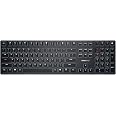
CHERRY KW X ULP
|
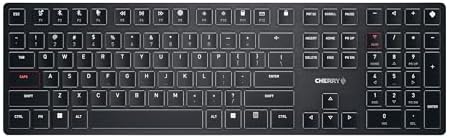
CHERRY KW 9100 SLIM
|
CHERRY KW 550 MX LP
|
CHERRY STREAM KEYBOARD WIRELESS
|
|
|---|---|---|---|---|
| Customer Reviews |
4.3 out of 5 stars 89
|
3.9 out of 5 stars 64
|
4.4 out of 5 stars 20
|
4.4 out of 5 stars 156
|
| Price | $192.17$192.17 | — no data | $128.84$128.84 | $44.99$44.99 |
| Connection | wireless (2.4 GHz + Bluetooth) or wired (USB-A) | wireless (2.4 GHz + Bluetooth) | wireless (Bluetooth) or wired (USB-A) | wireless (2.4 GHz) |
| Key technology | CHERRY MX ULTRA-LOW PROFILE | Scissor Technology (SX) | CHERRY MX LOW PROFILE 2.0 IVORY | Scissor Technology (SX) |
| Service life (actuations) | > 50 million | > 10 million | > 100 million | > 20 million |
| Additional keys | 6 | 6 | 1 | 10 |
| Lighting | ✓ | - no data | ✓ | - no data |
| Dimensions | 17.30 x 5.20 x 0.60 in | 17.32 x 5.12 x 0.59 in | 14.80 x 4.92 x 0.98 in | 18.19 x 6.38 x 0.91 in |
| Weight | 1.41 lbs | 1.49 lbs | 1.58 lbs | 2.03 lbs |
CHERRY - A company with tradition
As early as 1953, Walter L. Cherry began manufacturing the first microswitches in the basement of a restaurant in Illinois. 20 years later, the first keyboards were built - making CHERRY the oldest manufacturer of computer keyboards. In 1983, production of the MX switches began, which are now used billions of times in millions of keyboards around the world.
CHERRY SE, headquartered in Germany, is a leading global manufacturer of computer input devices with a focus on office, gaming, industry, security, eHealth solutions and switches for mechanical keyboards.
High-quality German engineering meets outstanding design: our products combine perfect quality and aesthetics with maximum precision and durability.
CHERRY stands for quality products aimed at all those who have high demands on performance, design, durability and functionality of their input devices.
| Product Dimensions | 1 x 18.1 x 1.6 inches |
|---|---|
| Item Weight | 2.05 pounds |
| Manufacturer | Cherry |
| ASIN | B0C4HRP34X |
| Item model number | G8U-27000LTBUS-2 |
| Customer Reviews |
4.3 out of 5 stars |
| Best Sellers Rank |
|
| Date First Available | May 6, 2023 |
Cherry KW X ULP, Ultra Low Profile Mechanical Keyboard, Wireless Multi-Device Keyboard for up to 4 Devices, Bluetooth, 2.4 GHz & Wired Mode, Backlit, Black (Full Size)
Share:
Found a lower price? Let us know. Although we can't match every price reported, we'll use your feedback to ensure that our prices remain competitive.
Fields with an asterisk * are required
Customer Reviews, including Product Star Ratings help customers to learn more about the product and decide whether it is the right product for them.
To calculate the overall star rating and percentage breakdown by star, we don’t use a simple average. Instead, our system considers things like how recent a review is and if the reviewer bought the item on Amazon. It also analyzed reviews to verify trustworthiness.
Learn more how customers reviews work on AmazonLove this keyboard so far, works great with my dual Macos and Windows setup. I can quickly switch between Mac and Windows modes. The keys are tactile and low profile mechanical. Typing force is lower than the Corsair K100, so they're quieter. Very compact and easy to travel with. No issues during gaming. Backlight is set to white and it's bright enough for daylight use. Keys feel like Cherry brown switches
Couple of quirks -
1. On bluetooth, the lights will turn off after 1 minute of inactivity. That said, the keyboard remains connected via bluetooth, so it doesn't miss keystrokes and doesn't need to reconnect to bluetooth. There's no way to control this behaviour.
2. There is no Fn lock key. To enable Fn lock, press the Ctrl + Fn keys to enable it. This is needed to avoid pressing the pairing buttons by accident to accesss the Fn keys. These combinations are not documented in the user guide, even though it is supported by the keyboard. Cherry should publish these key combinations somewhere to make it easier to use the extra features.
First of all, I have never seen or heard of this keyboard, prior to stumbling across it while browsing Amazon. I was not aware that Cherry made such a high performance, ultra low profile keyboard like this! There were not too many reviews, so curiosity got the best of me, and I went for it. What I got was one of the highest quality keyboards I have seen at this price point!
The feel and looks of this keyboard sort of remind me of the Corsair K100 Air. That keyboard is made mostly for gaming, this one could work in an office environment, as it is very quiet. It is very lightweight, yet not much frame flex, feels very solid when typing, I'm using it right now to write this. I was also not aware that Cherry made any key switches of this caliber. They are, of course known for very high quality, full travel key switches, of many types. This is the first ultra low profile key switch from them.
Yes, it is made in China. But the board is designed in Germany by Cherry, and very well constructed, mine has zero flaws, and is super solid and pleasant to type on...IF you like very low profile, low travel key switches. They have more travel than say, an Apple Magic keyboard, and the feel is much more tactile and pleasant. But they feel nothing like your typical Cherry MX key switch!
Overall, I'm very happy with this purchase, even at its quite steep price point. The quality is there, and if you like very low travel key switches, you'll love typing on this keyboard. I do not use it to game on, so sorry, I can't give much input on that aspect. Almost forgot to mention the outstanding backlight, each and every key is very well, and uniformly lit, looks amazing in low light. It has amazing attention to detail, including a very nice looking shiny chrome bezel around the frame...this keyboard is expensive, but it looks and feels expensive! Zero regrets on this one!
I bought this keyboard for its ultra-thin design and the idea of an extremely short-travel mechanical switch. I’ve been searching for a mechanical keyboard with response speed close to a laptop membrane keyboard, and even low-profile switches didn’t feel fast enough. Most competitors, like the Corsair K100, are full-size keyboards, which I don’t need since I rarely use the numpad. This one gives me much more desk space.
In practice, it really is impressively thin, with very short key travel and solid build quality. The switches have a pronounced tactile bump, making it excellent for typing—my error rate is noticeably lower compared to traditional mechanical keyboards.
That said, the actuation force is on the heavier side. Typing feels great, but for long gaming sessions it can be a bit fatiguing. I’d love to see a lighter, red-switch-like version in the future.
I rarely write 5-star reviews, because I understand how bell-curves work. To be 5 stars means that an item is exceptional. This Cherry Keyboard IS.
My old Logitech Illuminated Keyboard K740 is getting really old. I tried to replace it about 5 years ago, but I couldn't find anything worthwhile to replace it with. Well, circumstances caused me to look again, and after some internet posts mentioning this Cherry KW X ULP, I decided to give it a go. I'm REALLY glad I did.
This thing feels quality all-around. It's hefty for it's slim profile. It's got a clean, jet-black metal face, the classic white letters are wonderfully illuminated and pop with crispness. The keys feel wonderfully sleek and responsive to the touch. Keys snap into place, but do so smoothly, like a high-end old typewriter (but with much shorter key travel). It's classy looking, full-size, easy to type on for those of us made to take typing lessons on full-sized keyboards in youth, and just all-around great.
I've paired it via bluetooth and USB to my laptop. Both works great. I paired via bluetooth to my android phone, and it worked wonderfully too! I haven't tried the dongle, and don't really plan to since 2.4ghz always gets interference from my other devices, but so far connectivity is excellent. Zero complaints whatsoever. There's nothing I DON'T love about this keyboard. It's all I was hoping for. It's actually WAY BETTER than my old Logitech k740!
Two things to note that SOME might find unappealing (though I am perfectly content):
1) The function keys are defaulted to the media-control/shortcut functionality. To use the actual FUNCTION keys requires holding the FN key. To swap this, the press the key combo FN+CTRL (not the same as a lot of other keyboards). I Hope that helps.
2) It's a very loud, clicky keyboard. I love it. Very positive feedback when typing, both tactility and audibly - but I understand that isn't for everyone.
These Ultra Low Profile keyboard switches are incredible. They are 65 gram / 65cN keys, and while I kind of wish they were maybe 50, or 40 instead, they are very close to a MacBook or Lenovo laptop's keys, and I do like that the force is all at the top of the 1.8mm keystroke. So once you exceed that force your finger hits down and bottoms out with absolutely zero squish or mush at the bottom of the keystroke.
The keyboard is not loud at all, but it is slightly louder than a MacBook style keyboard. As some others have said, the spacebar is slightly louder than the keys themselves, but I'm not a spacebar masher. Some people really like to hammer the spacebar, and if you do that then yes it can get as loud as you hit it.
One review I read said that this Cherry keyboard's spacebar was super wobbly, especially if pressed down on the far left or right of the spacebar itself, and that is false. The spacebar works exactly like you'd expect, no issues.
Comparing this keyboard to the scissor switch version of the keyboard: CHERRY KC 6000 Slim, the only difference is that the 6000 Slim has a tiny bit of "squish" sensation at the bottom of the keystroke, identical to a MacBook's. It's an amount so small, that until you use the new mechanical keys, you don't realize those other keyboards have the squish sensation. That said, the 6000 Slim is superior to Apple's MacBook keyboards.
Cons:
While I love the ability to pair with multiple computers at the same time, I do wish it wasn't wireless. I don't need a cellphone sized battery in my keyboard as I use the keyboard in USB mode 100% of the time anyways, so I wish there was a cheaper version of this keyboard that was exactly the same features, just without the unnecessary battery.
Also, i wish the USBC connection to charge/use the keyboard was tucked more under the keyboard with more of a natural protection of the USBC cable and plug itself. It sticks out currently, so if you dropped something on the USBC plug near where it connects to the keyboard, it could definitely get damaged.
Something to fix in revision two, Cherry. Just move that connection under the keyboard itself and then have a little channel for the USB wire to fit into. Perfect.
LOVE THIS KEYBOARD.
Good Job Cherry, and I hope other keyboards feature these ULP switches. They are clearly the best switches on the market by far.
The Cherry KW X ULP Ultra Slim Wireless Mechanical Keyboard has been an incredible addition to my home office setup. As someone who spends hours typing each day, I can confidently say that this keyboard has enhanced my overall work experience.
Firstly, the tactile feel of the keys is simply unmatched. Each keypress is met with a satisfying response, allowing me to type with precision and comfort. The clicky sounds produced by the mechanical switches are not only pleasing to the ear but also serve as an auditory confirmation of my typing progress.
Moreover, the clean lines and professional aesthetic of this keyboard perfectly complement my workspace. The ultra-slim design takes up minimal desk space while still providing a full-sized typing experience. The wireless connectivity is seamless, allowing me to maintain a clutter-free environment.
In summary, the Cherry KW X ULP Ultra Slim Wireless Mechanical Keyboard is a top-tier product that combines functionality and style. It has made typing a genuinely enjoyable experience, and I highly recommend it to anyone seeking a premium, reliable, and visually appealing keyboard for their home office.
After receiving the keyboard, I have quickly discovered that some common shortcuts in the Chrome browser (Ctrl+W, Ctrl+R, Ctrl+T, Ctrl+P, Ctrl+-, Ctrl+PgUp, Ctrl+PgDn) do not work with the keyboard if I use them with the left Ctrl key. The shortcuts do work, however, with the right Ctrl key. First, I thought, that I was just unlucky to get a keyboard with a broken left Ctrl key. However, after experimenting with the keyboard more, I have realized that the left Ctrl does not work only if it is used without other modifier keys while, for example, the following shortcuts: Ctrl+Alt+F, Ctrl+Shift+1, or Ctrl+Fn work fine. This tells me that the left Ctrl key is perfectly functional but something else works incorrectly. Following the manual, both turning the keyboard on/off and resetting the keyboard to the factory settings (by inserting a pen into a small hole under the center foot of the keyboard) have not resolved the problem. Further experiments showed that the left Ctrl+Something shortcuts do not work if the keyboard is used in the wired mode, but if it is used wirelessly via the USB receiver, then the left Ctrl+Something shortcuts work fine.
To test quickly if your keyboard has the same problem as mine: 1) connect the keyboard to a Windows PC/laptop via the USB cable, 2) start the Chrome browser, 3) try to open/close a new tab using Ctrl+T/Ctrl+W shortcuts using left Ctrl key.
So, if you can live without using left Ctrl in simple Ctrl+Something shortcuts, it is a good keyboard. For me, however, it is a deal breaker since I do use keyboard shortcuts A LOT and planned to use the keyboard mostly via the USB cable, therefore, I have returned the keyboard. If I get some indication that the problem has been fixed, I will consider buying the keyboard again. My guess is that the internal wiring or firmware of the keyboard has some problem which was missed during testing. This problem makes the keyboard to interpret incorrectly presses of the left Ctrl plus some other non-modifier key in the wired mode.
The keyboard takes very small amount of time to get used to - it feels strange in the beginning, but becomes natural and pleasant literally within 1-2 hours. The keyboard is rather loud and clicky, but otherwise typing on it is just delightful.
It is useful to note that the keyboard manual says: "The magnet can wipe storage media and damage mechanical watches. Do not bring storage media, such as magnetic cards or external hard drives, or mechanical clocks closer than 10 cm to the receiver on the back of the keyboard". Apparently, if one puts the keyboard too close to a laptop or an external hard drive, the data on their storage could be wiped by the magnet in the keyboard (wireless USB receiver in the back of the keyboard is held in place by a magnet). Considering the above, I think, Cherry should come up with some other way of how to store the wireless USB receiver in the back of the keyboard. I wonder, who at Cherry thought it was a good idea to create a keyboard which could wipe data from a laptop if the keyboard is put too close to it?
The keyboard manual also recommends connecting the wireless USB receiver to a USB 2.0 port of your PC/laptop, if possible, since "Malfunctions occasionally occur on USB 3.0 ports". I am not sure if any modern laptops still have USB 2.0 ports. I tried to use the keyboard via a USB-3 port on my laptop, and have not experienced any problems (except the problem with the left Ctrl key described above).
I really like chiclet-style keyboards and have never been able to find a nice mechanical one. This is a nice mechanical one. It's also wireless, which wasn't a big need for me but has been very, very nice.
The keys are quite clicky and feel very consistent. The keyboard is sturdy and does not flex much for its thinness. The rubber feet keep it in place, and the flip-up feet offer a good base if you prefer that keyboard angle.
The keyboard doesn't require any special software, though there is a macro software offered by Cherry. I haven't tried it.
In particular I like the number of ways the keyboard can connect to things: wireless over the dongle, wireless over two different Bluetooth channels, and wired. I have the dongle plugged into my PC, and a Bluetooth connection to my work laptop. Pressing FN + F3 switches instantly to Bluetooth 2, and pressing FN + F1 switches instantly back to wireless. It's very convenient!
The keyboard backlight is minimalist and clean, with a few colored keys which can display different colors. The Cherry icon on the top right corner goes from green to yellow to red to show battery status. The Wired/Wireless key is green, and the Bluetooth keys are blue. The FN, Caps, numlock, etc. keys are red. The status colors show even if the backlight is off.
Battery life has been solid.
The main downsides so far:
* It's expensive.
* The included user manual seems like it's generic to Cherry keyboards, so I had to go online for specific questions.
* The Cherry key in the top right by default turns the Windows key on and off. I'm not really sure why this would be necessary, but with the software you should be able to remap the key to something else.
* Locking the FN key on/off is a hidden keybinding with Ctrl + FN, which took a minute to find. It's also rather easy to accidentally press this since the keys are right next to each other.
* The keys cannot, as far as I know, be serviced on their own.
* The screws in the back use a small torx bit which could make disassembly less accessible.
* Sometimes the wireless connectivity can be spotty. The only physical objects between the keyboard and the dongle are my desk surface and my PC's chassis, so I'm not sure if this is a problem with the keyboard or a problem with some sort of external signal interference. So if you're planning to play games where you need it to be reliable, maybe plug it in and use it in wired mode.
他のロープロファイル・メカニカルキーボードはクッション性に抵抗しながら指が降りる。このキーはクッション性が突如に抜けて指が底打ちする。感覚として指が底へと誘われ、自分のタイミングで打っている実感が薄い。打鍵が重く感じられるのは底打ちとクッション性の喪失によるものと思われる。もし、雲のように軽く打ちたい場合はクッション性(抵抗性)のあるキースイチが向いている。一方、このキーの良さは軽さは無いが、確実に沈むので安定感がる。
75%にしては、一番右の段(ロゴキーから右矢印まで)の両サイドに隙間とエッジが設けられているので、キーボードの真ん中でタイピングしている感覚が薄く、だいぶ左側に中心点がある感じ、右側が長く感じられる。
写真では分からないが、サイドエッジはシルバーのラインで縁取りされ高級感を演出している。
説明書は接続と安全利用の規定までで、続きはネットで見るしかないようだ。右上のロゴマークが窓キーの誤入力解除、Ctrl+FN でFキーの特殊機能解除。Win&Mac 対応。