Zendesk AI agents for support: how they work, what they cost, and how to set them up


Last edited June 13, 2026
Table of Contents
What are Zendesk AI agents for support?
Zendesk AI agents are the autonomous, customer-facing bots in what Zendesk now calls its "Resolution Platform." They sit at the front of your support queue, interpret what a customer wants, pull an answer from your connected knowledge, and - when configured for it - take action across your systems to resolve the request end-to-end. Zendesk's framing is that they "reason, act, and improve with every resolution," powered by what it brands the Resolution Learning Loop.
The important thing to know going in is that there are two lineages, and Zendesk reshuffled them in 2026:
- AI agents - Essential. The bundled bot that ships with every plan. It does knowledge-base Q&A through generative replies but can't run scripted flows, take authorized actions, or call APIs. It's the Answer Bot lineage with a new name. As of May 11, 2026 it's legacy functionality, with a full sunset on December 31, 2026.
- AI agents - Advanced. Built on the Ultimate.ai technology Zendesk acquired in March 2024. This is the tier that adds dialogues, generative procedures, authorized actions, and API integrations. Between May 11 and June 12, 2026, those advanced capabilities rolled into every Suite and Support plan rather than staying a paid add-on.
In plain terms: if you're standing up a Zendesk AI agent today, you're building on the unified, agentic-AI flow - the new AI agent experience, not the old Answer Bot. The marketing claim attached to it is up to 80% automation, and Zendesk has the case studies to point at: Hello Sugar reports a 66% automation rate and $14k in monthly savings, and TeamSystem reports 80% automation with a 99% drop in repetitive emails.
"We currently have 81 salons and are going to grow to 160 this year - without growing our reception staff. And with automation, we're able to do that while offering way better CX and getting higher reviews."
Austin Towns, CTO, Hello Sugar
Those are real, and they're achievable. But they're also the ceiling, not the starting point - and most of this guide is about the gap between the two.
AI agents vs Copilot: don't confuse the two
This trips up almost every team evaluating Zendesk AI, so it's worth nailing down before you buy anything. Zendesk sells two distinct AI surfaces, and they do opposite jobs.
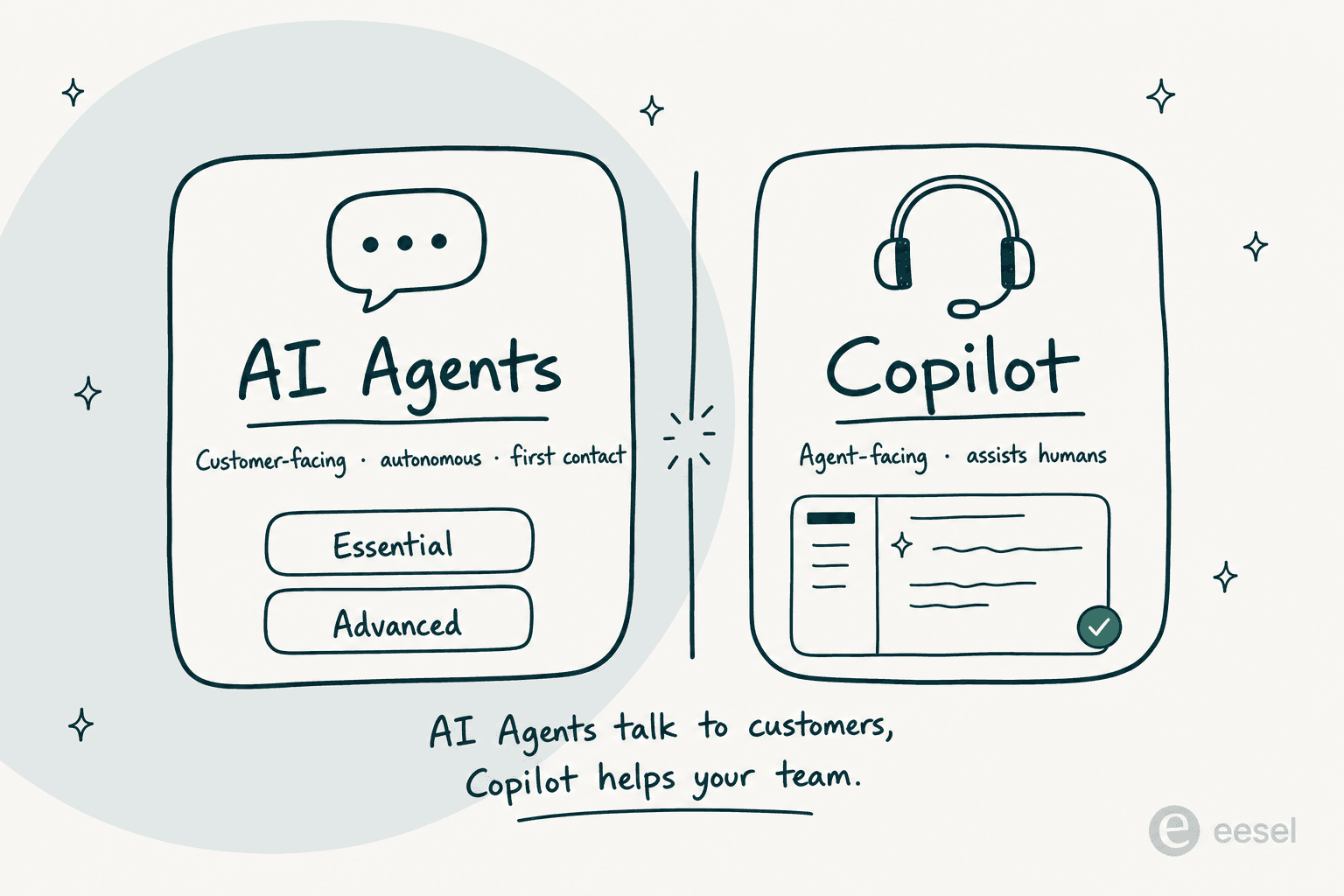
AI agents are autonomous and customer-facing - they're the first point of contact and try to resolve the conversation without a human. Zendesk Copilot is agent-facing - it rides shotgun inside the agent workspace, drafting replies, suggesting the next best action, and executing approved steps while a human stays in control.
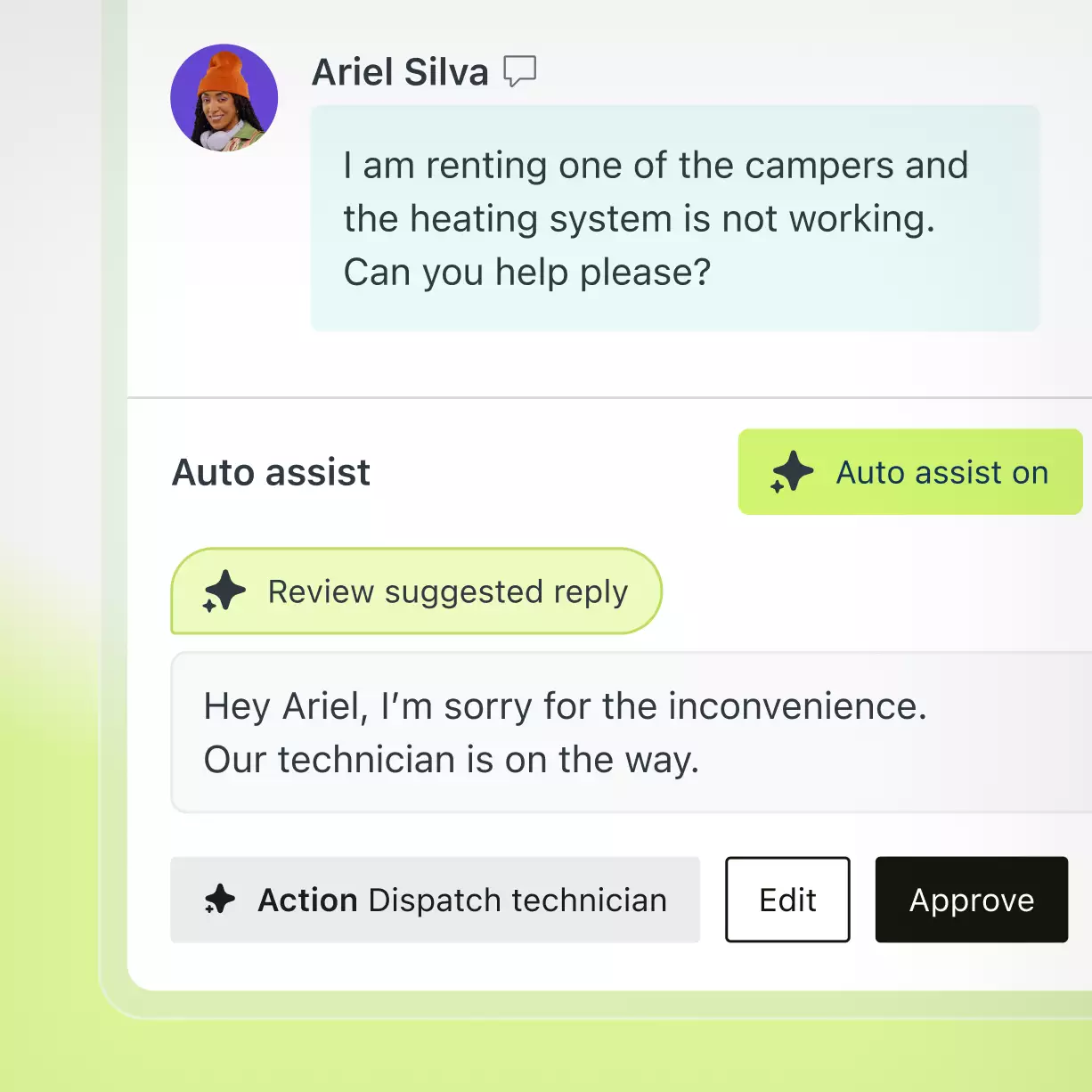
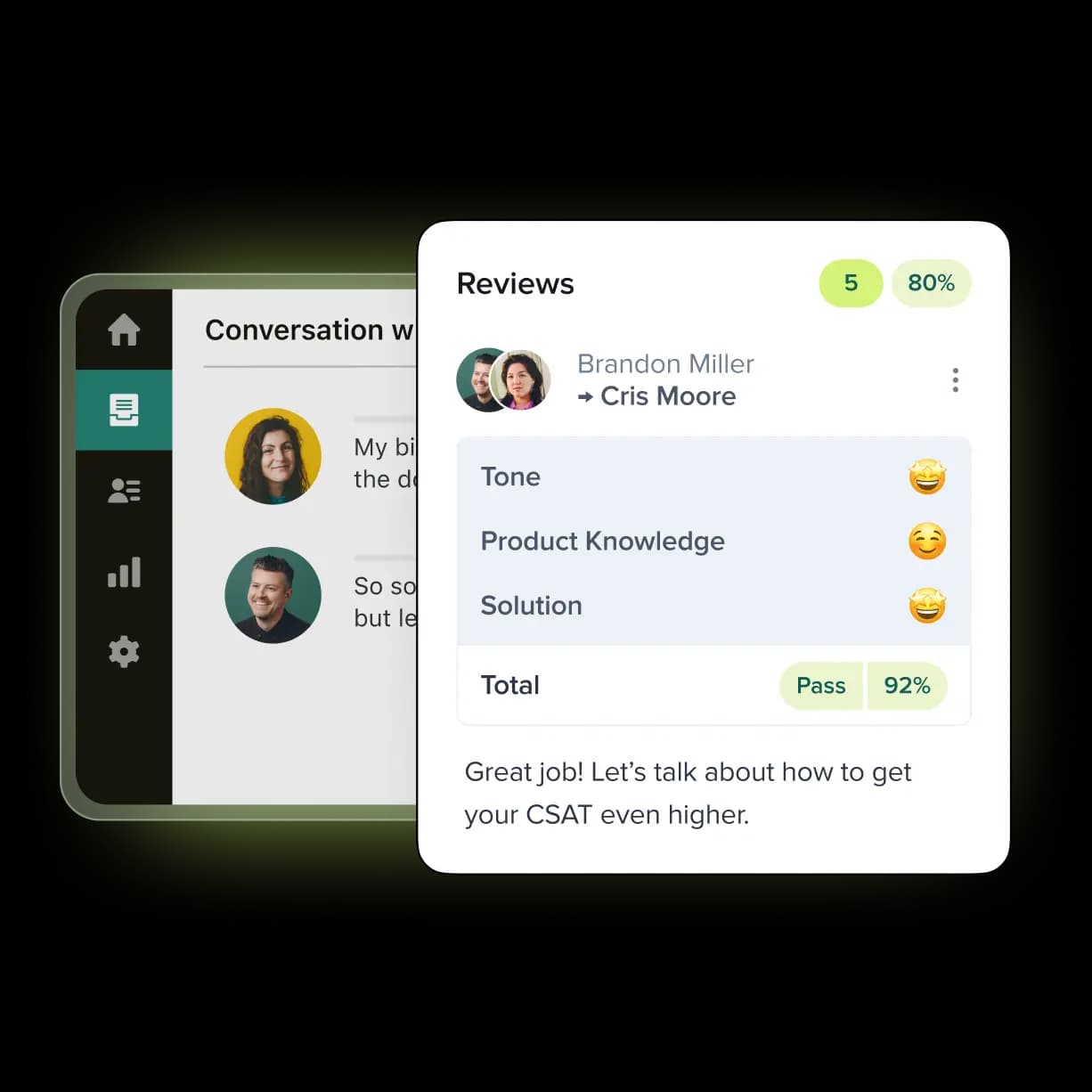
Zendesk's own line is the cleanest summary: "AI agents are designed to be the first point of contact… When a ticket requires a human touch, copilot steps in to assist the agent." Copilot bundles Intelligent Triage (auto-classifying every ticket by intent, sentiment, and language), Auto Assist, and an admin side that surfaces workflow recommendations. Zendesk cites 82% increased agent productivity and 5.5 admin hours saved weekly, and customers back the throughput story:
"During an 8-hour shift, our expert agents are now able to manage up to 120 tickets with copilot, a significant increase compared to the previous capacity of 40 tickets."
Van den Broek Jeroen, Sr. Manager Digital Growth, Rotho (via Zendesk Copilot)
Why does the distinction matter for your wallet? Because AI agents come with your Suite plan but bill per resolution, while full Copilot is a separate $50/agent/month add-on. Buying "Zendesk AI" without knowing which one you mean is how teams end up surprised by the invoice. This post is about the AI agents side - the autonomous resolution engine.
How a Zendesk AI agent actually resolves a ticket
Under the marketing, the resolution flow is fairly mechanical, and understanding it tells you exactly where it'll succeed and where it'll stall.
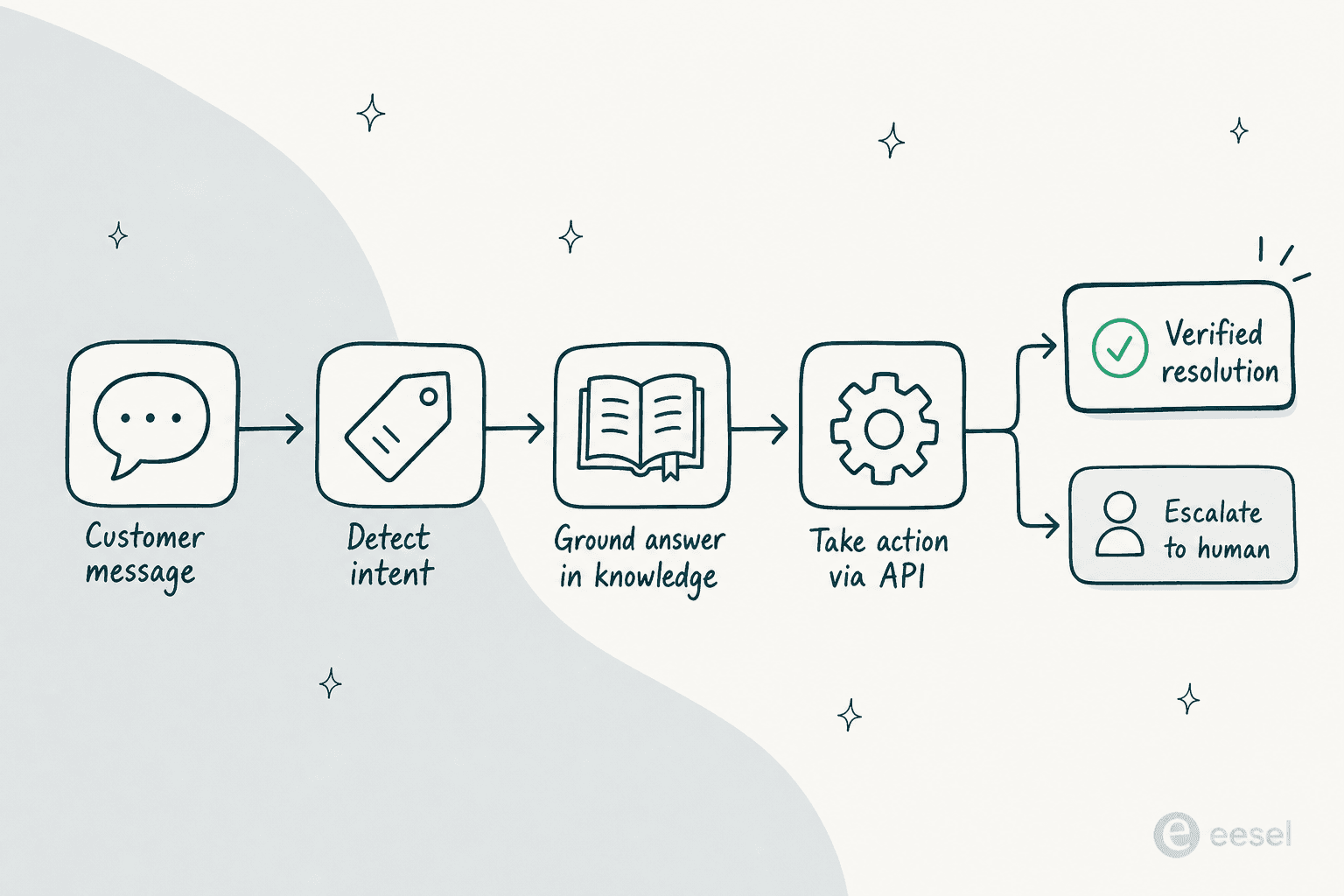
It runs roughly like this:
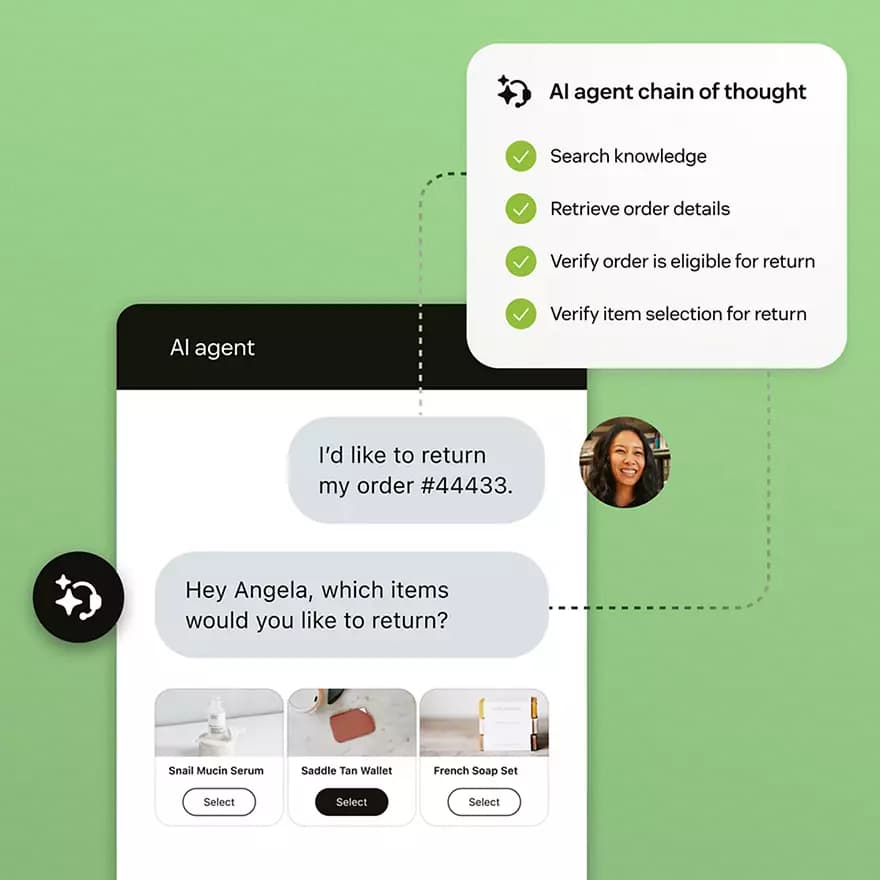
- Detect intent. Zendesk combines generative AI with proprietary intent models to match the message to a use case - the topic bucket like "order return" or "refund request." Without use cases, the agent falls back to pure generative answers from your knowledge.
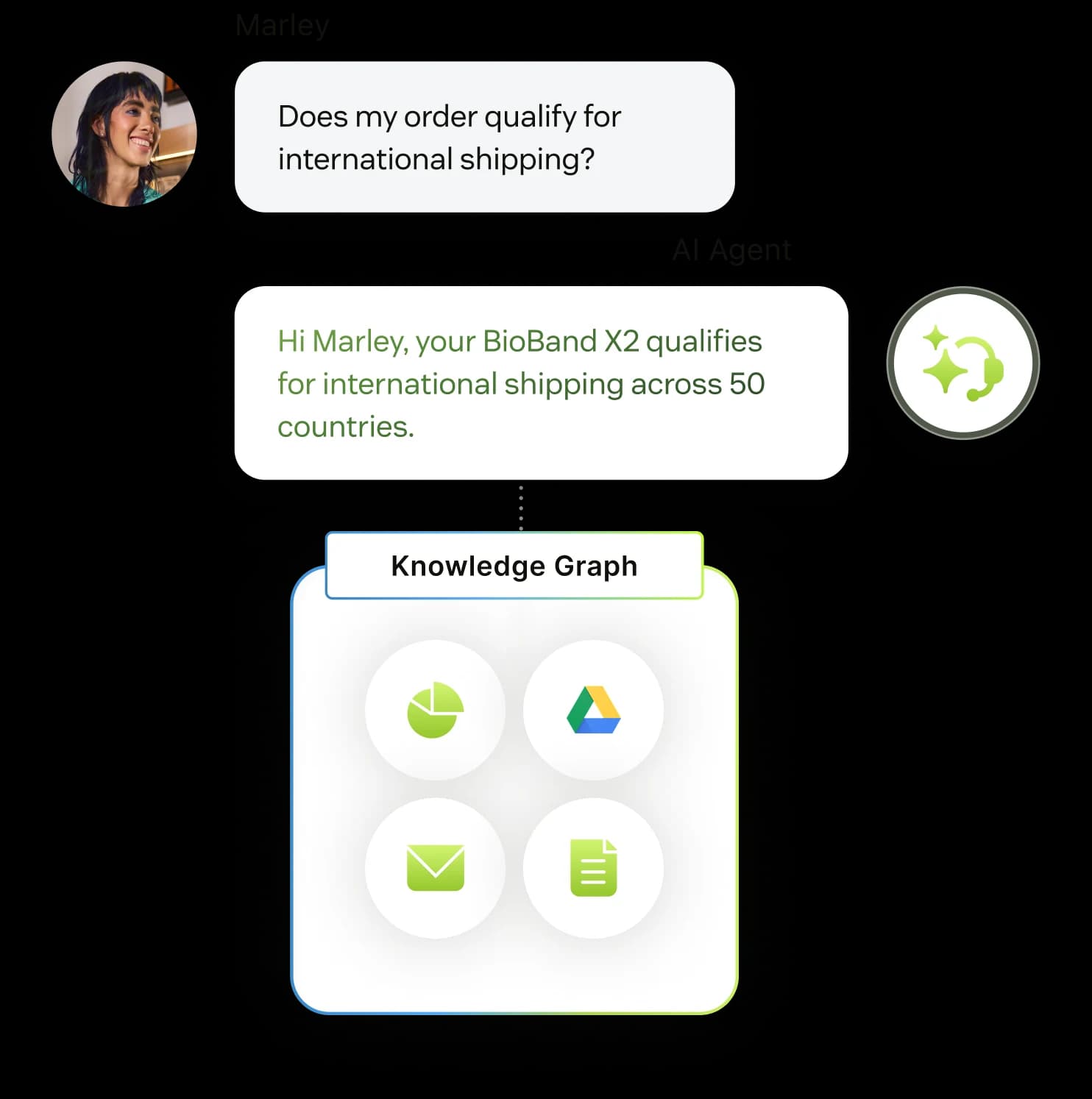
- Ground the answer in knowledge. Generative replies are produced from your connected sources - the help center plus external content like Google Drive or PDFs through a unified knowledge graph. Crucially, the agent can only answer from what's in those sources; it can't browse external links on its own.
- Run a procedure or a dialogue. For a given use case, you choose how scripted the conversation is. Generative procedures are flexible, goal-oriented flows the agent adapts in real time; dialogues are deterministic branching trees built block by block. Zendesk's own framing: "Procedures require less setup… Dialogues offer a lot of control, but require more setup and maintenance." (One gotcha: email AI agents can't use dialogues at all.)
- Take action. This is what separates Advanced from the old Answer Bot. The agent can capture entities (order number, email, IBAN), perform authorized actions against your CRM, and call third-party APIs mid-conversation - looking up an order, applying a discount, triggering a refund.
- Resolve or escalate. If the agent solves it, an LLM verification step checks the answer actually landed. If not, it hands off to a human with full context.
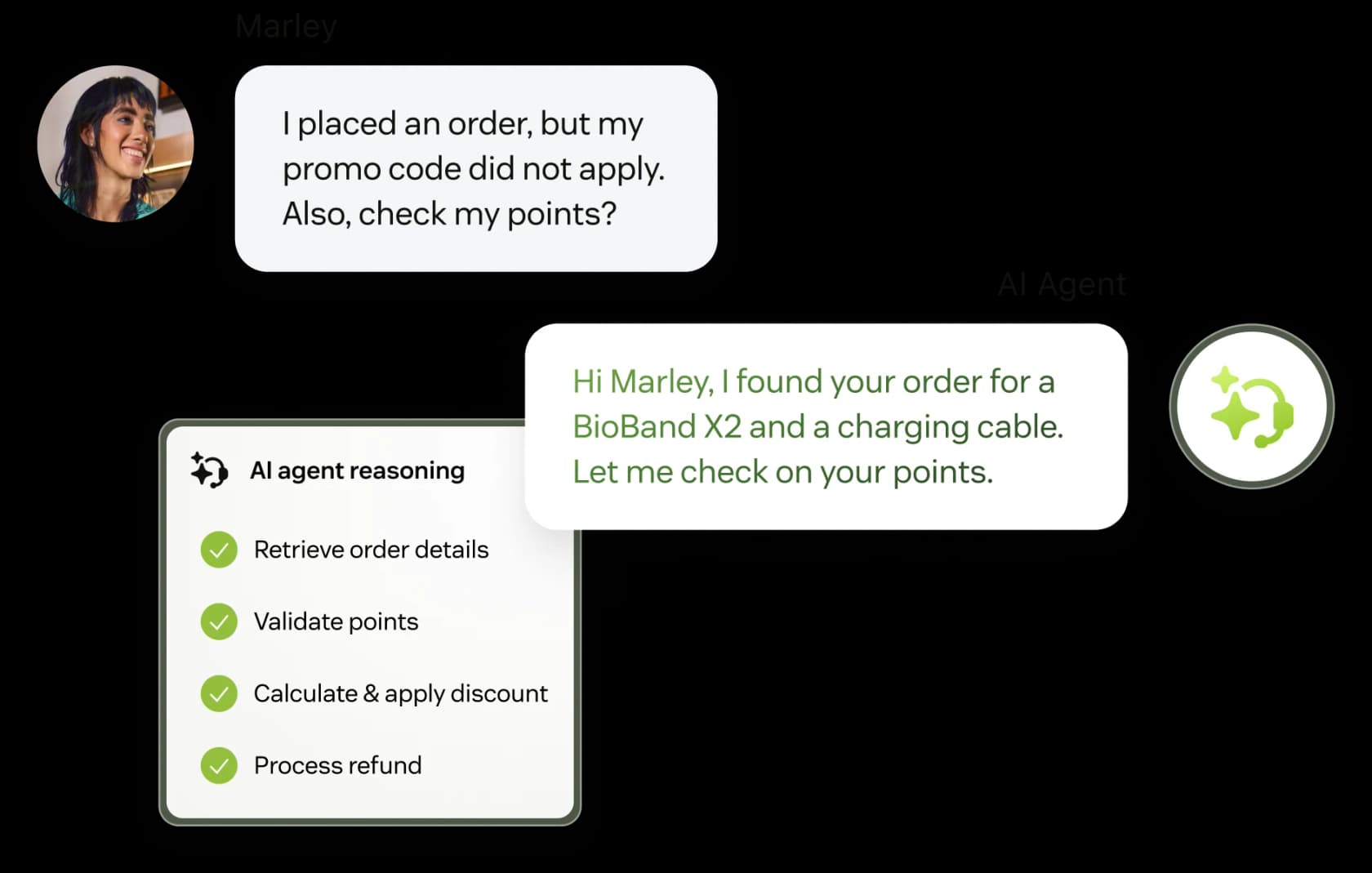
The agent works across messaging, email, API, web form, and voice (in early access), in 80+ languages at native fluency. That's a genuinely capable engine. The honest qualifier is that step 2 carries the whole thing: if your knowledge base is thin, every later step degrades.
How to set up a Zendesk AI agent
The current setup path is the unified flow (the old Essential creation flow is closed to new accounts). You need a client admin role in AI agents to create one. Here's the shape of it, condensed from Zendesk's setup docs - our full setup guide goes deeper on each.
Step 1 - Optimize your help center first. Content quality is the single biggest input to answer quality, so do this before you touch the agent. Mine past tickets for the questions customers actually ask and turn them into clean articles. Zendesk's own Knowledge tooling will even flag coverage gaps.
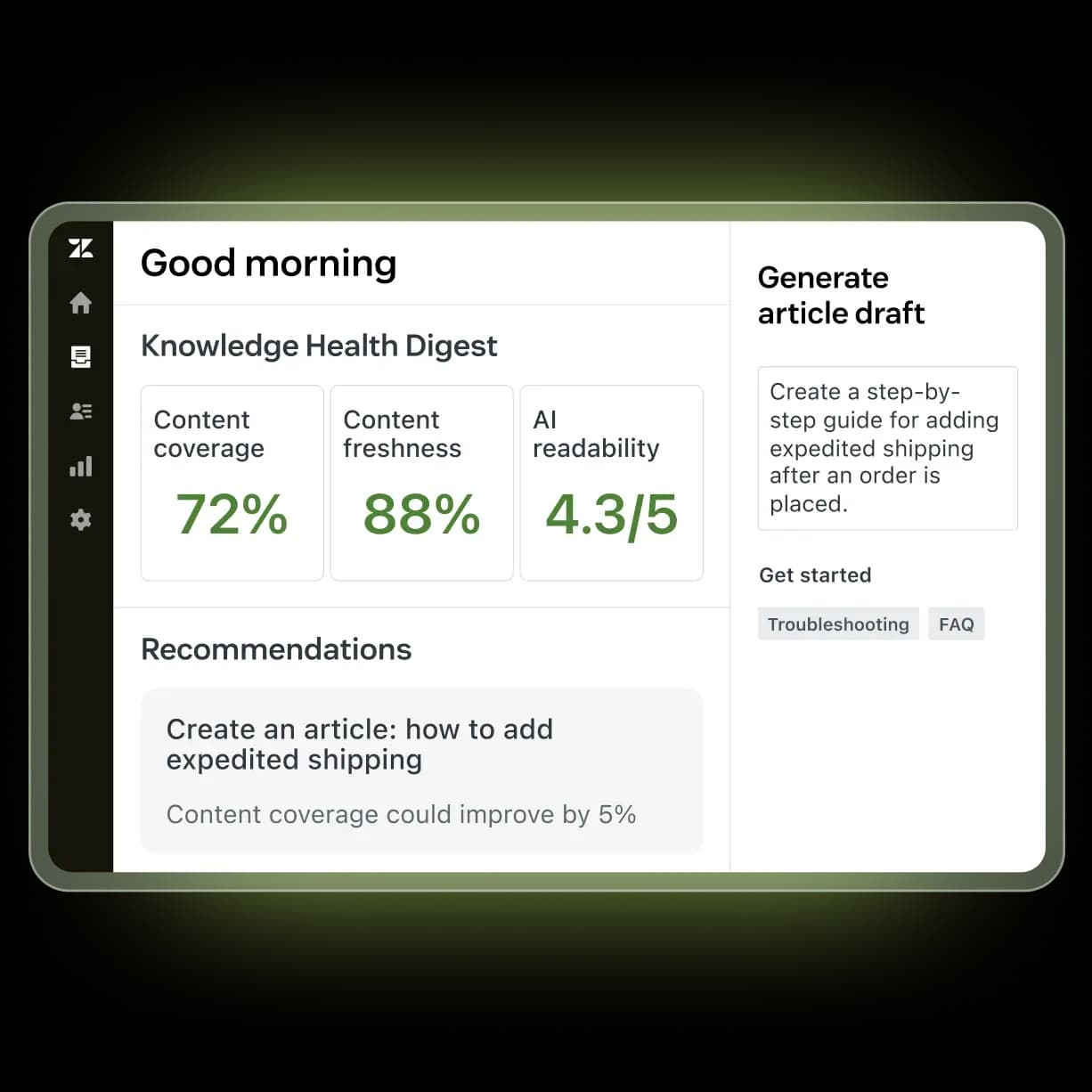
Step 2 - Configure the channel. Each AI agent is bound to a single channel type - one agent for messaging, a separate one for email. Get the underlying channel live before you build the agent.
Step 3 - Create the agent. In the AI agents workspace, click Create AI agent, pick messaging or email, and walk the three-page wizard: Knowledge (pick the brand and knowledge base, optionally add a web crawler) → Personalize (name, a short factual business profile, a tone of voice preset, default language) → Set up on channel (greeting, escalation, and fallback replies). One warning straight from the docs: keep the business profile neutral and descriptive - stuffing instructions or marketing copy in there can destabilize the agent's behavior.
Step 4 - Layer in deeper automation. The wizard alone produces a Q&A bot. To shape flows and take action, you add use cases, then choose procedures or dialogues per use case, then wire up actions, entities, and API integrations through the integration builder.
Step 5 - Test, activate, and monitor. Use the inline tester to converse with the draft, then activate on your channels (only one active agent per channel at a time) and watch the reporting dashboard for resolution rate and improvement areas.
It's a thorough flow, and that thoroughness is the double edge: r/Zendesk users routinely describe the build as a multi-week project, and the flow builder itself gets called "the most annoying interface in the world."
The real cost of Zendesk AI agents
Here's where the sticker price and the invoice diverge. AI agents are "included" with your Suite plan, but they're metered by automated resolution, and the total stack has more layers than the pricing page suggests.
The base Suite plans (per agent/month, billed annually):
| Plan | Price | What you get for AI |
|---|---|---|
| Support Team | $19 | Email/ticketing basics, no AI agents |
| Suite Team | $55 | AI agents, AI knowledge base, action builder |
| Suite Professional | $115 | + AI writing tools, quick reports, basic Admin Copilot |
| Suite Enterprise + Copilot | Contact Sales | + Intelligent Triage, full Auto Assist, generative voice |
On top of the seat price, three things meter or stack:
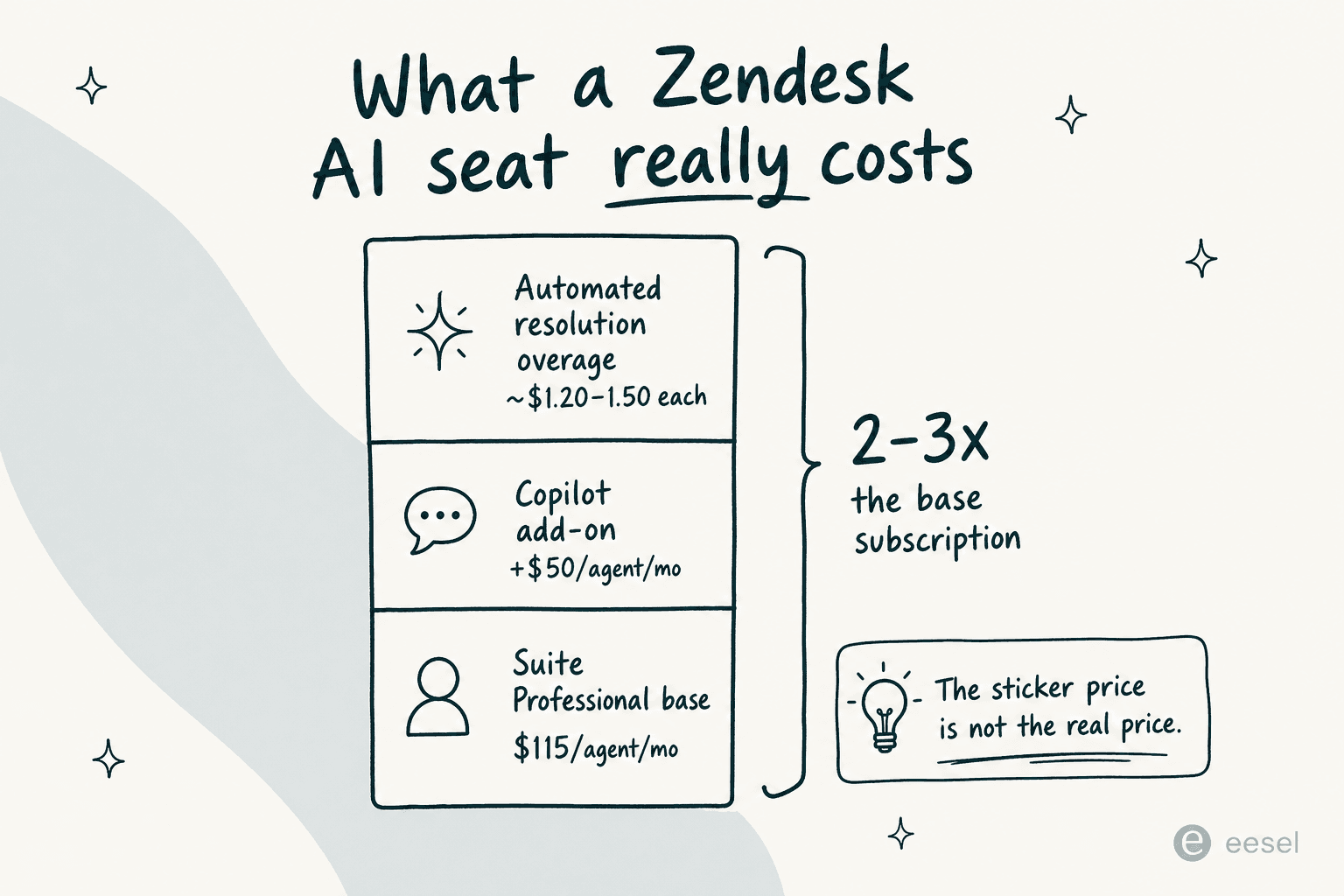
- Automated resolutions. Each plan includes a small baseline allowance; overages bill at a quote-only rate that reviewers consistently triangulate at $1.20–$1.50 per resolution. Since May 18, 2026, only "Verified Resolutions" (where an LLM confirms the issue was actually solved) draw from your allowance - Assisted Escalation and Contained Resolution are free, which is a genuine improvement on the old "silence for 72 hours = billable" model.
- Copilot add-on. Full Copilot is $50/agent/month on plans below Enterprise.
- No graceful cap. Zendesk's only overage control is to pause AI entirely. There's no soft cap, so a seasonal volume spike turns straight into an unplanned bill.
Run the math on a 10-agent Professional team doing 6,000 monthly AI conversations and you can clear $9,000+ in AI fees alone, on top of the $1,150 base. That's why total AI cost can land at 2–3x the base subscription - and why the AR model is the single loudest complaint in the community:
"We stopped using it because ARs are a rip off, and it's a rushed product to get into the AI hype."
u/OGShakey, r/Zendesk

If you want to sanity-check your own numbers, our Zendesk AI pricing calculator breaks the model down scenario by scenario.
Where Zendesk AI agents fall short
A fair review has to name the limits, because they're consistent across G2, Capterra, and r/Zendesk.
Answer quality lives or dies on your knowledge base. This is the big one. Teams without a clean, comprehensive KB see roughly 20% automation in month one, climbing toward 70% only after sustained cleanup. The community is blunt about it:
"The Co-Pilot stuff is decent, but we found its effectiveness really depends on having a perfectly curated Zendesk knowledge base, which… ours isn't, lol."
u/ToastBix, r/Zendesk
Onboarding the AI layer is real work. Configuring AI agents, Copilot, and Intelligent Triage is repeatedly described as "burdensome" and needing technical knowledge - one reviewer said add-on configuration "could feel like a full time job in the backend."
And adoption isn't guaranteed. At Zendesk's own ProductLab Conference 2025, a poll found only ~10% of AI agents built in the prior six months were still in use - a signal that a lot of teams build, struggle, and quietly abandon. That's the failure mode to design against, and it's why governance and QA matter as much as the initial build.
None of this means Zendesk AI agents are bad - when a team has the knowledge base and the patience for the build, the 80% case studies are real. It means the native product asks a lot of you up front, and the per-resolution meter keeps asking after you've launched.
Beyond the native bot: the marketplace option
If the native AI agents don't fit - wrong pricing model, too much setup, or you just want to A/B a second engine - Zendesk's marketplace has roughly 250 apps in its AI and Bots category, and a layer of third-party AI agents that run on top of your existing Zendesk.
The appeal of this route is that you keep Zendesk as your system of record and bolt on an AI agent that fixes the two things people complain about most: the pricing model and the pre-launch uncertainty. That's exactly the slot eesel AI is built for, and where most teams comparing Zendesk AI alternatives end up looking.
Try eesel for Zendesk
eesel AI installs as a native AI agent inside Zendesk in under 30 minutes - no migration, no data labeling. It learns from your past tickets, help center, and macros, drafts on-brand replies, updates ticket fields, and routes escalations, working across every Zendesk channel. The two things that fix the native pain points: it charges a flat $0.40 per ticket with no per-seat fee and no resolution games, and it lets you simulate on your past tickets before a single live customer is touched - so you see your real resolution rate before you commit.
"In the first month, eesel is resolving 73% of our tier 1 requests. eesel offers easy Zendesk implementation and setup. Our team implemented and achieved results quickly during our 7-day trial."
Kim Simpson, Gridwise
Teams like Smava run 100,000+ German-language tickets a month through it, and Zendesk admins themselves vouch for it:
"eesel AI streamlines our workflow, boosts productivity, and ensures a higher level of service consistency."
Melissa Ryan, Zendesk Administrator, Discuss.io (via eesel)
If you're weighing Zendesk's native AI agents against an alternative, the honest test is to run both against your own history. You can start free or book a demo to see your numbers before you pay for a single resolution.
Frequently Asked Questions

Share this article

Article by
Alicia Kirana Utomo
Kira is a writer at eesel AI with a Computer Science background and over a year of hands-on experience evaluating AI-powered customer service tools. She focuses on breaking down how helpdesk platforms and AI agents actually work so that support teams can make better buying decisions.