|
VOOZH | about |
|
VOOZH | about |
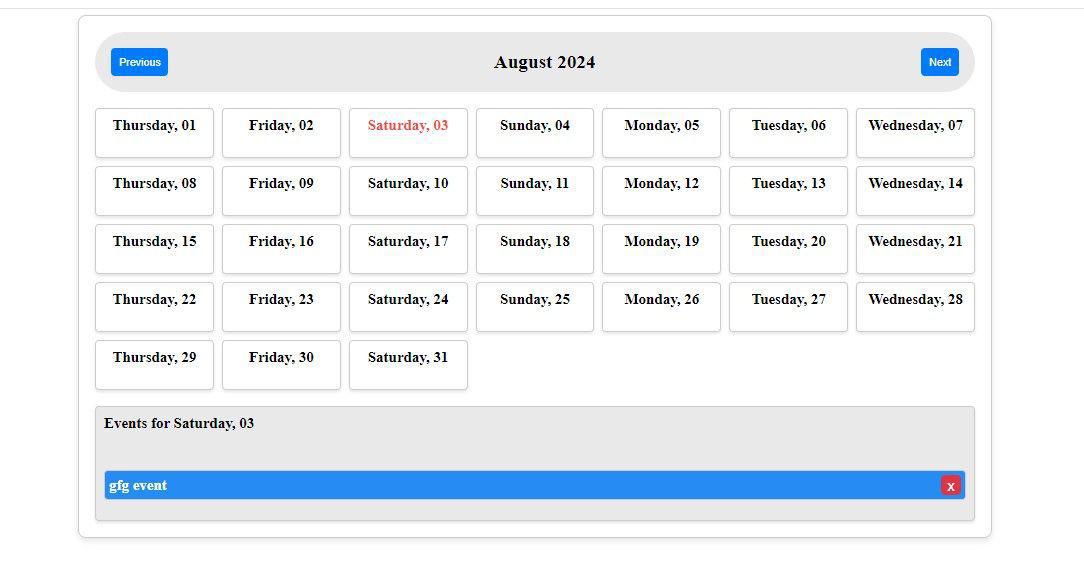
In this article, we will walk through the steps to create a dynamic Event Calendar using Angular 17 standalone components. This calendar will allow users to add events to specific dates and view them interactively. We will utilize Angular's powerful features and best practices to build a clean and efficient application.
Before diving into the implementation, ensure you have the following tools and libraries installed:
We will follow these steps to create our Event Calendar:
Step 1: Set Up a New Angular Project
First, create a new Angular project using the Angular CLI:
ng new event-calendar
cd event-calendar
This will create a new Angular project named event-calendar and navigate into the project directory.
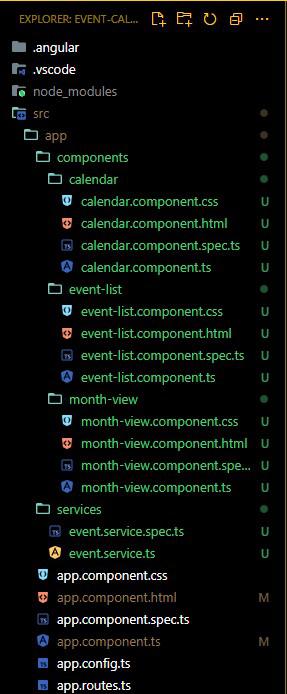
Next, we'll generate the necessary components for our calendar. Run the following commands:
ng generate component components/calendar
ng generate component components/month-view
ng generate component components/event-list
ng generate service services/event "dependencies": {
"@angular/animations": "^17.3.0",
"@angular/common": "^17.3.0",
"@angular/compiler": "^17.3.0",
"@angular/core": "^17.3.0",
"@angular/forms": "^17.3.0",
"@angular/platform-browser": "^17.3.0",
"@angular/platform-browser-dynamic": "^17.3.0",
"@angular/router": "^17.3.0",
"rxjs": "~7.8.0",
"tslib": "^2.3.0",
"zone.js": "~0.14.3"
}
ng serve --openOpen your browser and navigate to http://localhost:4200