|
VOOZH | about |
|
VOOZH | about |
In Angular, managing route parameters and extracting data from routes is important for creating dynamic and responsive web applications. Route parameters allow you to pass information in URLs, and accessing this data enables your application to make decisions and render content dynamically. This article will guide you on how to get all route params/data in Angular
We will see all the mentioned steps in the code base.
npm install -g @angular/cliRun the below command to create a new Angular application
ng new angular-param-data --no-standaloneChange you working directory by entering project name in the below command
cd angular-param-datang serve --openThe --open flag open an application directly in a browser. The application default run on http://localhost:4200.
The above mentioned steps create project with basic components and routes. It will generate app component along with the app routes. Now, we need create required Components and Module.
ng generate component product
The above command will create a component in the app directory. You can shorthand the command by writing ng g c.
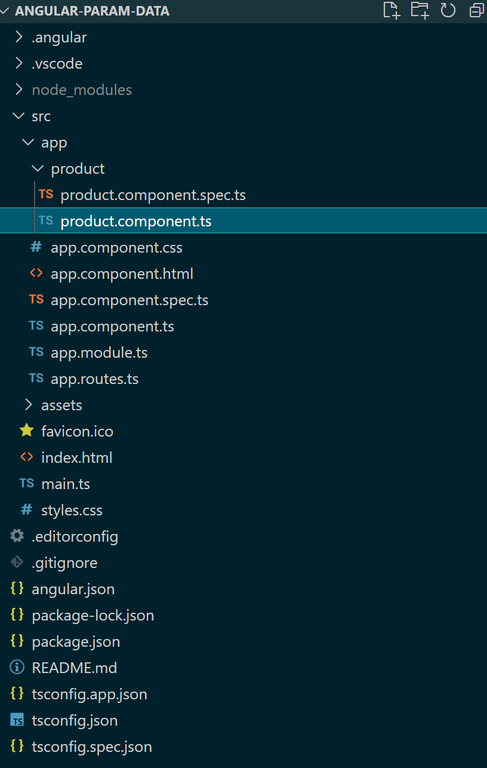
The project directory structure will be display like the below image
"dependencies": {
 "@angular/animations": "^17.0.0",
 "@angular/common": "^17.0.0",
 "@angular/compiler": "^17.0.0",
 "@angular/core": "^17.0.0",
 "@angular/forms": "^17.0.0",
 "@angular/platform-browser": "^17.0.0",
 "@angular/platform-browser-dynamic": "^17.0.0",
 "@angular/router": "^17.0.0",
 "rxjs": "~7.8.0",
 "tslib": "^2.3.0",
 "zone.js": "~0.14.2"
 }
Example
Output
The above example shows how to get route parameters and data in Angular.