|
VOOZH | about |
|
VOOZH | about |
In web development, performance is the most important thing. Users expect fast and responsive web applications and even minor delays can impact user experience and satisfaction. Monitoring page load time is important for identifying performance bottlenecks and optimizing the user experience. In this article, we'll explore how to get page load time in Angular 15.
Page load time, also known as page load speed, refers to the time it takes for a web page to fully load in a user's browser. It includes the time taken to fetch and render all the necessary resources, such as HTML, CSS, JavaScript, images, and other assets. Measuring page load time provides valuable insights into the performance of web applications and helps identify areas for improvement.
npm install -g @angular/cliRun the below command to create a new Angular application
ng new angular-api-routing-timeChange you working directory by entering project name in the below command
cd angular-api-routing-timeng serve --openThe --open flag open an application directly in a browser. The application default run on http://localhost:4200.
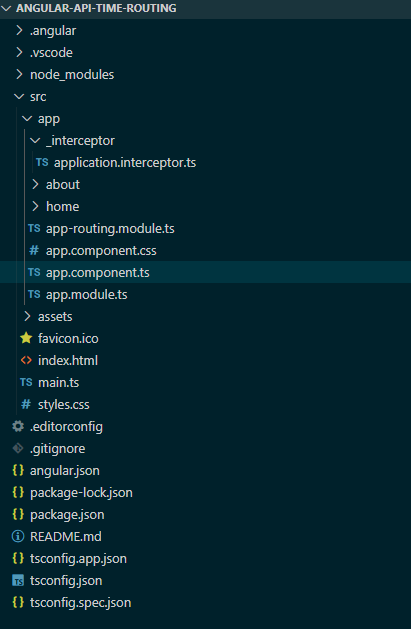
After completing project creation and setup, you need create Components, Service, Module and Interceptor and the structure will be display like the below image.
ng generate component home
ng g c about
The above command will create a component in the app directory. You can shorthand the command by writing ng g c.
Step 6: Create interceptors
ng generate interceptor applicationThe above command will create interceptor in the app directory.
ng generate module app --routingThe above command will generate module with routing. Here it will generate app.module.ts and app-routing.module.ts.
"dependencies": {
 "@angular/animations": "^17.3.0",
 "@angular/common": "^17.3.0",
 "@angular/compiler": "^17.3.0",
 "@angular/core": "^17.3.0",
 "@angular/forms": "^17.3.0",
 "@angular/platform-browser": "^17.3.0",
 "@angular/platform-browser-dynamic": "^17.3.0",
 "@angular/router": "^17.3.0",
 "rxjs": "~7.8.0",
 "tslib": "^2.3.0",
 "zone.js": "~0.14.3"
 }
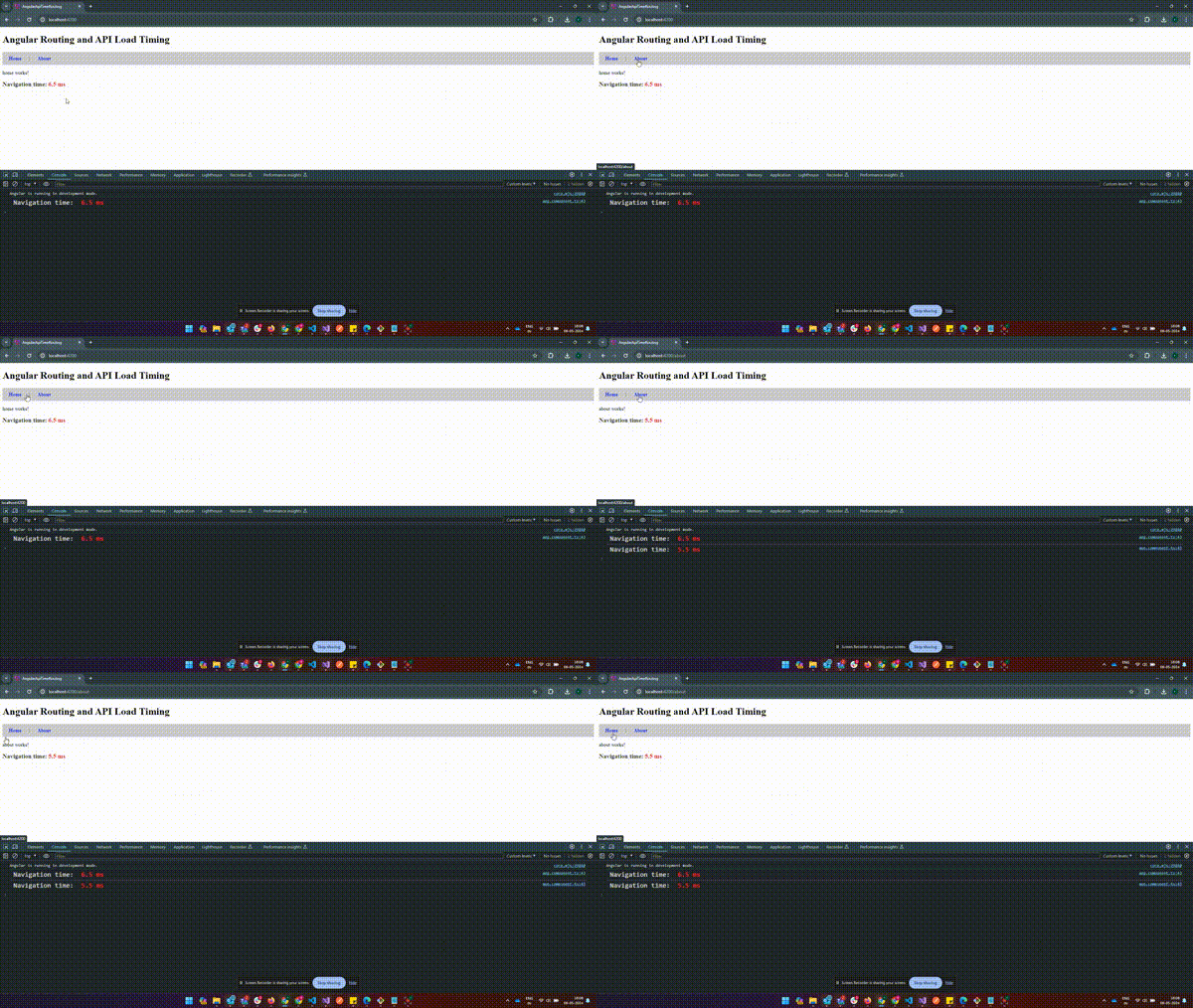
The above example shows how to capture page load time including API calls after routing to a new URL.