|
VOOZH | about |
|
VOOZH | about |
Pipes are often used for formatting dates, numbers, and Strings and they can be customized to suit various needs. In this article, we explain about how to use pipes in Angular with examples and related outputs for your reference.
To understand this article you should have knowledge of the following.
Table of Content
The Pipes in Angular are powerful features that transform data directly in your template. They take in data as input and transform it into the desired output. Angular comes with several built-in pipes such as DatePipe, UpperCasePipe, LowerCasePipe, CurrencyPipe, and DecimalPipe.
{{ today | date:'fullDate' }}Below we provide built in and mostly used pipes in angular.
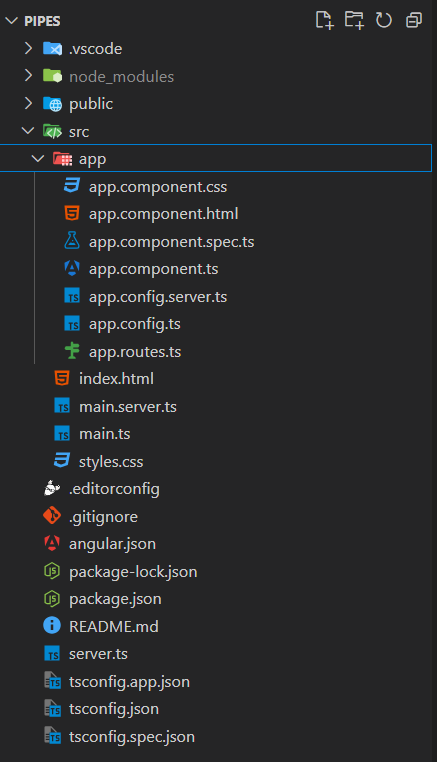
Open your terminal and run:
npm install -g @angular/cling new pipescd pipesThe updated dependencies in the package.json file are:
"dependencies": {
 "@angular/animations": "^18.0.0",
 "@angular/common": "^18.0.0",
 "@angular/compiler": "^18.0.0",
 "@angular/core": "^18.0.0",
 "@angular/forms": "^18.0.0",
 "@angular/platform-browser": "^18.0.0",
 "@angular/platform-browser-dynamic": "^18.0.0",
 "@angular/platform-server": "^18.0.0",
 "@angular/router": "^18.0.0",
 "@angular/ssr": "^18.0.0",
 "express": "^4.18.2",
 "rxjs": "~7.8.0",
 "tslib": "^2.3.0",
 "zone.js": "~0.14.3"
}
Here we provide syntax and example and outputs for each pipe mention in the above list.
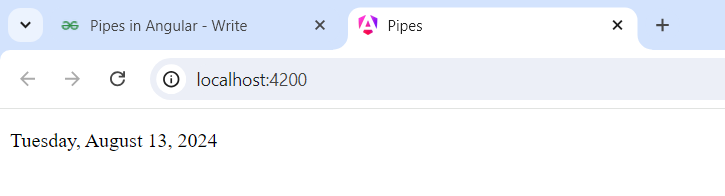
The DatePipe is used for Formats a date value according to locale rules.
<p>{{ currentDate | date: 'fullDate' }}</p>Example: Add the below mentioned code in app.component.ts and app.component.html file.The below HTML code holds the pipe for the currentDate. TS file holds the data about component being standalone and imports holds the imports made for the particular component.
Output
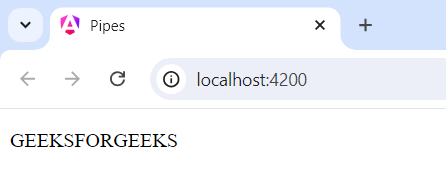
This UpperCasePipe is used for transform text to uppercase
<p>{{ 'hello world' | uppercase }}</p>Example: Add the below mentioned code in app.component.ts and app.component.html file.The below HTML code holds the pipe for the Uppercase. TS file holds the data about component being standalone and imports holds the imports made for the particular component.
Output
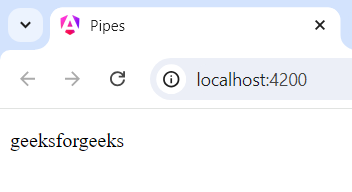
This LowerCasePipe is used for Transforms text to lowercase.
<p>{{ 'GEEKSFORGEEKS' | lowercase }}</p>Example: Add the below mentioned code in app.component.ts and app.component.html file. The below HTML code holds the pipe for the LowerCase. TS file holds the data about component being standalone and imports holds the imports made for the particular component.
Output
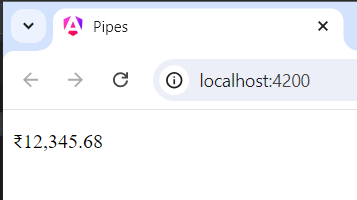
The CurrencyPipe is used for Formats a number as currency.
<p>{{ 12345.6789 | currency: 'INR' }}</p>Example: Add the below mentioned app.component.ts and app.component.html file. The below HTML code holds the pipe for the Currency. TS file holds the data about component being standalone and imports holds the imports made for the particular component.
Output
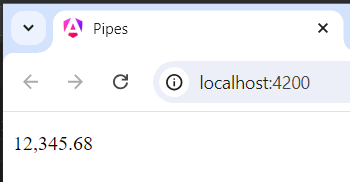
The DecimalPipe is used for Formats a number as a decimal.
<p>{{ 12345.6789 | number: '1.2-2' }}</p>Example: Add the below mentioned app.component.ts and app.component.html file. The below HTML code holds the pipe for the Decimal Number. TS file holds the data about component being standalone and imports holds the imports made for the particular component.
Output
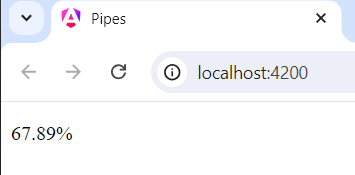
The PercentPipe is used for Formats a number as a percentage.
<p>{{ 0.6789 | percent: '1.2-2' }}</p>Example: Add the below mentioned app.component.ts and app.component.html file. The below HTML code holds the pipe for the Percent. TS file holds the data about component being standalone and imports holds the imports made for the particular component.
Output
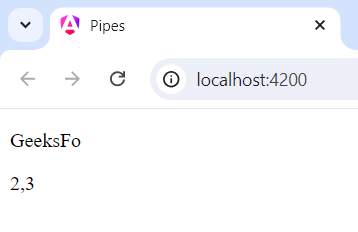
The SlicePipe is used for Slices a string or array and returns a new sub string or sub array.
for String:
<p>{{ 'Angular Pipes' | slice: 0:7 }}</p>for Array:
<p>{{ [1, 2, 3, 4, 5] | slice: 1:3 }}</p>Example: Add the below mentioned app.component.ts and app.component.html file. The below HTML code holds the pipe for the Slice. TS file holds the data about component being standalone and imports holds the imports made for the particular component.
Output
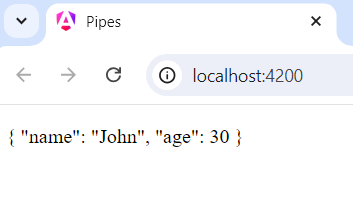
The JsonPipe is used for Converts a value into its JSON string representation.
<p>{{ { name: 'John', age: 30 } | json }}</p>Example: Add the below mentioned code in app.component.html and app.component.ts file.The below HTML code holds the pipe for the JSON Format. TS file holds the data about component being standalone and imports holds the imports made for the particular component.
Output
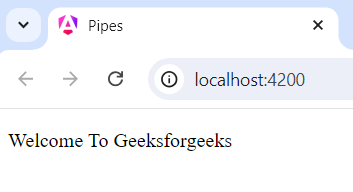
The TitleCasePipe is used for Capitalizes the first letter of each word.
<p>{{ 'welcome to geeksforgeeks' | titlecase }}</p>Example: Add the below mentioned app.component.ts and app.component.html file.The below HTML code holds the pipe for the TitleCase. TS file holds the data about component being standalone and imports holds the imports made for the particular component.
Output
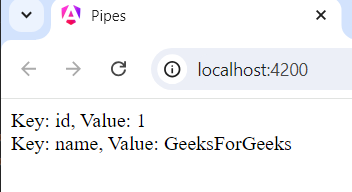
The KeyValuePipe is used for Transforms an object or a Map into an array of key value pairs.
<div *ngFor="let item of object | keyvalue">
 Key: {{ item.key }}, Value: {{ item.value }}
</div>
Example: Add the below mentioned app.component.ts and app.component.html file. The below HTML code holds the pipe for the KeyValue. TS file holds the data about component being standalone and imports holds the imports made for the particular component.
Output
Angular pipes are versatile tools for transforming data in your template they help keep your code clean and declarative making it easier to format and display data. Whether you are using built in pipes understanding how to leverage pipes will enhance the flexibility and reliability of your Angular application.