|
VOOZH | about |
|
VOOZH | about |
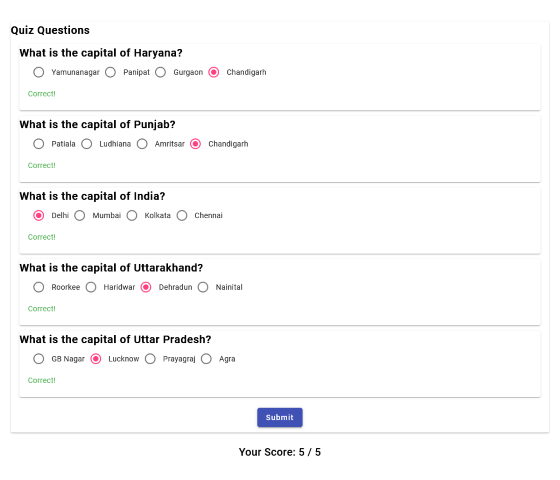
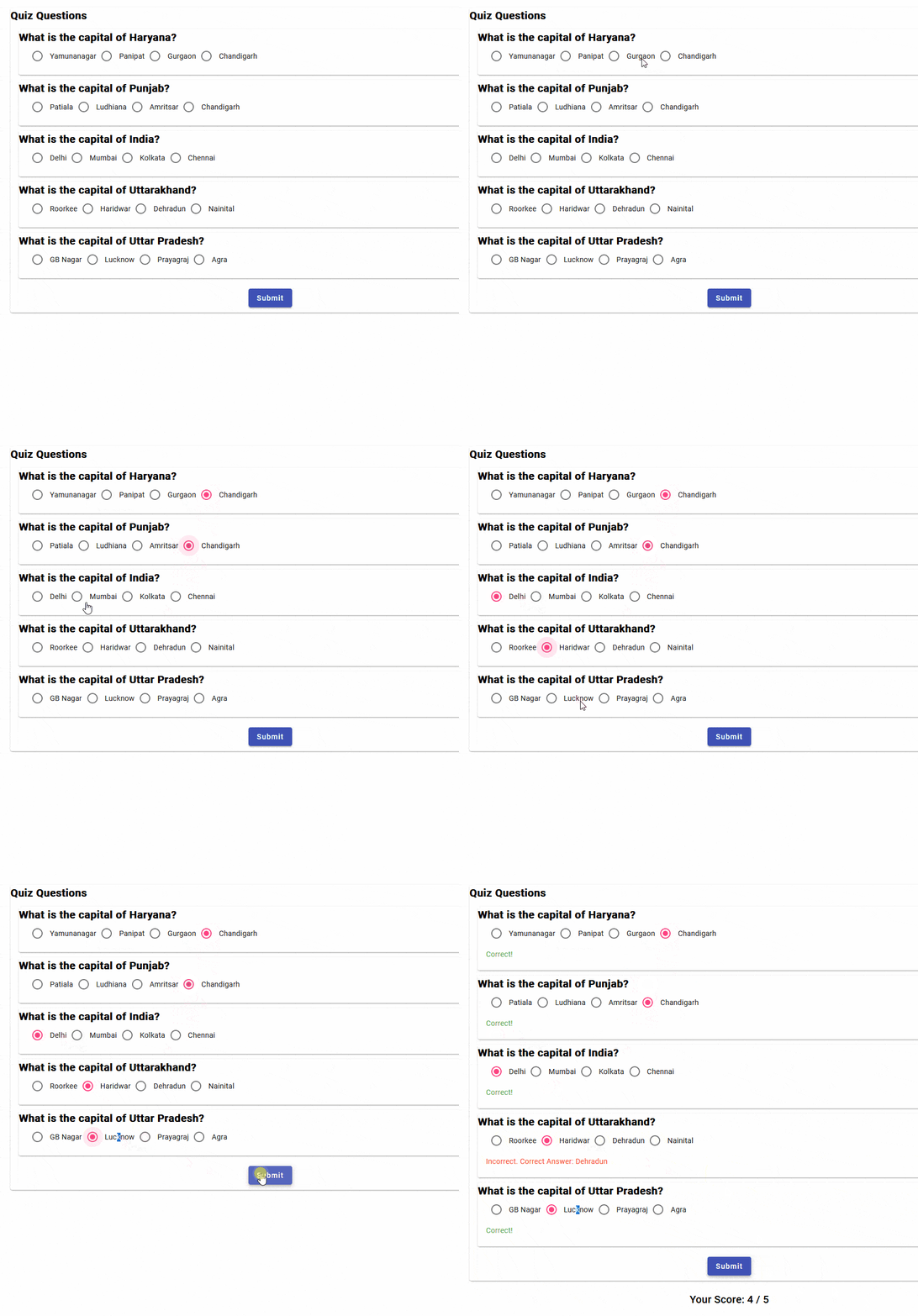
We will be creating a Quiz application using the Angular framework. This app will allow users to answer multiple-choice questions and view their results interactively. We'll use Angular Material for a polished UI and implement responsive design to ensure it looks great on all devices. The application will include features like dynamic question rendering, real-time feedback, and score calculation.
If you haven’t installed Angular CLI yet, install it using the following command
npm install -g @angular/cling new quiz-app
cd quiz-app
Create a standalone component. You can generate a standalone component using the Angular CLI:
ng generate component quizInstall Angular Material and Flex-Layout for better UI components:
ng add @angular/material @angular/flex-layout"dependencies": {
"@angular/animations": "^16.2.0",
"@angular/cdk": "^16.2.14",
"@angular/common": "^16.2.0",
"@angular/compiler": "^16.2.0",
"@angular/core": "^16.2.0",
"@angular/flex-layout": "^15.0.0-beta.42",
"@angular/forms": "^16.2.0",
"@angular/material": "^16.2.14",
"@angular/platform-browser": "^16.2.0",
"@angular/platform-browser-dynamic": "^16.2.0",
"@angular/router": "^16.2.0",
"rxjs": "~7.8.0",
"tslib": "^2.3.0",
"zone.js": "~0.13.0"
}
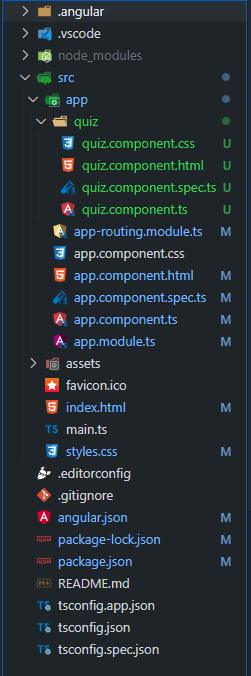
Example: Create the required files as seen in the folder structure and add the following codes. We will be taking a JSON data for Quiz Questions.
Open the terminal, run this command from your root directory to start the application
ng serve --openOpen your browser and navigate to http://localhost:4200