|
VOOZH | about |
|
VOOZH | about |
Angular, a popular front-end framework, helps to build responsive and scalable applications. At the core of Angular lies RxJS (Reactive Extensions for JavaScript), a powerful library for handling asynchronous operations and event-based programming. In this article, we'll explore how RxJS helps Angular developers manage complex asynchronous tasks and streamline data flow within their applications.
Table of Content
In Angular applications, RxJS (Reactive Extensions for JavaScript) is a powerful library used for handling asynchronous and event-based programming using observables. RxJS provides a wide range of operators that enable you to manipulate, transform, combine, and manage observables in a flexible and functional way. These operators make it easier to work with data streams and asynchronous operations in a reactive manner.
of(): Creates an observable that emits a sequence of values.from(): Converts an array, promise, or iterable into an observable.ajax(): Performs an XMLHttpRequest with the provided options and returns an observable.merge(): Combines multiple observables into one by merging their emissions.combineLatest(): Combines the latest values from multiple observables into an array or object.forkJoin(): Combines the last values emitted by multiple observables and emits a single value when all observables complete.filter(): Emits only those values from an observable that satisfy a specified condition.distinctUntilChanged(): Emits a value only if it is different from the previous value.debounceTime(): Emits a value from the source observable only after a specified duration has passed without any other value being emitted.map(): Transforms each value emitted by an observable into a new value.pluck(): Extracts the value of a specified property from each emitted object.scan(): Applies an accumulator function to each value emitted by an observable and emits each intermediate result.catchError(): Handles errors emitted by the source observable and returns a new observable or throws an error.retry(): Resubscribes to the source observable a specified number of times if an error occurs.tap(): Performs side effects for each emission on the source observable without modifying the emitted values.delay(): Delays the emissions from the source observable by a specified duration.Step 1: Install Node.js and npm
We need to install Node.js and node package manager to run Angular.
Download node.js from https://nodejs.org/en/download
Step 2: Install Angular CLI
We need to install Angular command Line interface for the creation and management of our Angular projects.
To install Angular CLI, run the following command:
npm install -g @angular/cliStep 3: Create a New Angular Project:
Now, since we have angular CLI and node.js installed on our system, now we create an Angular project
Type the following command to create a new project
ng new demo-appStep 4: Go to the Project directory
Now, after creating the project we need to navigate down to the project directory. We can navigate into our project directory with the following command.
cd demo-appStep 5: Run the application
Since, we have navigated to our project directory, we can run our application with the following command
ng serveFolder Structure:
Dependencies:
"dependencies": {
 "@angular/animations": "^17.3.0",
 "@angular/common": "^17.3.0",
 "@angular/compiler": "^17.3.0",
 "@angular/core": "^17.3.0",
 "@angular/forms": "^17.3.0",
 "@angular/platform-browser": "^17.3.0",
 "@angular/platform-browser-dynamic": "^17.3.0",
 "@angular/router": "^17.3.0",
 "rxjs": "~7.8.0",
 "tslib": "^2.3.0",
 "zone.js": "~0.14.3"
 }
Here's an overview of some common RxJS operators and how they can be used in Angular:
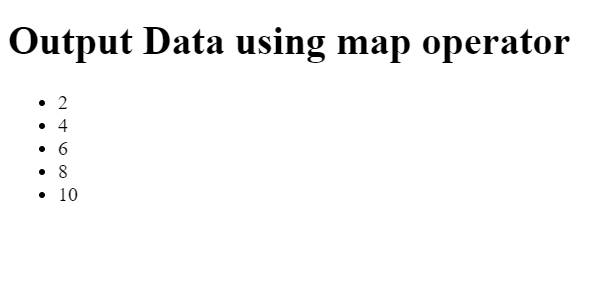
The map operator is used to convert the values emitted by an observable into new values.. This is often used to perform some kind of data transformation.
Output:
👁 Screenshot-2024-04-17-162220
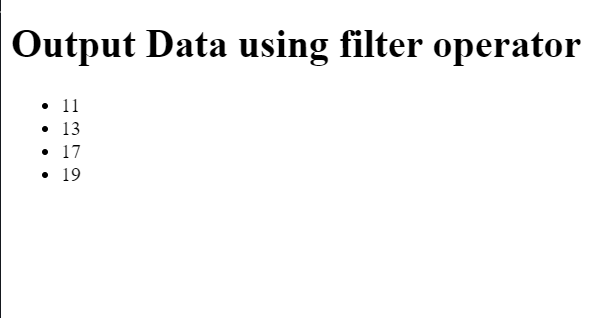
The filter operator is used to remove values from an observable depending on a criterion.
Output:
👁 Screenshot-2024-04-17-162531
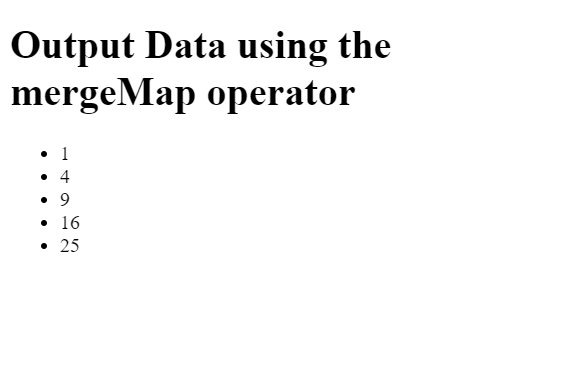
The mergeMap operator is used to merge multiple observables into a single observable by applying a function to each emitted value and flattening the resulting observables.
Output:
👁 Screenshot-2024-04-17-170224
The combineLatest operator combines the latest values from multiple observables whenever any of the observables emit a new value.
Output: