|
VOOZH | about |
|
VOOZH | about |
Snake game is one of the most popular software games ever made for computers as well as mobile devices. It is a simple game where player has to control the snake and eat food which are randomly spawned in order to score points.
In this article, we will be creating the snake game using the Angular framework. Note that this tutorial uses Angular version 17 instead of the outdated AngularJS framework.
We will be using the HTML canvas element to display the game, and all the game mechanics and logic will be handled by our Angular component class. Functions for individual features of the game are implemented like:
Before creating the project, make sure that Node is installed in your computer. To install node in your computer you can follow this article. If installed, make sure that Angular is installed as a global dependency in your computer. If you do not have angular installed, install it using the command:
npm install -g @angular/cliAfter installing Angular you can check the version. By default, the above command installs the latest Angular version which is available.
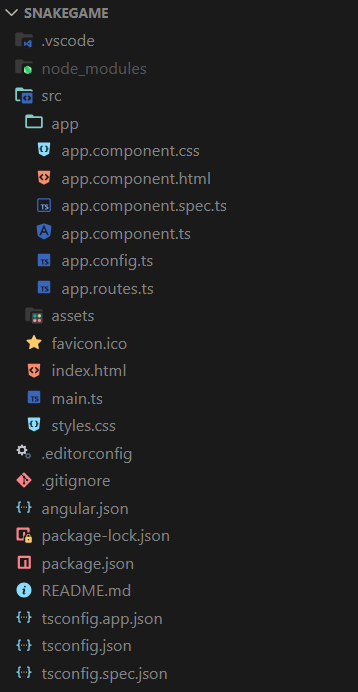
ng versionng new snakegameIt will ask for selecting stylesheet format. This article uses CSS. Also select No for enabling Server Side Rendering (SSR) if asked. It will take some time to download the project resources.
"dependencies": {
 "@angular/animations": "^17.3.0",
 "@angular/common": "^17.3.0",
 "@angular/compiler": "^17.3.0",
 "@angular/core": "^17.3.0",
 "@angular/forms": "^17.3.0",
 "@angular/platform-browser": "^17.3.0",
 "@angular/platform-browser-dynamic": "^17.3.0",
 "@angular/router": "^17.3.0",
 "rxjs": "~7.8.0",
 "tslib": "^2.3.0",
 "zone.js": "~0.14.3"
 }
Example
In order to run the application, use the following command in your terminal:
ng serveGo to http://localhost:4200 using any browser and you can start playing the snake game.