|
VOOZH | about |
|
VOOZH | about |
Drafting a clear and professional email to request requirements from a client can be streamlined using AI tools such as ChatGPT. These tools act as writing assistants that refine tone, structure and clarity in seconds. However, the effectiveness of the output depends on the quality of the prompt. Providing explicit context, objectives and constraints allows the model to generate accurate and relevant content, making well-crafted prompts essential for consistent results.
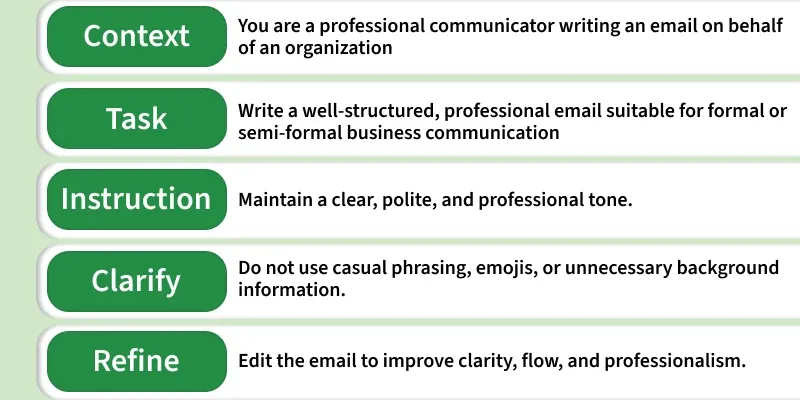
To achieve high-quality and reliable outputs from large language models (LLMs) like ChatGPT, it is important to structure prompts using a well-defined framework.
When working in the corporate world, you must schedule meetings and calls. It should be done regularly. You also cannot write essays in the email, which few recipients would like to read. So, keep the emails concise.
Prompt:
Compose an email to discuss the upcoming project. Check their availability and please keep the email concise.
If you are using ChatGPT, you need to follow these tips to ask the correct prompts for scheduling a meeting:
When you have a potential lead, you must follow up with the customers to educate them about the product. You have to write follow-up emails to foster growth. You can write a convincing email to tell about your product or service.
Prompt:
I’m from an ABC company selling ERP software. Can you write a persuasive email to customers who expressed interest in buying our software? Highlight the benefits of our software and keep the email within 150 words.
When you are writing the follow-up email, you need to keep these tips in mind:
If you have to send out an email to the clients to request information or resources, you must ask ChatGPT to write a respective request for information.
Prompt:
Please draft an email requesting my manager or colleague for the information to complete the task, which is a blocker for you.
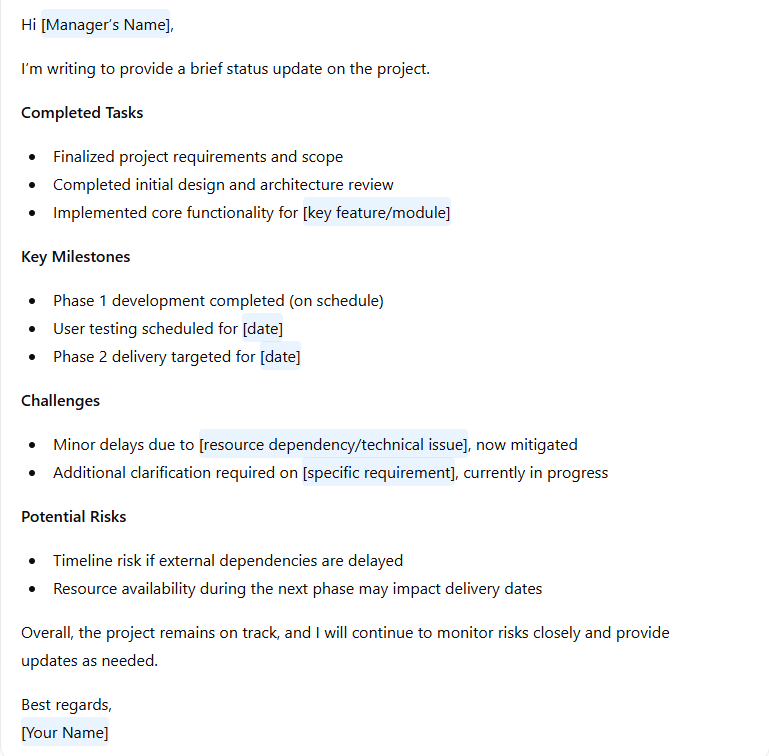
If you want people to know about your project progress, you need to write an email. This leaves a positive impression and lets them know what you are working on and how far the project has reached. You can use ChatGPT to compose an email providing your project updates in a structured way.
Prompt:
Compose a professional email to your manager summarizing the current project status, including completed tasks, key milestones, challenges faced and potential risks. Be concise
As per the 2024 email stats, it is clear that a professional would receive an average of 121 emails per day. Nobody would have time to go through every detail in the email. The longer emails are a pain for people to go through. When you have composed a lengthy email, you can use ChatGPT to concisely divide the email content into bullet points by keeping only critical details.
Prompt:
Here is the email I composed. Can you summarize this email into bulleted points, keeping essential points in it?
Your email should be polite when you send an invoice with a reminder. You can use ChatGPT to compose a professional email.
Prompt:
Write an email and attach the invoice with the amount to be paid for the services availed and remind the clients of the due date for the payment.
When the customer complains about poor internet connectivity or delivery of wrong products, you must address these issues sensibly to avoid losing valuable customers. It would help if you showed empathy, professionalism, trust and responsibility while writing an email. You can use ChatGPT to compose an apology email to the clients.
Prompt:
Write about the issue with which the customer is frustrated and compose a 100-word apology email by offering them free delivery, coupons or gift cards.
Referrals and testimonials are essential for a business as they promote the growth of the business and boost its credibility. You must use the following prompt to compose an email:
Prompt:
Compose an email to the client who is happy with our services and products, asking them to provide a testimonial or a referral from their contacts.
When you have received an invitation to attend an event but want to politely decline the invite with a strong reason for being unable to participate, you can use the following prompt to write an email.
Prompt:
Draft a polite email to decline the invitation but show gratitude for providing the opportunity and explain the reason for being unable to attend the event.
You can send an email to customers asking them to visit your online store which has new products after a long hiatus. It is an effective way to bring back the customers who are inactive to increase loyalty.
Prompt:
Generate email to ask customers about renewing their subscription.