|
VOOZH | about |
|
VOOZH | about |
Amazon Rekognition is an AWS Machine Learning tool used to detect, analyze, and compare faces. As a developer, facial recognition and comparison are a new challenge one will face if they are developing an employee verification system or any other software. To solve this challenge there are two ways to either develop your own machine learning model, develop an API, and manage your own infrastructure. But, this option is expensive, requires advanced knowledge, and needs more time.
The other and the most optimum way is to use this AWS tool named Amazon Rekognition which detects faces in images and videos and provides various details like the position of eyes, detect emotions such as happy or sad in near real-time.
In this article, we will learn to use Amazon Rekognition using the AWS Console. To observe the AWS Rekognition in action follow the below steps:
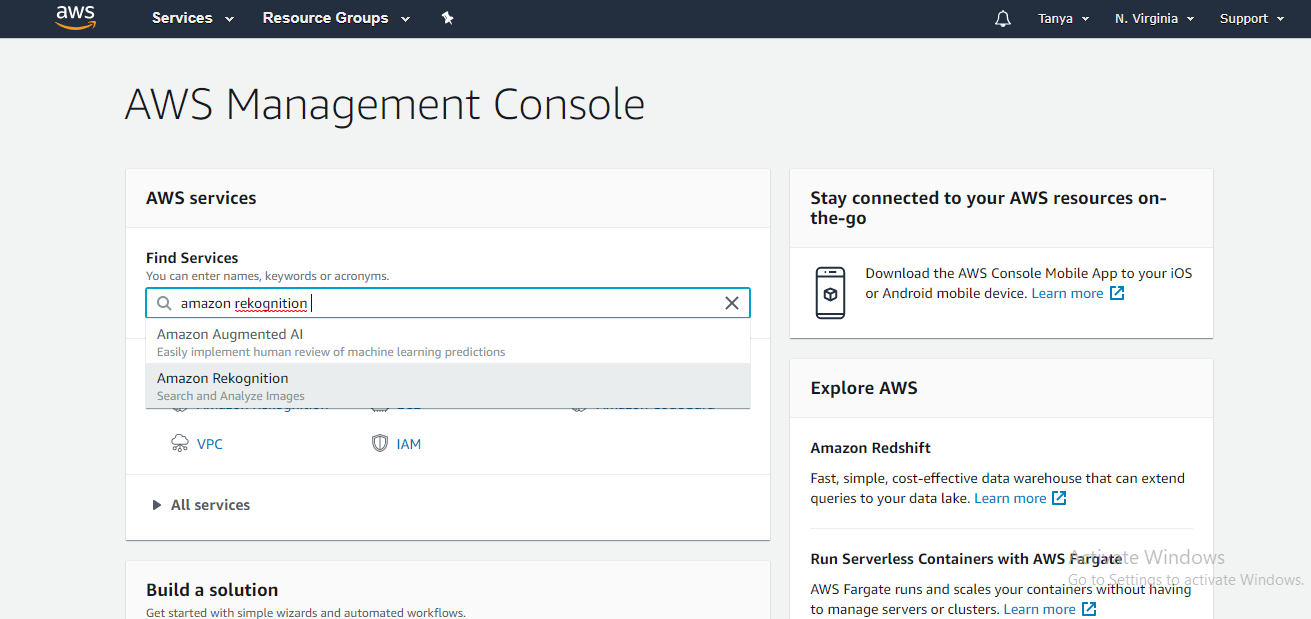
If you are new to AWS just create a free tier account for accessing the AWS services for free for the next 12 months. After logging in AWS Dashboard will open automatically. In the top search bar type Amazon Rekognition and hit enter.
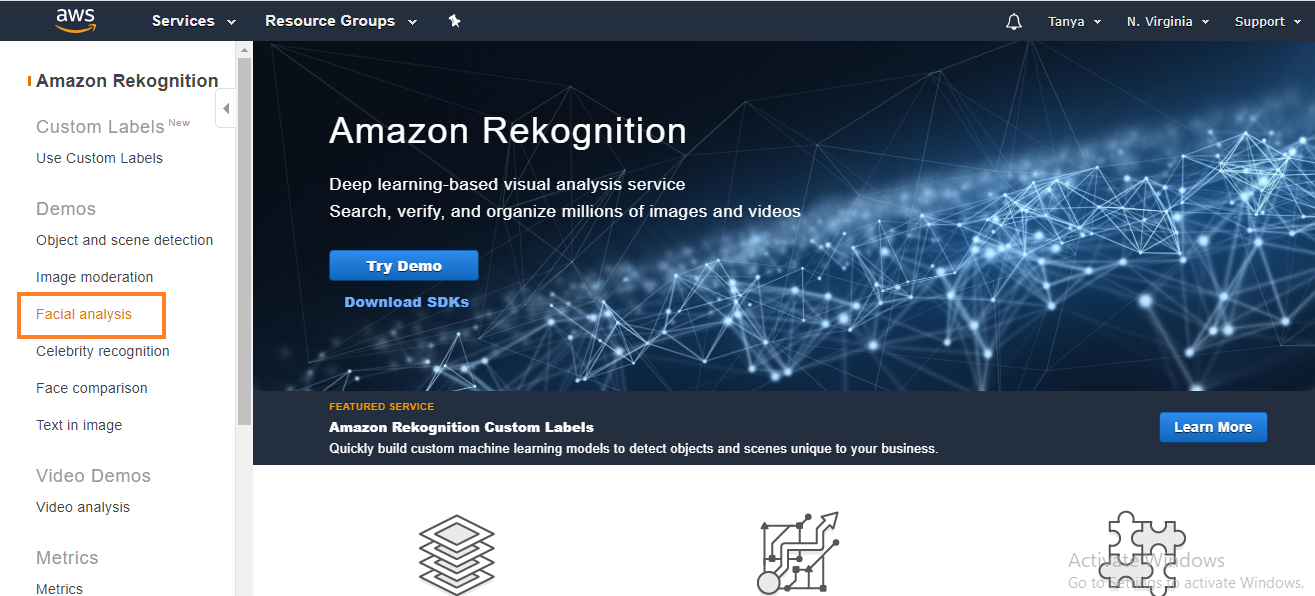
👁 aws management consoleOnce the search is complete an Amazon Rekognition console will open. Starting with the activity, click the facial analysis feature given in the menu box at the left of the screen.
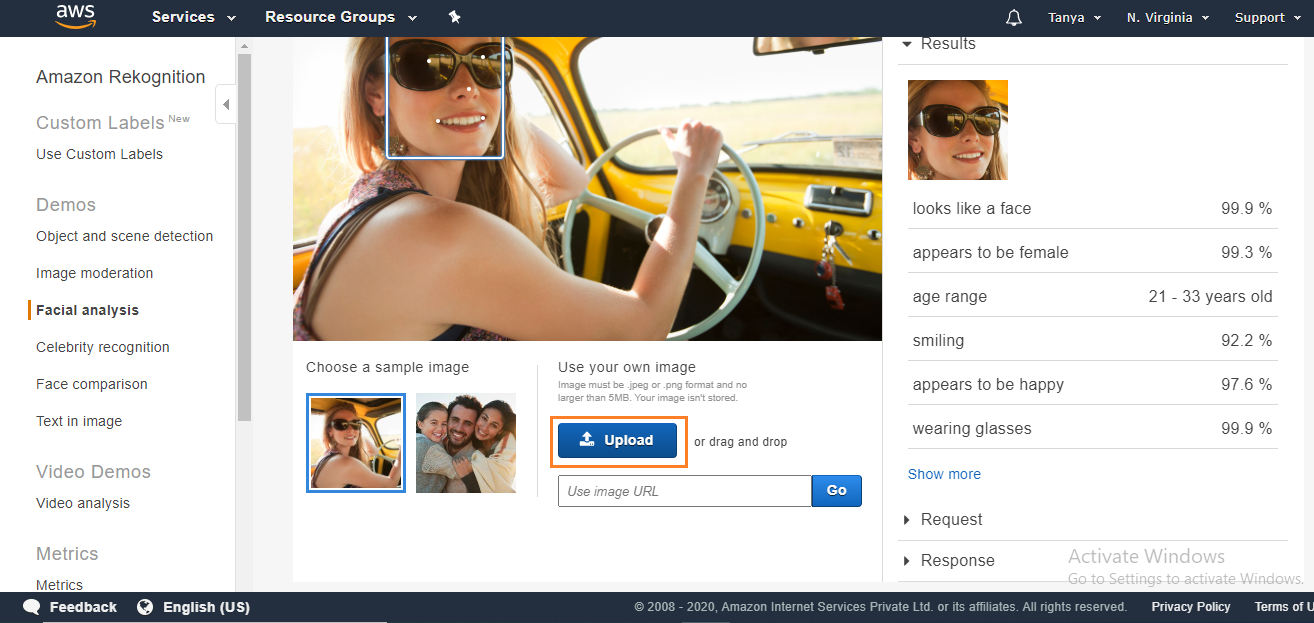
👁 aws rekognition consoleAfter this above step, select one image of your choice. You can choose an image of your choice or can also choose the sample images given by AWS. To upload the image click the Blue Upload Button.
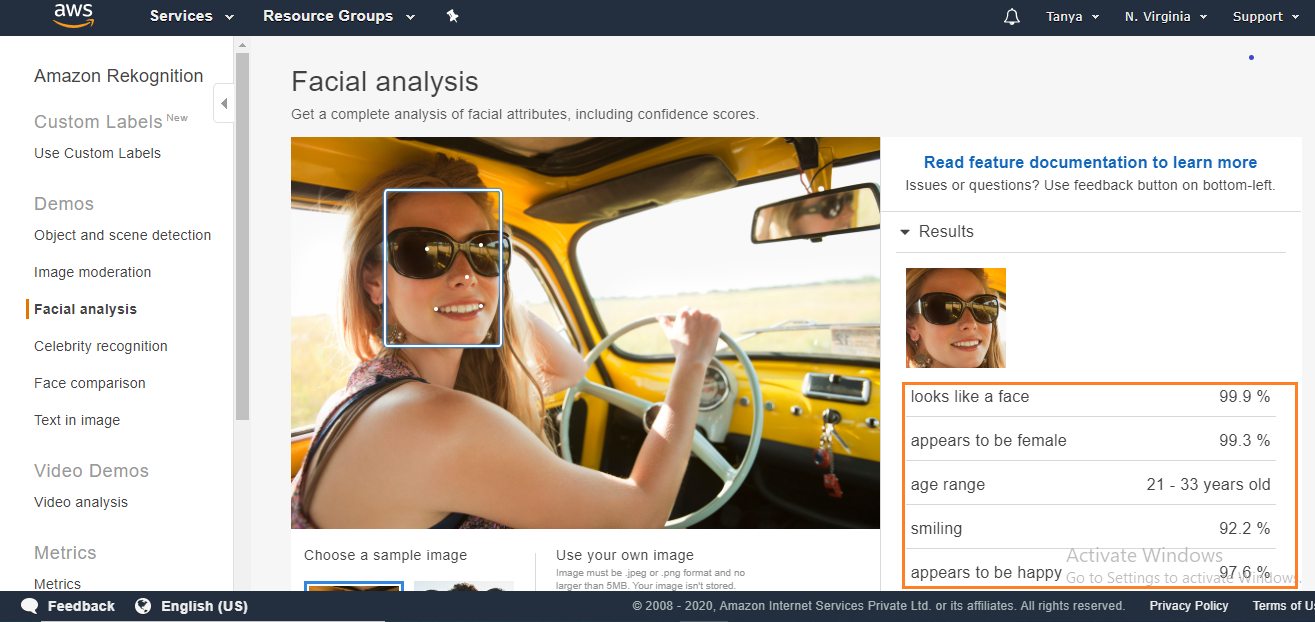
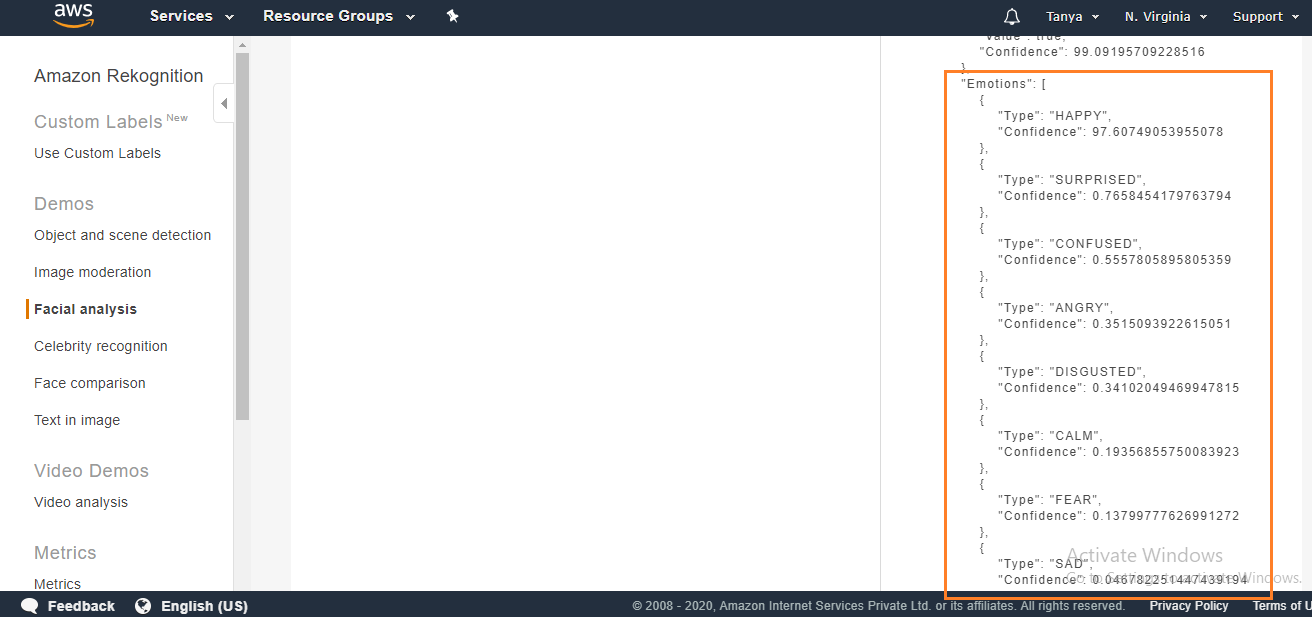
👁 input imageNotice the details under the Result drop-down. Click on the Response drop-down to see the JSON results. Notice that under the emotions results there are three detected emotions: happy, confused, and calm.
👁 analysis phaseThrough this, you can detect and analyze various features of faces. Amazon Rekognition is a great help for developers having issues in detecting faces in images and videos.