Groq is a company that makes AI run really fast using its "LPU Inference Engine." It helps process big AI models like Llama quickly. With Groq’s API, developers can get instant AI responses, making their apps faster and more efficient. To start using GROQ, you’ll need an API key, which grants you access to GROQ’s services. In this article, we’ll walk you through the process of obtaining a GROQ API key.
Step 1: Sign Up or Log In to Groq Cloud
Access the Groq Cloud Console:
Navigate to the Groq Cloud Console.
If you don't have an account, click on the "Sign Up" option and complete the registration process.
If you already have an account, click "Log In" and enter your credentials.
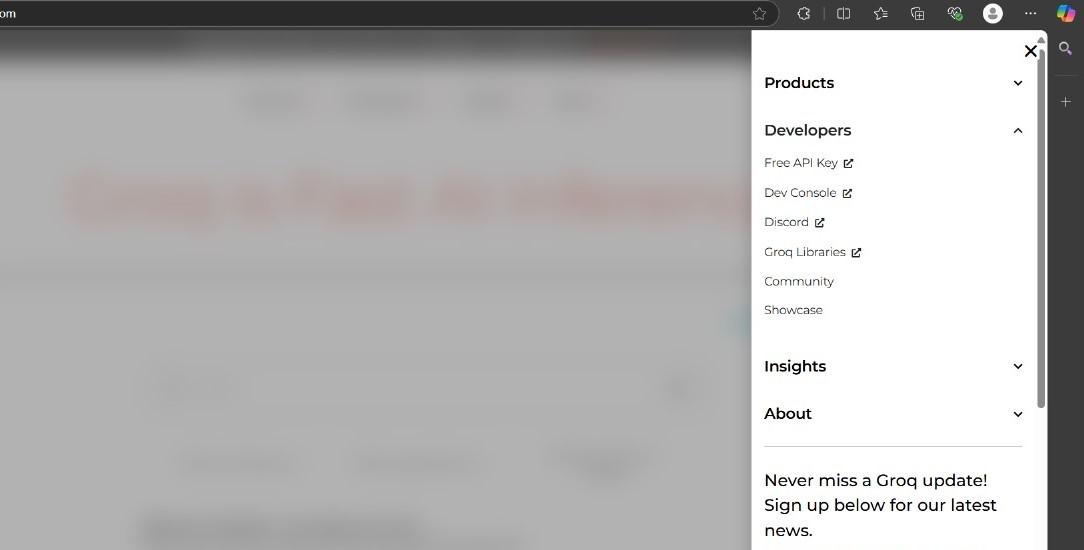
Step 2: Navigate to the Developers Section
On the top right corner of the GROQ homepage, you’ll see three horizontal lines (the hamburger menu). Click on it to open the menu.
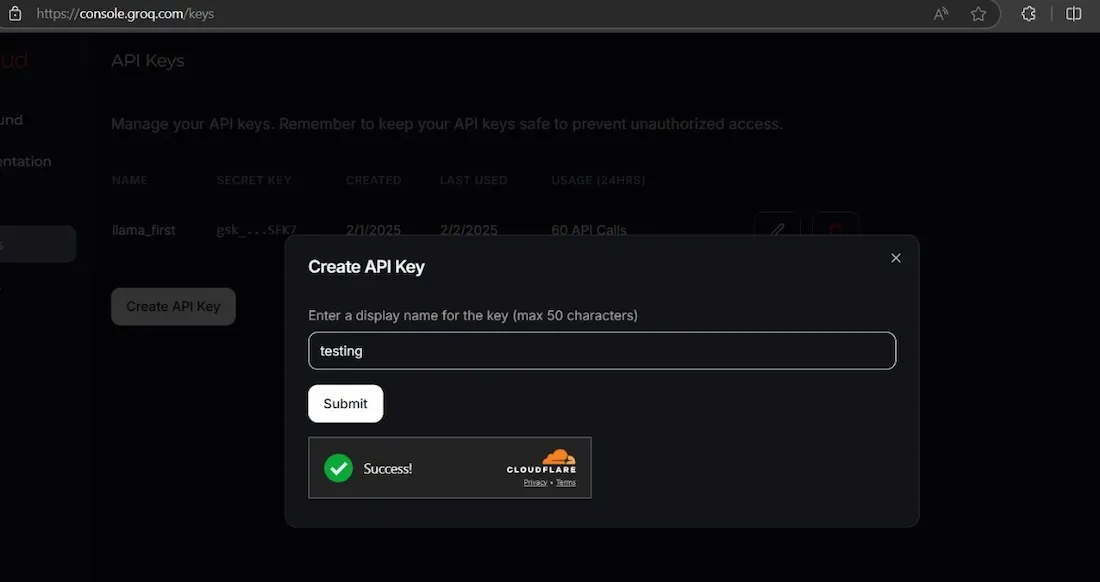
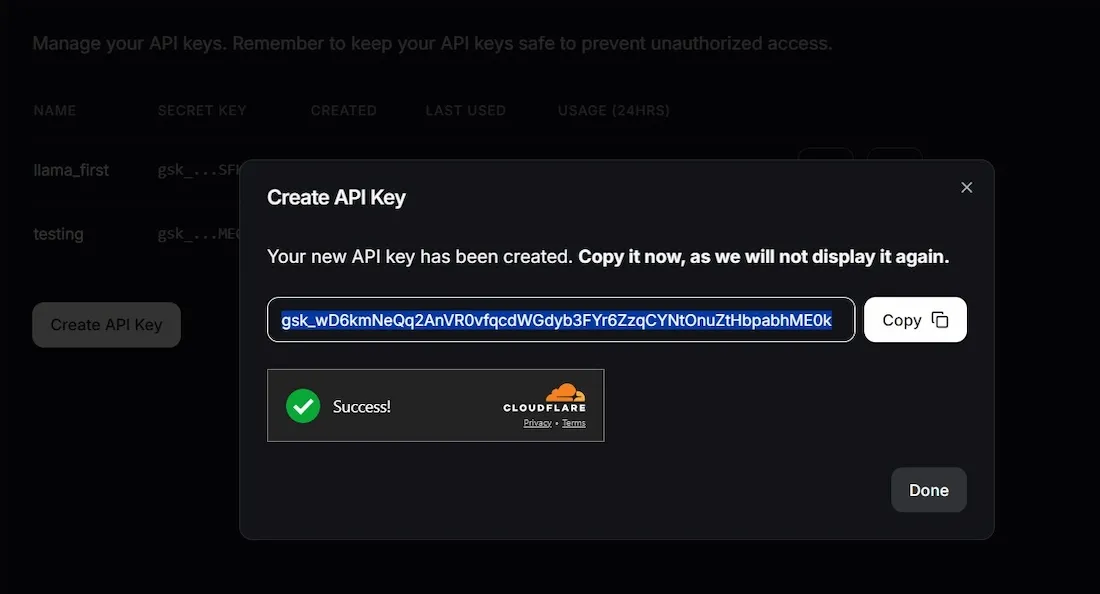
Once the API key is generated, it will be displayed on the screen.
Copy the key immediately and store it in a secure location, such as a password manager or a secure notes application.
Important: For security reasons, you won't be able to view the full API key again after leaving this page. Ensure you've saved it properly before navigating away.