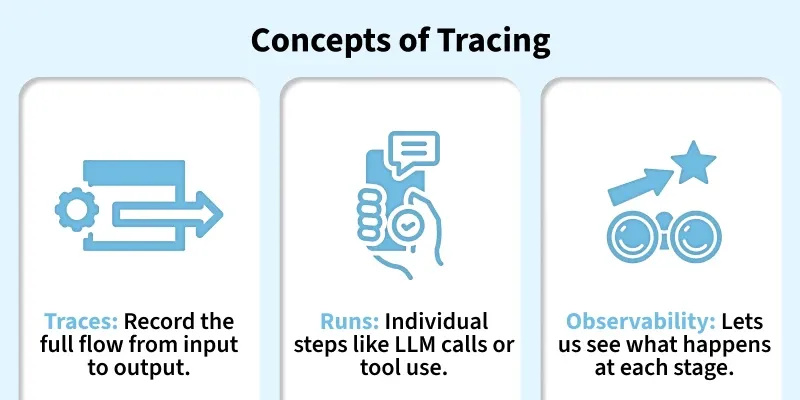
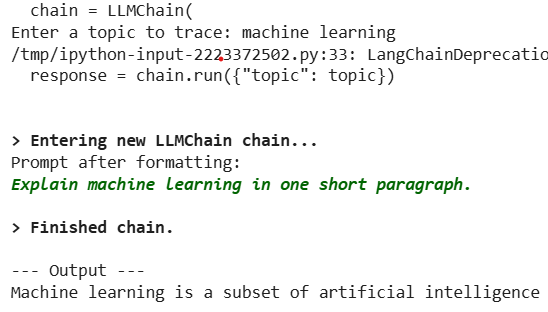
Tracing in LangChain helps us understand how our application works behind the scenes. It records each action taken by the language model, retriever or tool as our chain or agent runs. In short, it gives us a clear, step by step view of how our AI processes inputs and produces outputs.
Debugging Made Easy: Tracing helps identify where things go wrong in our chain by showing each step clearly.
Performance Tracking: We can see which parts of our workflow take more time or resources and optimize them.
Transparency: It provides a complete view of how data flows through our system making AI decisions easier to understand.
Improved Reliability: By reviewing traces, developers can ensure each step is working as expected and fix issues faster.
Better Collaboration: Shared traces help teams discuss and refine workflows using clear visual insights.
Quality Assurance: Ensures that our model’s reasoning and outputs align with expectations and business goals.
Working of Tracing in LangChain
Step by step working of tracing:
1. Activity Recording: When we run a LangChain app, every component such as the LLM, retriever or tool automatically sends details of its activity to a tracer.
2. Data Capturing: The tracer collects important information from each step, including:
Inputs and outputs
Time taken for execution
Any errors or exceptions
3. Data Storage: These traces are stored locally or in a platform like LangSmith which keeps a history of your runs for later review.
4. Visualization: We can view these traces in a visual dashboard or logs showing a clear flow of operations like a map of how our chain or agent worked internally.
5. Analysis and Debugging: Developers can analyze the trace to identify slow steps, failed operations or unexpected outputs. This helps optimize performance and improve accuracy.
6. Continuous Monitoring: In production environments, tracing helps track performance trends and ensure consistent behavior over time.
Using LangSmith for Tracing and Monitoring
Ways to use LangSmith for tracing and monitoring:
Central Dashboard: LangSmith provides a visual interface to see all your traces in one place.
Chain Structure: View our chain or agent as a tree or graph showing each step including LLM calls, retrievers and tools.
Step Timings: Check how long each step takes helping identify slow or resource heavy operations.
LLM Calls and Token Usage: Track which LLM calls were made, the responses received and the tokens consumed.
Debugging and Comparison: Easily spot errors, compare different runs and see how changes affect outputs.
Collaboration: Share traces with team members to discuss workflow issues or improvements.
Monitoring: Keep an eye on your AI app’s performance over time and ensure it behaves reliably.
Implementation
Step by step implementation for Tracing in LangChain:
Step 1: Install Required Packages
Installing required packages like LangChain, OpenAI, LangSmith.
Step 2: Setup Environment
Setting up environment using LangChain and OpenAI API Key, we can also use any other model access.
Debugging Complex Chains: Helps identify where errors or unexpected behavior occur in multi step workflows or agents.
Performance Monitoring: Measures latency, token usage and resource consumption at each step to optimize efficiency.
Comparing Model Outputs: Enables side-by-side evaluation of different LLMs, prompts or chain configurations.
User Session Analysis: Tracks how inputs move through the chain helping understand user behavior and improving experience.
Quality Assurance: Ensures each step in a workflow behaves as expected before deploying to production.
Team Collaboration: Shared traces make it easier for teams to review, debug and refine workflows together.
Limitations
Some of the limitations of tracing are:
Adds Overhead: Tracing introduces extra logging at every step which can slightly slow down our workflows especially for complex or large scale chains.
Requires Setup: To use tracing effectively, we need to configure tools like LangSmith or a local tracing setup which may require cloud access and additional environment settings.
Sensitive Data Considerations: Since traces record inputs, outputs and intermediate data sharing them without precautions could expose confidential or private information.
Not Ideal for Simple Scripts: For very lightweight or one-off scripts, enabling tracing may be overkill and provide little benefit compared to the extra overhead and setup required.