VOOZH about

URL: https://www.geeksforgeeks.org/c-sharp/addressables-system-in-unity/

⇱ Addressables System In Unity - GeeksforGeeks


  • Courses
  • Tutorials
  • Interview Prep

Addressables System In Unity

Last Updated : 4 May, 2026

Addressables is Unity's system for loading assets from anywhere – local disk or remote server. Instead of storing everything in memory, you load assets on demand.

  • Load levels, characters, or items only when needed
  • Reduce game size and memory usage
  • Update content without rebuilding the whole game

Installing Addressables

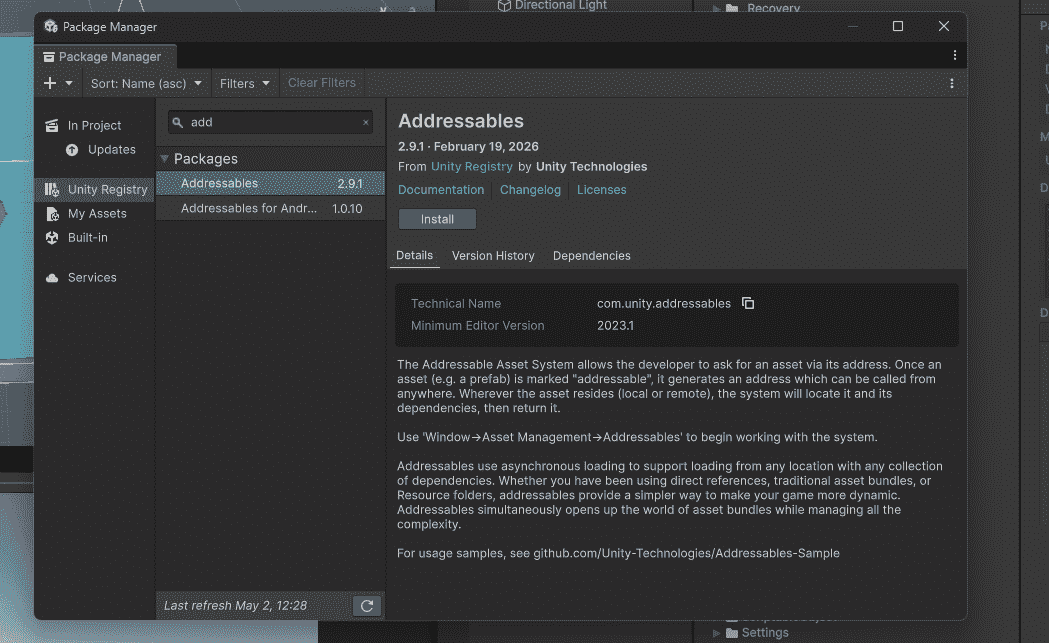
  • Window -> Package Manager.
  • Search "Addressables" -> Install.
  • Window -> Asset Management -> Addressables -> Groups.
👁 Addressables-In-Unity
Addressables In Unity

Marking Assets as Addressable

  • Method 1: Select asset in Project window - Check "Addressable" in Inspector.
  • Method 2: Drag asset into Addressables Groups window.

Loading Assets by Address

Load an asset using its address name.

LoadAssetAsync() loads the asset in background. Game continues running while loading. Completed event fires when done.

Loading and Instantiating Together

Load and instantiate an asset with one line.

InstantiateAsync() loads the prefab and creates an instance at specified position and rotation.

Releasing Assets

Important to release assets to free memory.

Always release assets you no longer need. Otherwise, memory leaks occur.

Loading Scene with Addressables

Load scenes that are marked as Addressable.

Remote Content Delivery (Update without Rebuild)

Addressables can load assets from a server. Update game content without rebuilding the app.

  • Setup: Window -> Asset Management -> Addressables -> Settings
  • Set Remote Load Path to your server URL.

Addressables Groups

Create groups to organize assets:

  • AlwaysLoaded: UI, player character (load at start)
  • LevelAssets: Props, enemies for current level
  • DLCContent: Optional downloadable content
Comment
Article Tags:
Article Tags:

Explore