|
VOOZH | about |
|
VOOZH | about |
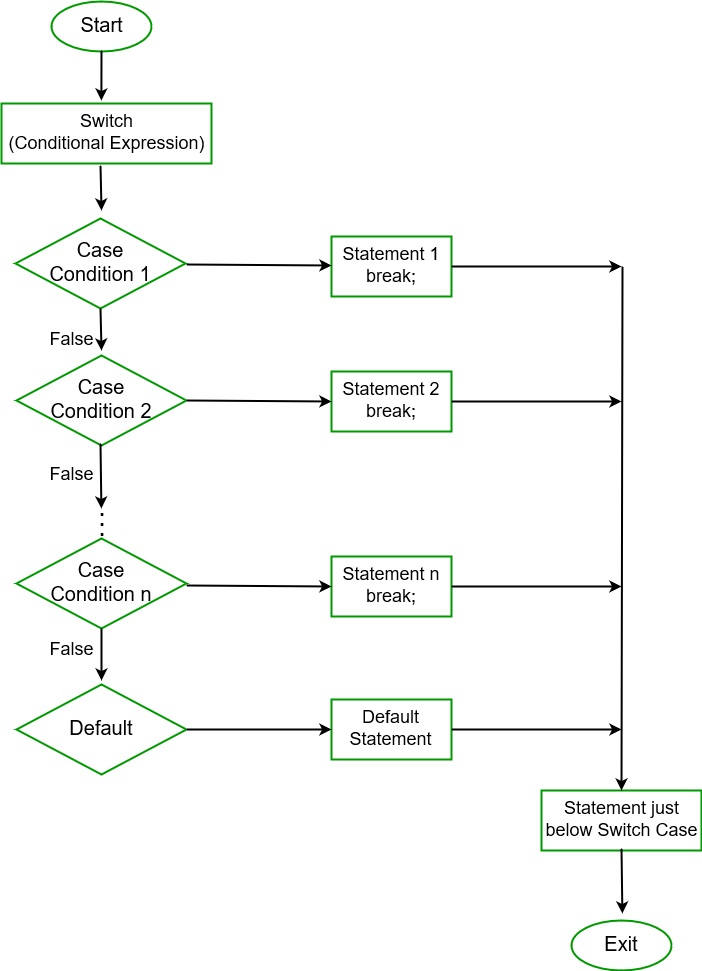
In C#, Switch statement is a multiway branch statement. It provides an efficient way to transfer the execution to different parts of a code based on the value of the expression. The switch expression is of integer type such as int, char, byte, or short, or of an enumeration type, or of string type. The expression is checked for different cases and the one match is executed.
Syntax:
switch (expression)
{
 case value1: // statement sequence
 break;

 case value2: // statement sequence
 break;
 .
 .
 .
 case valueN: // statement sequence
 break;

 default: // default statement sequence
}
Flow Chart:
Important Points to Remember:
Example:
case 5
We use a switch statement instead of if-else statements because if-else statement only works for a small number of logical evaluations of a value. If you use if-else statement for a larger number of possible conditions then, it takes more time to write and also become difficult to read.
Example 1: Using if-else-if statement
Category is OOPS Concept
Example 2: Using Switch Statement
Category is OOPS Concept
You can also use goto statement in place of the break in the switch statement. Generally, we use a break statement to exit from the switch statement. But in some situations, the default statement is required to be executed, so we use the goto statement. It allows executing default condition in the switch statement. The goto statement is also used to jump to a labeled location in C# program.
Example:
Bonjour
Namaste
Entered value is: 2
Note: You can also use continue in place of a break in switch statement if your switch statement is a part of a loop, then continue statement will cause execution to return instantly to the starting of the loop.