|
VOOZH | about |
|
VOOZH | about |
Decision Making in programming is similar to decision making in real life. In programming too, a certain block of code needs to be executed when some condition is fulfilled. A programming language uses control statements to control the flow of execution of program based on certain conditions. Below are some decision-making statements.
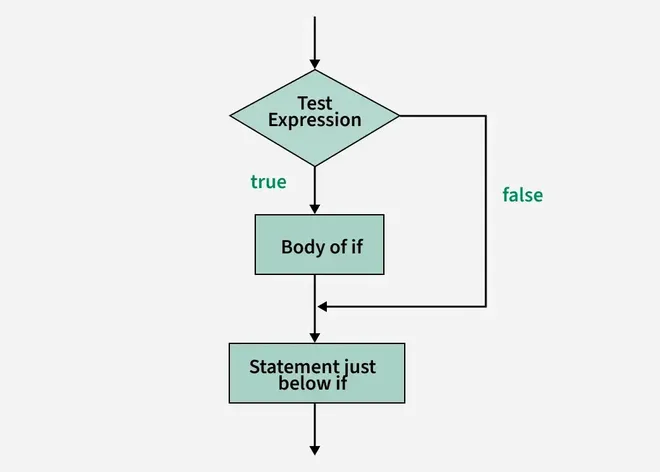
The if statement checks the given condition. If the condition evaluates to be true then the block of code/statements will execute otherwise not.
if ( condition ) {
//code to be executed
}
Note: If the curly brackets { } are not used with if statements then the statement just next to it is only considered associated with the if statement.
Flowchart:
Example: Using if statement
GeeksForGeeks
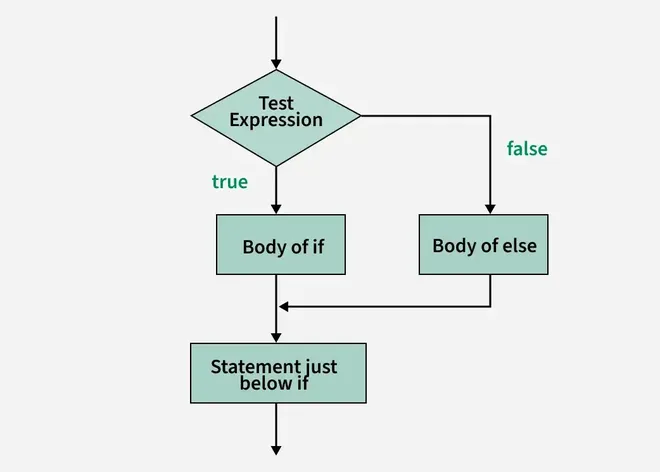
The if statement evaluates the code if the condition is true but what if the condition is not true, here comes the else statement. It tells the code what to do when the if condition is false.
if(condition)
{
// code if condition is true
}
else
{
// code if condition is false
}
Flowchart:
Example: Using if-else statement
Geeks
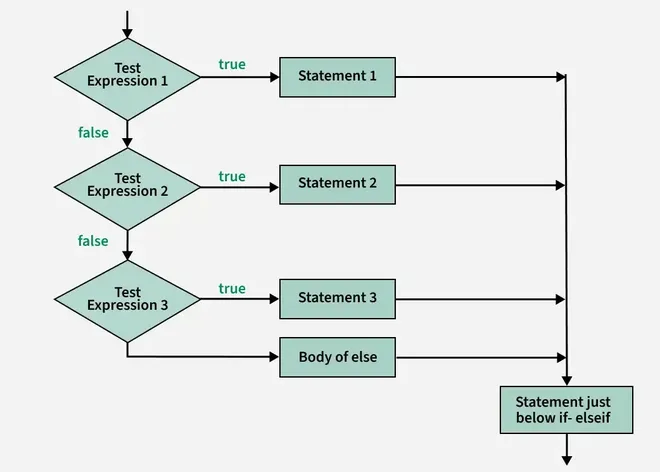
The if-else-if ladder is used when you need to test multiple conditions one after another.
if(condition1)
{
// code to be executed if condition1 is true
}
else if(condition2)
{
// code to be executed if condition2 is true
}
else if(condition3)
{
// code to be executed if condition3 is true
}
...
else
{
// code to be executed if all the conditions are false
}
Flowchart:
Example: Using if-else-if ladder
i is 20
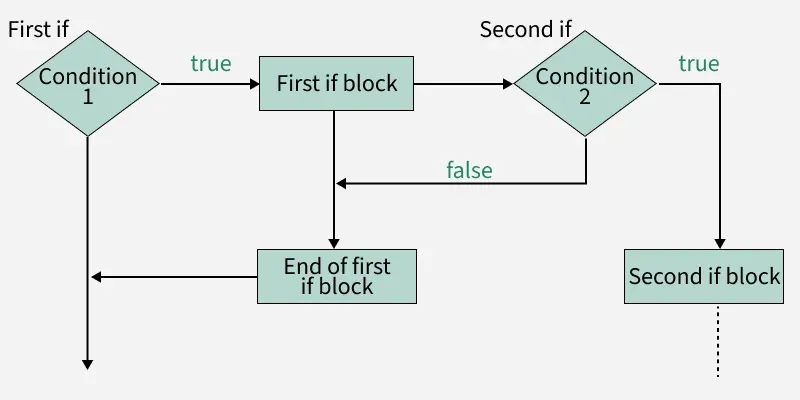
If statement inside an if statement is known as nested if. if statement in this case is the target of another if or else statement. When more than one condition needs to be true and one of the condition is the sub-condition of parent condition, nested if can be used.
if (condition1)
{
// code to be executed
// if condition2 is true
if (condition2)
{
// code to be executed
// if condition2 is true
}
}
Flowchart:
Example: Using Nested-if statement
i is smaller than 12 too
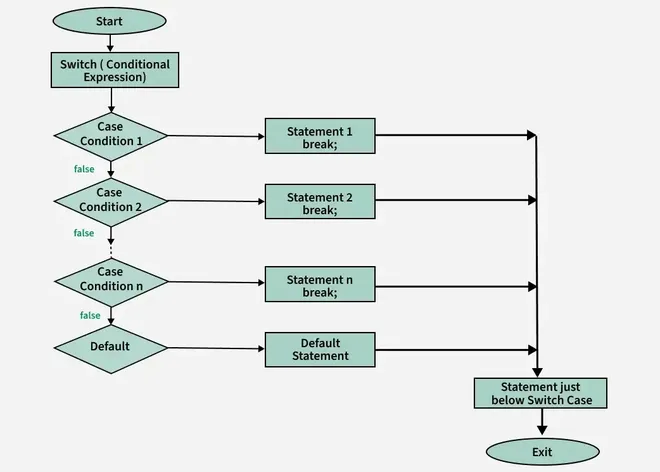
Switch statement is an alternative to long if-else-if ladders. The expression is checked for different cases and the one match is executed. Break Statement is used to move out of the switch. If the break is not used, the control will flow to all cases below it until break is found or switch comes to an end. There is default case (optional) at the end of switch, if none of the case matches then default case is executed.
switch (expression)
{
case value1: // statement sequence
break;
case value2: // statement sequence
break;
.
.
.
case valueN: // statement sequence
break;
default: // default statement sequence
}
Flowchart:
Example: Using Switch case
case 30
Nested Switch case are allowed in C# . In this case, switch is present inside other switch case. Inner switch is present in one of the cases in parent switch.
Example:
Outter Case 2
Inner Case 3