|
VOOZH | about |
|
VOOZH | about |
A game without buttons is like a TV without a remote i.e the player just watches, unable to interact. Buttons let players start games, pause action, buy items, or quit. This article shows how to create buttons and make them work.
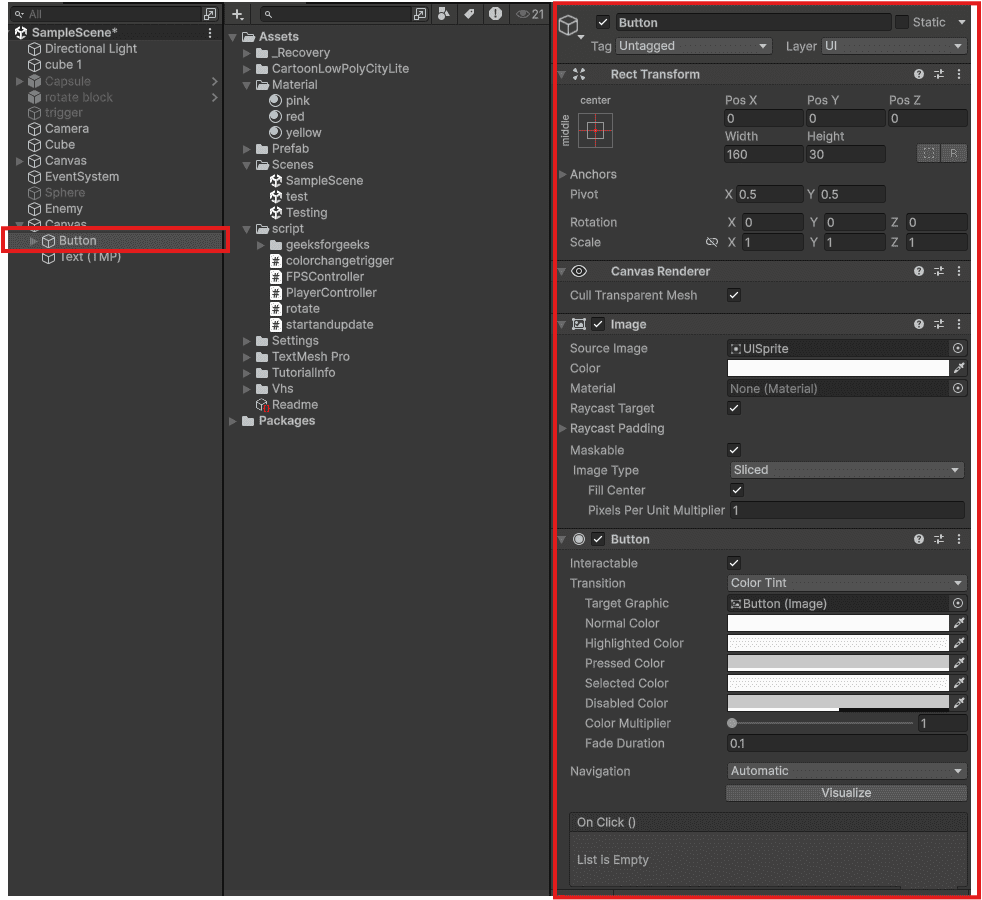
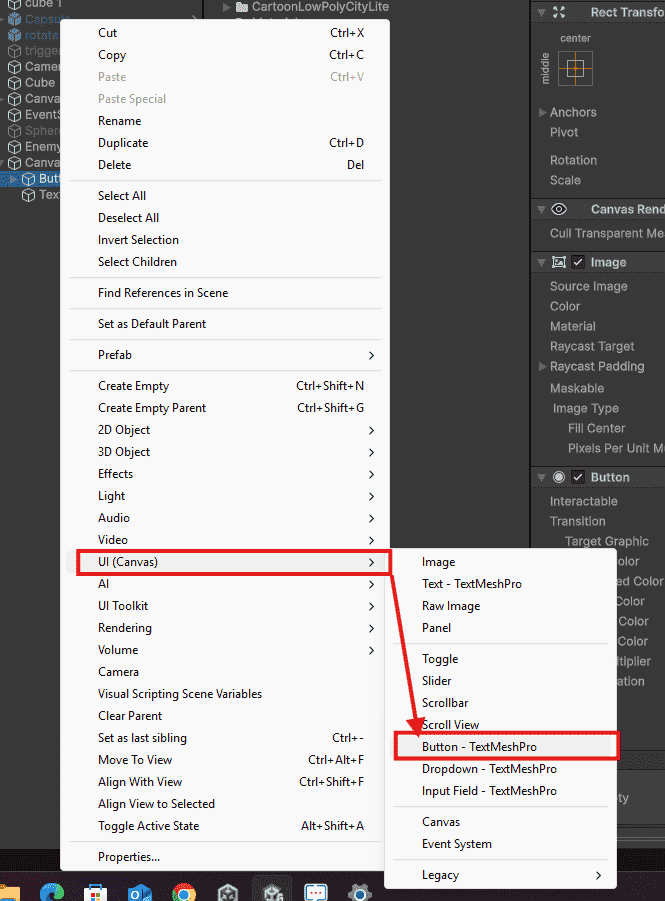
A Button is a clickable UI element that triggers a function when pressed. Unity creates it with a background image and text label.
Step 1: Create a script with public methods
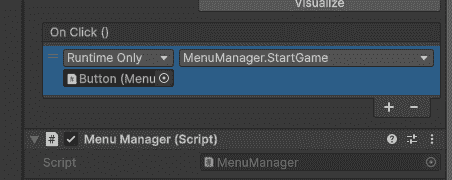
Step 2: Connect in Inspector
Output:
When the game is paused, time stops and a menu appears. This script handles pausing and resuming.
Time.timeScale = 0 freezes all movement, physics, and timers. Set back to 1 to resume normal gameplay. The pausePanel is a UI Panel that appears when paused.
Sometimes a button should not be clickable – like a "Buy" button when the player has no coins.
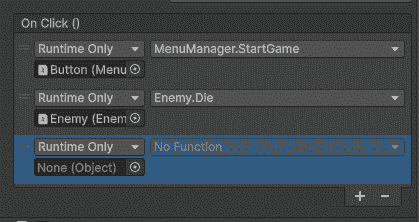
interactable = false: disables the button, It becomes gray and ignores all clicks. interactable = true: re-enables it.Click the "+" button multiple times in OnClick section. Each action runs in order when button is pressed.
Button automatically changes appearance based on interaction:
You can change colors for each state in the Button component under "Transition".