VOOZH about

URL: https://www.geeksforgeeks.org/c-sharp/c-sharp-program-to-illustrate-user-authentication/

⇱ C# Program to Illustrate User Authentication - GeeksforGeeks


  • Courses
  • Tutorials
  • Interview Prep

C# Program to Illustrate User Authentication

Last Updated : 28 Apr, 2025

To illustrate User Authentication using C#, We will go through the Sign-Up and login functionality. Firstly the user needs to make an account (Sign UP) and then the user can go to the login activity. Below are the steps for User Authentication.

Steps For User Authentication:

Step 1: START

Step 2: Take user details like name, username, and password.

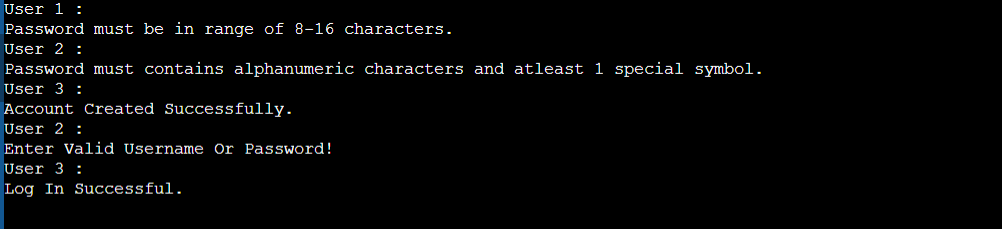
Step 3: Verify Password with constraint.

  • Password Length must be greater than or equal to 8 characters.
  • Password should be made up of alphanumeric characters and at least 1 special symbol.
  • Password Should not be more than 16 characters.

Step 4: If Step 4 is successful then show the message Account Created else repeat Step 2 and Step 3 until Step 3 does not return Successful.

Step 5: Take login credentials and verify if it correct or not.

  • if credentials are Correct: Show Logged in Successfully.
  • else show Entered wrong Username Or Password.

Step 6: STOP

Example 1:

Output : 

👁 Image
 
Comment
Article Tags:
Article Tags:

Explore