|
VOOZH | about |
|
VOOZH | about |
C# Deque means double-ended queue. It is a linear data structure that allows us to add or remove elements from both the front and the end. A deque is more flexible than the normal queue where we can only add elements from the back and remove them from the front.
Example: This example demonstrates how to add elements to both the front and the back of the deque
Elements in the Deque:
30
20
10
50
Deque is very useful in scenarios where we need to manage the data from both the ends. Some of the common applications of deque are listed below:
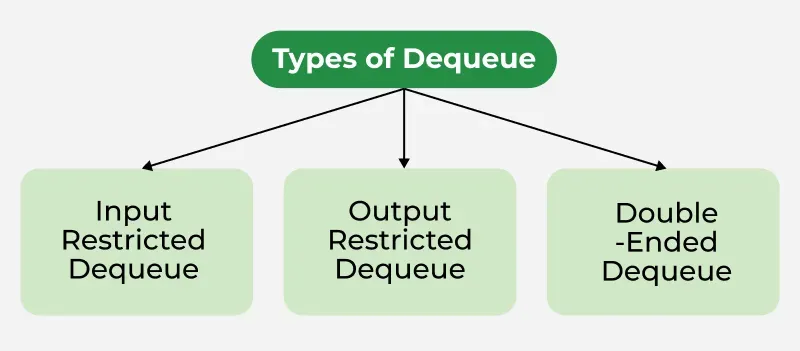
The below diagram demonstrates the types of deque in C#.
In C#, there is no built-in deque class. We can create deque with the help of LinkedList<T> class or by using Queue<T> class.
Note: Queue<T> can also create a deque, but it is not ideal for operation at both the ends due to limitations.
A LinkedList<T> is a good choice for a deque because it lets us add or remove items quickly from both the front and back.
LinkedList<int> deque = new LinkedList<int>();
Example: This example, demonstrates how to add elements to both the front and back and then iterating through the list
Deque Elements:
30
20
10
40
50
C# provides Three approaches to implement deque in C#, we are going to discuss about each approach one by one
An Array-based deque can be implemented by managing a fixed-size array and keeping track of front and rear pointers.
Implementation:
40 30 10 20
Dequeue from front: 40
Dequeue from rear: 20
30 10
LinkedList<T> class is an ideal choice for deque because it allows fast insertion and deletion operations from both ends. The LinkedList<T> stores elements in a doubly-linked list, both ends can be accessed and modified in constant time O(1).
Implementation:
Output:
A list<T> is dynamic array, it can efficiently access elements by index. This approach is less efficient for the front operations (add/remove) compared to the LinkedList<T> approach but can still be useful for small lists.
Implementation:
10
30
We can use the EnqueueFront() to add elements to the front of the deque.
Example: This example demonstrates how to insert elements to the front of the deque.
Output:
We can use the EnqueueRear() to add elements to the end of the deque.
Example:
Output:
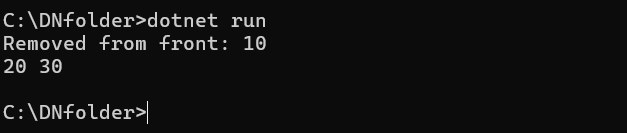
We can use the dequeFront() method to remove elements from the front of the deque.
Example:
Output:
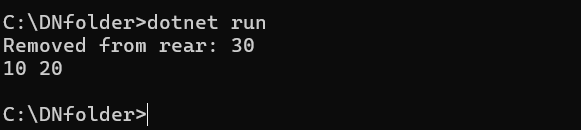
We can use the dequeRear() method to remove elements from the end of the deque.
Example:
Output: