|
VOOZH | about |
|
VOOZH | about |
C# is a modern, object-oriented programming language developed for the .NET platform. It is widely used for building desktop, web, and enterprise applications.
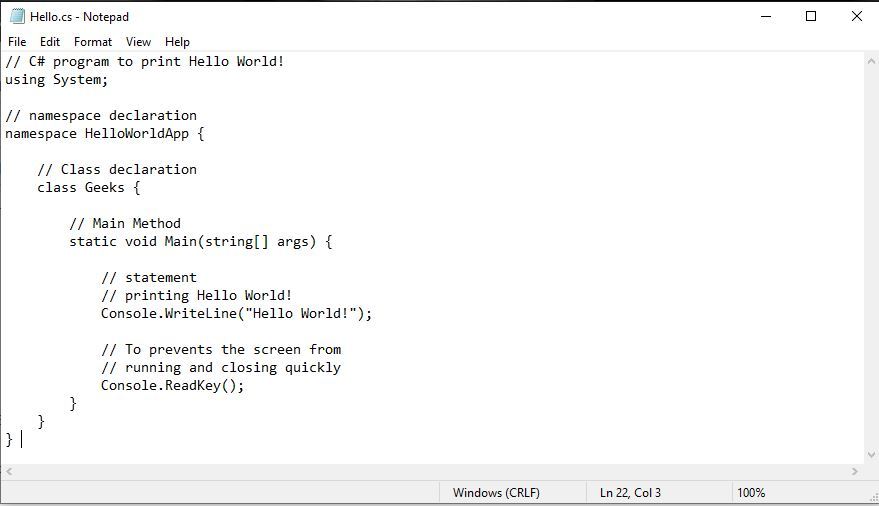
Sample C# Program to execute on Command-Line:
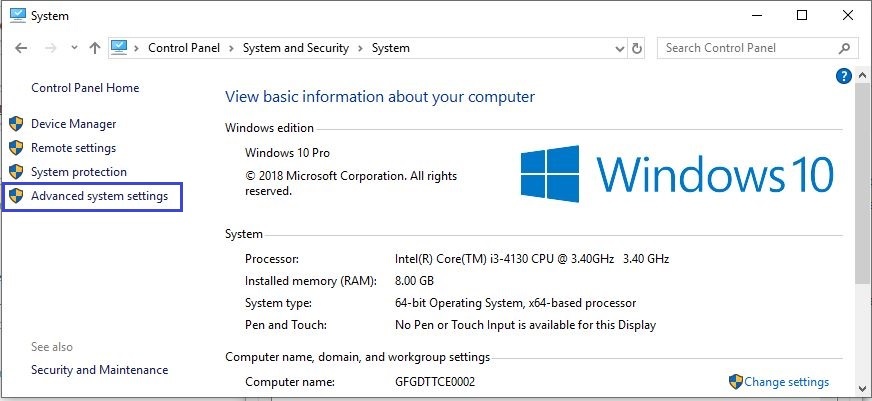
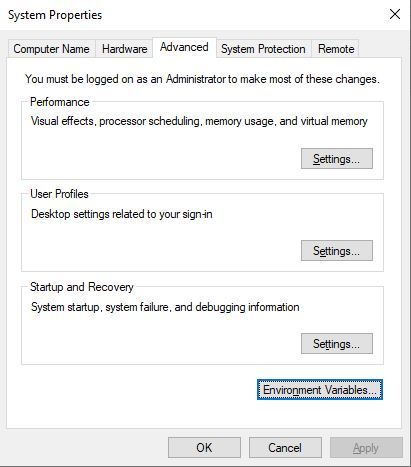
Step 1: Go to Control Panel -> System and Security -> System. Under Advanced System Settingoption click on Environment Variablesas shown below:
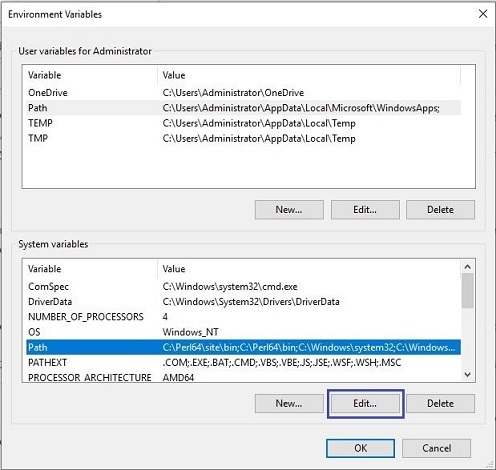
👁 Advanced System SettingsStep 2: Now, we have to alter the "Path" variable under System variables so that it also contains the path to the .NET Framework environment. Select the "Path" variable and click on the Edit button as shown below:
👁 Environment-variable-setup-02-1Step 3: We will see a list of different paths, click on the New button and then add the path where .NET Framework is installed.
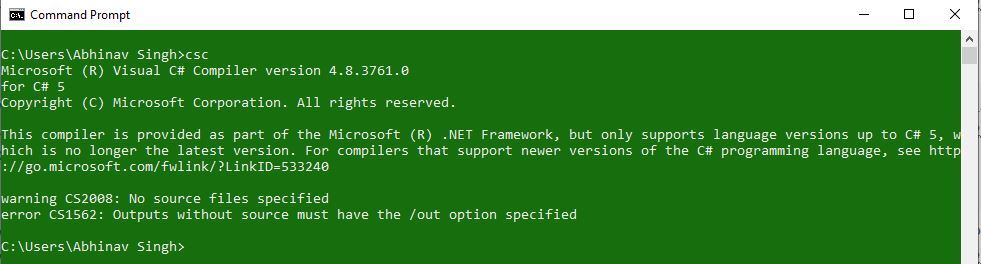
👁 CSharp-Command-Prompt-Environment-SetupStep 4: Click on OK, Save the settings and it is done !! Now to check whether the environment setup is done correctly, open command prompt and type csc.
👁 CSharp-Command-Prompt-02Step 1: Open the text editor like Notepad or Notepad++, and write the code that you want to execute. Now save th
👁 CSharp-Command-Prompt-00Step 2: Compile your C# source code with the use of command:
csc File_name.csIf your program has no error then it will create a filename.exe file in the same directory where you have saved your program. Suppose you saved the above program as Hello.cs. So you will write csc Hello.cs on cmd. This will create a Hello.exe file.
👁 CSharp-Command-Prompt-03Step 3: Now there are two ways to execute the Hello.exe.