VOOZH about

URL: https://www.geeksforgeeks.org/c-sharp/physics-rigidbody-colliders-in-unity/

โ‡ฑ Physics (Rigidbody, Colliders) In Unity - GeeksforGeeks


  • Courses
  • Tutorials
  • Interview Prep

Physics (Rigidbody, Colliders) In Unity

Last Updated : 4 May, 2026

Physics makes games feel real. Without physics, objects would pass through each other, nothing would fall, and there would be no collisions. Unity provides two main components for physics i.e Rigidbody and Colliders.

Rigidbody

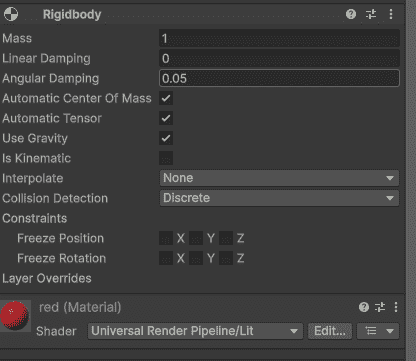
Rigidbody is a component that adds physics properties to a GameObject. It allows the object to be affected by gravity, forces, and collisions.

  • Mass: How heavy the object is (heavier objects push lighter ones).
  • Drag: Air resistance (higher drag slows object faster).
  • Angular Drag: Resistance to rotation.
  • Use Gravity: Whether object falls down.
  • Is Kinematic: Object moves by script only, not physics.
  • Constraints: Freeze position or rotation on specific axes.
๐Ÿ‘ Rigidbody
Rigidbody In Unity

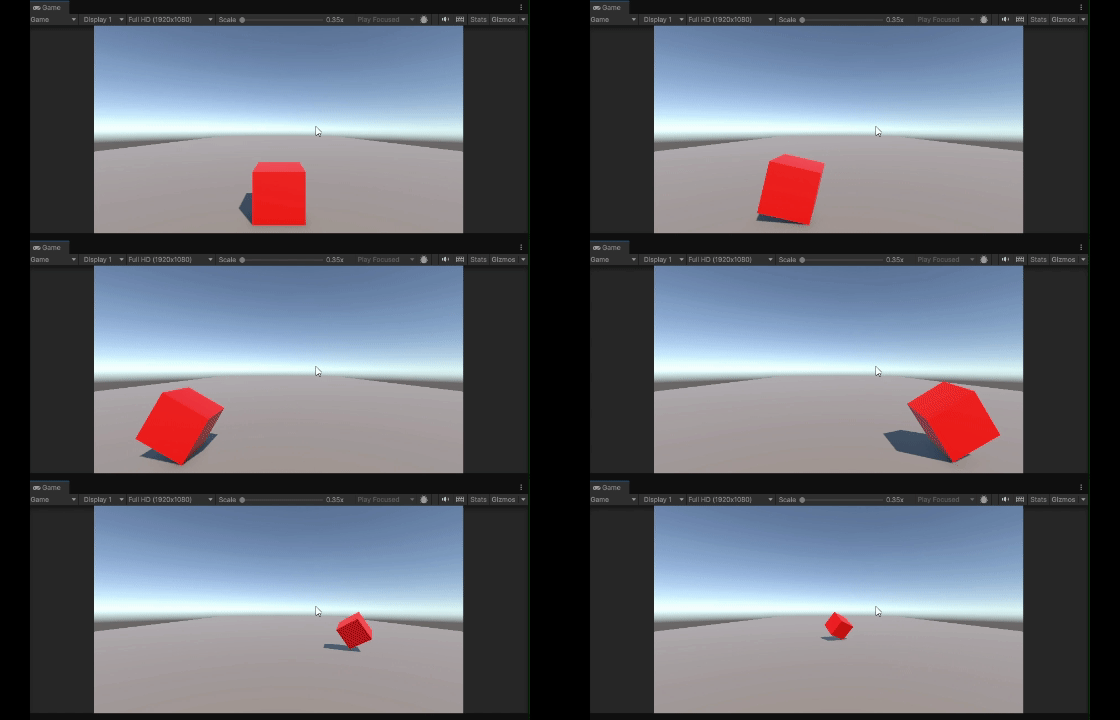
Rigidbody.AddForce (Realistic Movement)

This method applies force to an object, creating smooth acceleration instead of instant movement.

Example:

Output:

๐Ÿ‘ using-addforce-movement
Rigidbody.AddForce

ForceMode Options in Unity

  • Force: Applies a continuous force over time. The object's mass affects how much it accelerates.
  • Impulse: Applies an instant force in a single frame. Commonly used for jumps or explosions.
  • VelocityChange: Directly changes the velocity instantly, ignoring the object's mass.
  • Acceleration: Applies continuous acceleration over time, ignoring the object's mass.

Colliders

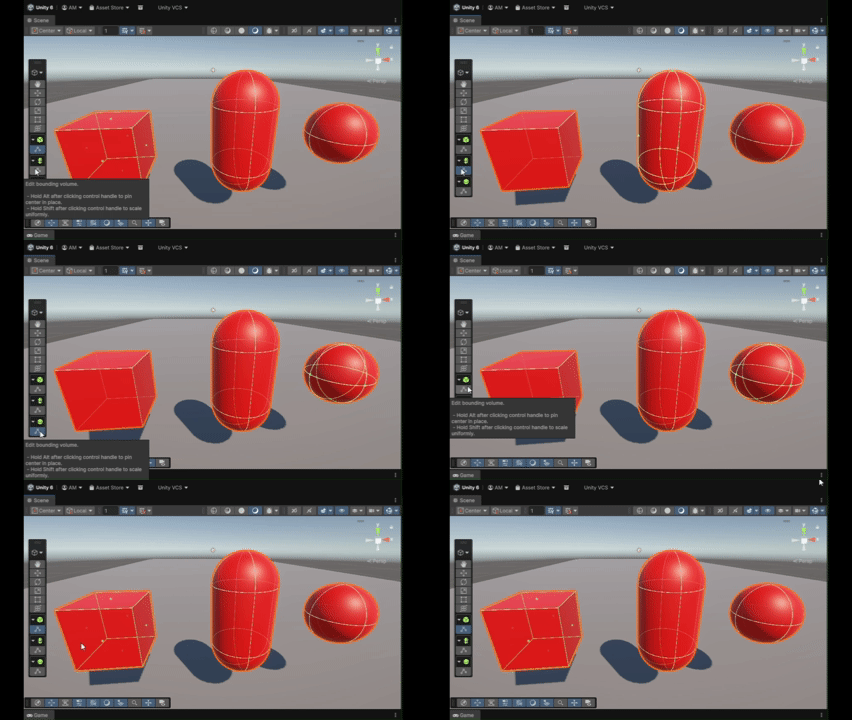
Colliders define the physical shape of an object for collisions. They are invisible but determine when objects touch each other. Types of Colliders:

  • Box Collider: Rectangular shape (walls, crates)
  • Sphere Collider: Round shape (balls, planets)
  • Capsule Collider: Pill shape (characters)
  • Mesh Collider: Exact shape of model (complex objects, expensive)
  • Terrain Collider: Ground and landscapes
๐Ÿ‘ Colliders-In-Unity
Colliders In Unity

Collision Detection

When two objects with colliders touch, Unity calls collision events. At least one object must have a Rigidbody.

Triggers

Triggers detect when objects enter an area without physical collision (no bouncing or blocking). Enable by checking Is Trigger on any collider.

Common uses for triggers:

  • Collecting coins or power-ups
  • Checkpoint zones
  • Damage areas (lava, pits)
  • Door opening zones

Use Cases

  • Player Jumping: Use Rigidbody + Collider and apply AddForce() with Impulse for jumping.
  • Collecting Coin: Use a Trigger Collider and detect collision with OnTriggerEnter(), then destroy the coin and update score.
  • Bouncing Ball: Use a Sphere Collider with a Physics Material (high bounciness).
  • Player Pushing Objects: Both player and objects should have Rigidbody + Collider for realistic interaction.
  • Bullet Hitting Enemy: Bullet uses Rigidbody + Collider, and collision is handled using OnCollisionEnter() on the enemy.

Common Mistakes in Unity Physics

  • Missing Rigidbody on moving objects breaks proper physics and collision handling.
  • Using Mesh Collider on moving objects hurts performance; prefer simple colliders.
  • Moving objects via Transform bypasses physics; use Rigidbody methods instead.
  • Trigger wonโ€™t work unless โ€œIs Triggerโ€ is enabled on the collider.
Comment
Article Tags:
Article Tags:

Explore