|
VOOZH | about |
|
VOOZH | about |
Blaze UI is a free, open-source UI toolkit to build a great website. It provides you with various features like responsiveness, custom components, etc. There are various sizes of containers available in the Blaze UI framework that the users can use in their web applications to organize the paragraphs or articles, etc. The containers provide the media query screen width restrictions on our content.
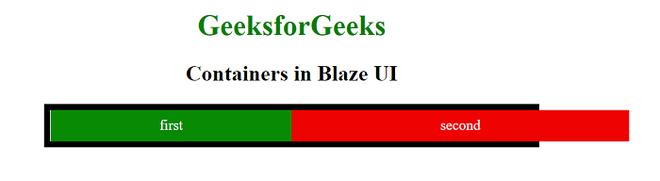
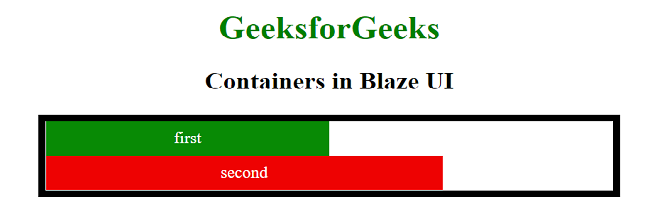
Container Wrapping: It allows long containers to be able to be broken and wrap onto the next line. For example, if we take two containers with 55% width and 70% width then it is not possible to fit these two containers in a 100% width container. Thus the second container of 70% width will shift its position to the next line.
Classes Used:
Example 1: In the below code, we will make use of the grid classes to make the grid and o-grid--wrap class to wrap the grids into containers in the next example.
Output:
Example 2: In the below code, we will make use of the o-grid--wrap class to wrap the container.
Output:
Reference: https://www.blazeui.com/objects/grid/