VOOZH about

URL: https://www.geeksforgeeks.org/css/css-height-and-width/

⇱ CSS Height and Width - GeeksforGeeks


  • Courses
  • Tutorials
  • Interview Prep

CSS Height and Width

Last Updated : 11 May, 2026

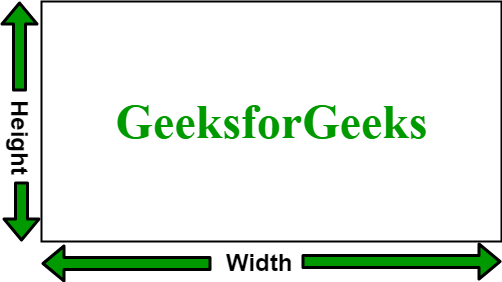
These properties define the size of an element, controlling the space it occupies on a webpage for consistent layout and design. They can use units like pixels, percentages, or viewport values for responsive designs.

  • Height & Width control element size: Ensures proper spacing and layout on the page.
  • Supports various units: Can use px, %, vh, or vw to make designs responsive.
👁 abc-2

Width and Height

The width and height properties in CSS are used to define the dimensions of an element. The values can be set in various units, such as pixels (px), centimeters (cm), percentages (%), etc.

  • .GFG styling: Sets width, border, text color, size, alignment, padding, and margin for the div.
  • HTML div: Displays “GeeksforGeeks” with the applied styles.

Height and Width of Image

To set the height and width of an image, the width and height properties are used. These values can be specified in pixels, percentages, or other units.

  • .GFG styling: Sets the image width to 100px, height to 50px, and adds a 2px black border.
  • HTML image: Displays the image with the applied size and border styles.

Set max-width and min-width

These properties control the maximum and minimum width an element can have.

1. max-width:

The max-width property is used to set the maximum width of a box. Its effect can be seen by resizing the browser window.

2. min-width:

The min-width property is used to set the minimum width of a box. Its effect can be seen by resizing the browser window.

  • .GFG styling: Limits the div’s width to a maximum of 500px, sets font size to 12px, and adds a 2px black border.
  • HTML div content: Displays a heading and paragraph that will not exceed 500px in width.

Set max-height and min-height

These properties define the maximum and minimum height an element can take.

1. max-height

The max-height property is used to set the maximum height of a box. Its effect can be seen by resizing the browser window.

  • .GFG styling: Sets a maximum height of 100px and adds a 2px black border to the div.
  • HTML div content: Displays a heading and paragraph, which will be restricted to the max height of 100px.

2. min-height

The min-height property is used to set the minimum height of a box. Its effect can be seen by resizing the browser window.

  • .GFG styling: Sets a minimum height of 50px and adds a 2px black border to the div.
  • HTML div content: Ensures the div is at least 50px tall while displaying the heading and paragraph.
Comment
Article Tags:
Article Tags: