|
VOOZH | about |
|
VOOZH | about |
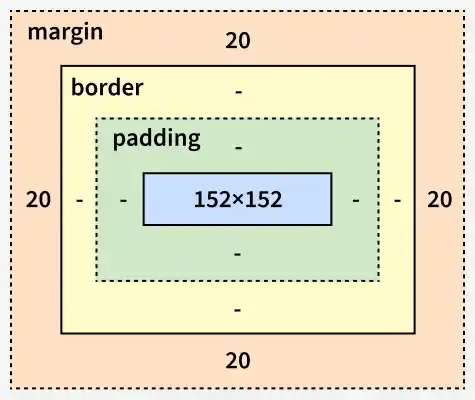
CSS margins are used to create space outside an element’s border, helping to separate it from other elements on a webpage. They help in organizing the layout and preventing content from appearing too close together.
Syntax:
body { margin: value;}Note: We can also use negative values for margins.
CSS margin properties (margin-top, margin-right, margin-bottom, margin-left, and margin) control the space outside an element, with margin serving as a shorthand for all sides.
| Margin Property | Description | Example |
|---|---|---|
| margin-top | Sets the top margin of an element. | margin-top: 20px ; |
| margin-right | Sets the right margin of an element. | margin-right: 15px; |
| margin-bottom | Specifies the margin at the bottom of an element. | margin-bottom: 30px; |
| margin-left | Determines the width of the margin on the left side. | margin-left: 10px; |
| margin | Shorthand to set margins on all four sides. | margin: 10px 20px; |
If the margin property contains four values, then the first value sets the top margin, the second value sets the right margin, the third value sets the bottom margin, and the fourth value sets the left margin.
margin: 40px 100px 120px 80px;If the margin property contains three values, then the first value sets the top margin, the second value sets the right and left margin, and the third value sets the bottom margin.
margin: 40px 100px 120px; If the margin property contains two values, then the first value applies to the top and bottom margin, and the second value applies to the right and left margin.
margin: 40px 100px;
If the margin property has one value, then it applies padding to all sides of an element.
margin: 40px;margin: auto;