|
VOOZH | about |
|
VOOZH | about |
Bulma uses Sass mixins to create the CSS output and they are mainly used within the context of the Bulma framework.
In this article, we will know about Bulma Form Control Mixins. Bulma Form Control Mixins are the mixins that help the users to create buttons and form controls in Bulma. They are one of the essential parts of any framework. They comprise the following:
The control() mixin ensures consistency by providing a set of styles that are shared between all the above-defined form controls.
For using mixins, there is no specific class given by Bulma rather we create our own classes and style them using SASS mixins.
Syntax:
.bulma-control-mixin {
 @include control;
}
Form Control Mixins features:
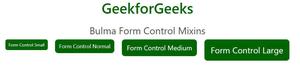
1. Sizes: Controls also have 3 more sizes other than normal size and they are as follows:
@include control-small;
@include control-medium;
@include control-large;
Syntax:
.bulma-control-mixin {
 &.is-small {
 @include control-small;
 }

 &.is-medium {
 @include control-medium;
 }

 &.is-large {
 @include control-large;
 }
}
2. Control placeholder: Control also exists as a Sass placeholder (%control)
Syntax:
.bulma-control-extend {
 @extend %control;
}
Note: You must know the implementation of SASS mixins for the below examples. Please see the pre-requisite given on the link and then implement the below code.
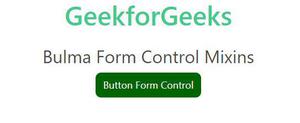
Example 1: Below example illustrates the Bulma Form Control Mixins.
Output:
Example 2: Below example illustrates the Bulma Form Control Mixins.
Output: