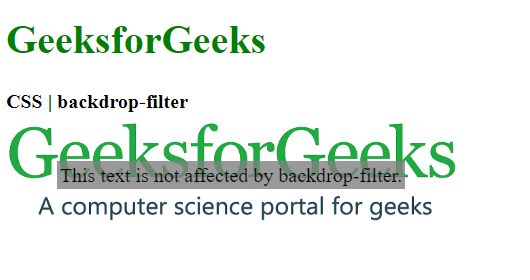
The CSS backdrop-filter property is used to apply effects to the area behind an element. This is unlike the filter property where it applies the effect to the whole element. It can be used to eliminate the use of an extra element to style the background separately.
Syntax:
backdrop-filter: blur() | brightness() | contrast() | drop-shadow() | grayscale() | hue-rotate() | invert() | opacity() | saturate() | sepia() | none | initial | inherit
Property Values:
- blur(): It is used to apply a Gaussian blur to the image. The default value of this function is 0 which applies no blur effect.
Example:
👁 blur
- brightness(): It is used to make the image lighter or darker. A value over 100% will brighten the image and a value below it will darken the image. If the brightness becomes 0%, it will completely black the image.
Example:
👁 brightness
- contrast(): It is used to set the contrast of the image. The original image is at 100% contrast. If the contrast is below 0%, it will completely black the image.
Example:
👁 contrast
- drop-shadow(): It is used to apply a drop shadow effect to the element. It accepts the horizontal and vertical shadow amounts along with the spread and color values.
Example:
👁 drop-shadow
- grayscale(): It is used to convert the colors of the image into black and white. A value of 0% indicates the original image and 100% will indicate a completely black and white image.
Example:
👁 grayscale
- hue-rotate(): It is used to apply a hue rotation to the image. The function value denotes the number of degrees around the color circle that the image circle would be adjusted. The default value is 0 which represents the original image.
Example:
👁 hue-rotate
- invert(): It is used to invert the image. The default value is 0% which represents the original image and 100% will make the image completely inverted.
Example:
👁 invert
- opacity(): It is used to set the opacity of the image. The default value is 0% which indicates that the image is completely transparent and a value of 100% indicates the original image which is completely opaque.
Example:
👁 opacity
- saturate(): It is used to set the saturation of the element. The default value is 100% which indicates the original image. A 0% value would indicate a completely unsaturated image and more than 100% would indicate a super-saturated image.
Example:
👁 saturate
- sepia(): It is used to convert the image to sepia giving it a warmer appearance. A 0% value represents the original image and 100% represents a completely sepia image.
Example:
👁 sepia
- none: It is the default value and does not apply any effect to the image.
Example:
👁 none
- initial: It is used to set this property to its default value.
Example:
👁 initial
- inherit: It inherits the property from its parent element.
Supported Browsers: The browsers supported by backdrop-filter property are listed below:
- Google Chrome 76.0 and above
- Edge 17.0 and above
- Firefox 103.0 and above
- Safari 9.0 and above
- Opera 63.0 and above