|
VOOZH | about |
|
VOOZH | about |
The CSS ::before selector allows you to insert content before an element's actual content. It is often used to add decorative elements or symbols, enhancing the design without changing the structure of the HTML.
The ::before selector is paired with the content property, which defines the inserted content. You can style the inserted content with properties like color, background, and positioning.
element::before {
 content: "content";
 /* additional styles */
}
Note: By default, the ::before content is inline, meaning it will appear alongside the element's original content unless additional styles like
display: block;orposition: absolute;are applied.
::before Selector?The ::before selector inserts content before the actual content of a selected element. This does not affect the document flow and can be used to add text, icons, or other visual elements without altering the HTML itself.
It's commonly paired with the content property, which defines the inserted content. For example, you can use it to add symbols or text before headers or paragraphs
| Property | Description |
|---|---|
content: " "; | Inserts blank or custom content before the element. |
background-color: yellow; | Sets the background color of the inserted content. |
color: red; | Changes the font color of the inserted content. |
font-weight: bold; | Makes the inserted content bold. |
display: block; | Changes the layout of the inserted content from inline to block. |
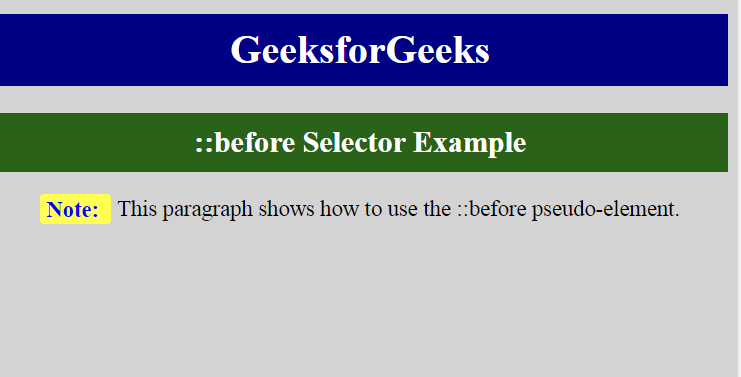
This is an example of the ::before selector, where you can clearly see how content is inserted before the actual text of each <p> element.
The inserted content is styled separately, demonstrating the flexibility and power of the ::before pseudo-element in CSS.
Output:
Note: Opera versions 4-6 support
:before(single colon) syntax, while later versions use::before(double colon) as per the CSS3 specification.