VOOZH about

URL: https://www.geeksforgeeks.org/css/css-clamp-method/

⇱ CSS clamp() Method - GeeksforGeeks


  • Courses
  • Tutorials
  • Interview Prep

CSS clamp() Method

Last Updated : 11 Jun, 2026

The CSS clamp() function sets a responsive value that stays between a specified minimum and maximum limit. It is commonly used for flexible sizing in layouts and typography.

  • Accepts three values: a minimum, a preferred, and a maximum value.
  • Uses the preferred value when it falls within the specified range; otherwise, it uses the minimum or maximum value.
  • Helps create responsive designs for properties such as font-size, width, height, and spacing without media queries.

Syntax : 

clamp(value1, value2, value3)

Parameters:

  • value1 represents the minimum value.
  • value2 represents the preferred value
  • value3 represents the maximum value.

Examples of CSS clamp() Method

Here are some examples discussed:

Example 1: The clamp() function creates a responsive heading and box size by keeping their values between specified minimum and maximum limits.

Output:

👁 a1

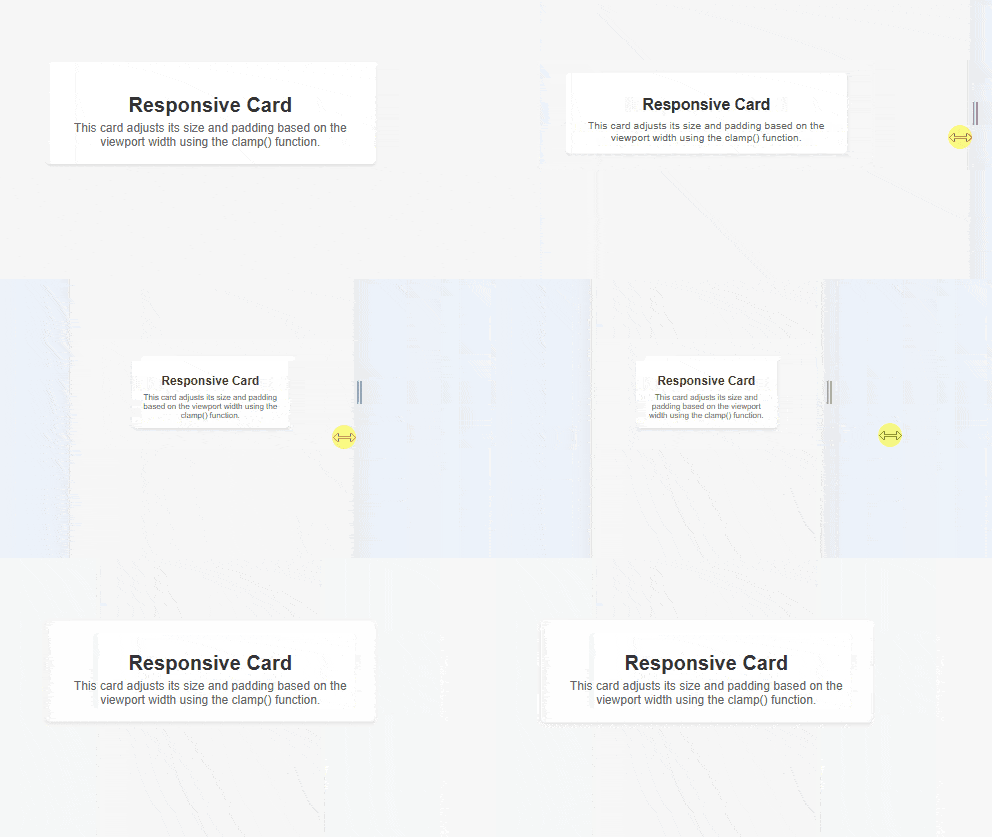
Example 2: The clamp() function creates a responsive card whose width, padding, and text size automatically adjust within defined minimum and maximum limits.

Output:

👁 a
Comment
Article Tags: