VOOZH about

URL: https://www.geeksforgeeks.org/css/css-counter-reset-property/

⇱ CSS counter-reset Property - GeeksforGeeks


  • Courses
  • Tutorials
  • Interview Prep

CSS counter-reset Property

Last Updated : 26 Aug, 2024

The counter-reset property in CSS is used to create or reset the CSS counter for elements. This property works together with the counter-increment property and the content property.

Syntax:

counter-reset = none|name number|initial|inherit;

Default Value: 

  • none 

Property Values:

  • none: It is the default value. This value does not reset the counter.
  • name number: The value to reset the counter on each occurrence of the element. The default value is 0 if not specified.
  • initial: It sets the counter-reset property to its default value.
  • inherit: The element inherits the property from its parent element.

Example 1: This example use counter-reset property to create section. 

Output:

👁 Image

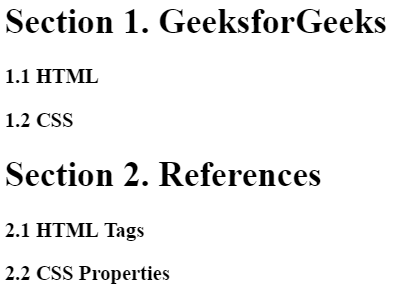
Example 2: This example use counter-reset property to create section and subsection. 

Output:

👁 Image

Supported Browsers: The browser supported by counter-reset property are listed below: 

  • Google Chrome 2.0
  • Edge 12.0
  • Internet Explorer 8.0
  • Firefox 1.0
  • Safari 3.0
  • Opera 9.2
Comment
Article Tags: