|
VOOZH | about |
|
VOOZH | about |
CSSGoogle Fonts is a service by Google that provides a diverse collection of web fonts for free. It allows web developers to easily integrate custom fonts into their websites using CSS. Google Fonts, launched in 2010, is the largest free and open-source font library online, available for personal and commercial use.
Google Fonts provides us with API, we have to call that API so that we get a JavaScript file or say script file which we have to include in our HTML code so that we can use different Google fonts.
Two common methods can be used to use Google fonts in our HTML files.
We will explore all the above methods along with their basic implementation with the help of examples.
In this approach, we are using the Google Fonts Link Tag in the HTML <head> section to import the font, and then use it in the CSS styles.
<link href=’https://fonts.googleapis.com/css?family=Font+Name%E2%80%99 rel=’stylesheet’>Note: Replace Font+Name with the name of the font you want to use.
Example 1: Here is the basic example of using Google fonts by link tag.
Output:
In this apporach, we use four headers (h1) styled with different effects from the "Sofia" font-family: 3D,fire,fire-animation,emboss, and shadow-multiple, all displaying the text "GeeksforGeeks."
Note: To apply special font effects from the Google API, add effect=effectname to the URL. Then use the class "font-effect-effect name" for elements that will have the specific effect applied.
Example: In this example we are using above-explained method.
Output:
In this approach, we link the "Audiowide" font from Google Fonts and applies it to the entire webpage's text using CSS. The font size is set to 20px, and there's a text shadow for added visual effect.
Example: In this example we are using the above-explained apporach.
Output:
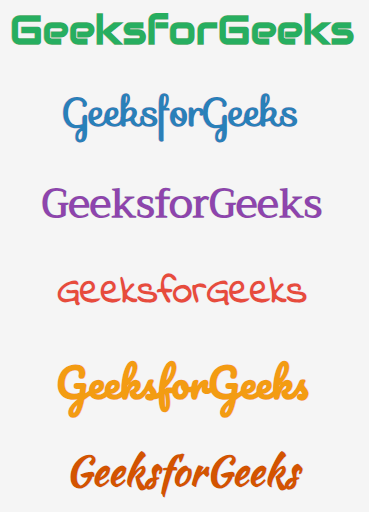
In this approach, we are using Google Fonts to import six different font styles and applies them to <h1> elements with corresponding classes. Each <h1> showcases a distinct font, creating varied typography styles for headings.
Example: In this example we are using above-explained approach.
Output:
In this approach, we are using the @import rule in your CSS file to import the Google Fonts, and then apply it to the desired elements.
@import url('https://fonts.googleapis.com/css?family=Lobster');Example 1: Here we are using the @import method to add different Google fonts in our code example.
Output: