|
VOOZH | about |
|
VOOZH | about |
The invert() function is an inbuilt function that is used to apply a filter to the image to set the invert of the color of the sample image.
Syntax:
invert( amount )Parameters: This function accepts single parameter amount which holds the amount of conversion. The value of invert is set in terms of value and percentage. The value 0% represents original image and 100% represents the inverted image. The invert() function internally uses the following formula, to computer the inverse of the image:
amount * (255 - value) + (1 - amount) * valueThe value of inversion is controlled by the variable amount, the variable value lies between 0 - 1(floating) range (this is done by converting the passed percentage of color inversion to a value between 0-1). The value is the color value of the pixel. (255-value) gives the color after subtracting the color value with the max pixel value, assumes that the value of the pixel is in the range 0 - 255 (though input image sample space could be stretched/scaled to meet the specified criteria). Below is a table containing a list of inversion percentages and the result they produce.
| Inversion | Result |
|---|---|
| 0% | Original Image |
| 50% | Image with each pixel having grey color |
| 100% | Completely inverted Image |
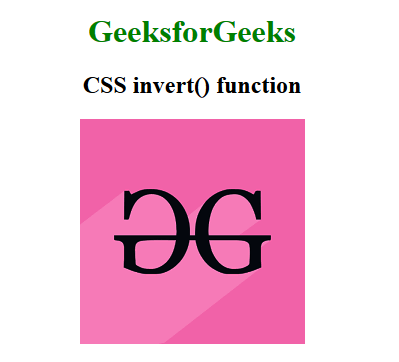
Below example illustrates CSS invert() function in CSS:
Example:
Output:
Supported Browsers: The browsers supported by invert() function are listed below: