The CSS place-items property is the shorthand of align-items and justify-items property. The shorthand properties mean in CSS, that you can set the multiple properties values in a single property. So here the place-items property can hold the value of the align-items and justify-items property values.
Syntax:
place-items: align-items property value justify-items property value
Property Values: This property accepts all the possible combination values that can make by the align-items and justify-items property values.
- auto: If the items have no parents then this property is used that defines the absolute positioned.
- normal: This property dependent on the layout mode we are in.
- start: This property used to align flex items from the start of the container.
- end: This property used to align flex items from the end of the container.
- flex-start: This property displays the lines at the start of the flex container.
- flex-end: This property displays the flex lines at the end of the flex container.
- center: This property aligns flex items at the center of the container.
- self-start: This property will be packed flush to the edge of the alignment container of the start side of the item.
- self-end: This property will be packed flush to the edge of the alignment container of the end side of the item.
- space-evenly: This property defines that the positioned with equal spacing between them but the spacing from corners differ.
- stretch: This property defines that the line stretched to take the remaining space of the flex container. It is the default value.
Below examples illustrate the CSS place-items property:
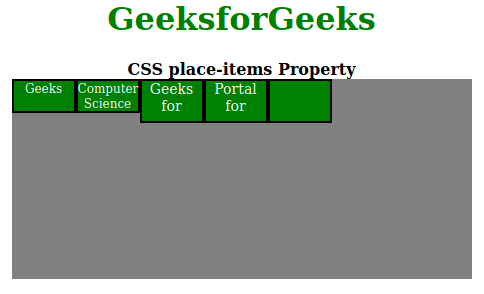
Example 1: In this example, we will use star place-items: flex-start property value.
Output:
👁 Image
Example 2: Here we will use place-items: flex-end property value.
Output:
👁 Image
Browser Versions:
- Google Chrome 59
- Edge 79
- Firefox 45
- Opera 46
- Safari 11