VOOZH about

URL: https://www.geeksforgeeks.org/css/css-transition-property/

⇱ CSS transition Property - GeeksforGeeks


  • Courses
  • Tutorials
  • Interview Prep

CSS transition Property

Last Updated : 12 Jun, 2026

The CSS transition property is used to create smooth animations between changes in CSS property values. It controls how long a transition takes, when it starts, and the speed curve used during the transition.

  • Defines the transition effect between two states of an element.
  • Combines transition-property, transition-duration, transition-timing-function, and transition-delay into a single shorthand property.
  • Makes changes appear smooth instead of occurring instantly.
  • Commonly used with pseudo-classes like :hover, :focus, and :active.
  • Supports multiple transitions by separating values with commas.

Syntax:

selector {
 transition: <transition-property>
 <transition-duration>
 <transition-timing-function>
 <transition-delay>;
}

Property Values:

  • transition-property: Specifies the CSS property or properties that will transition.
  • transition-duration: Specifies how long the transition animation takes to complete.
  • transition-timing-function: Specifies the speed curve of the transition effect.
  • transition-delay: Specifies the time to wait before the transition starts

Note:

  • The transition effect is typically applied between different states of an element, such as :hover and :active, or states changed dynamically using JavaScript.
  • If a transition value is not specified, the browser uses its default value for that property.

Examples of CSS transition Property

Here are some examples discussed:

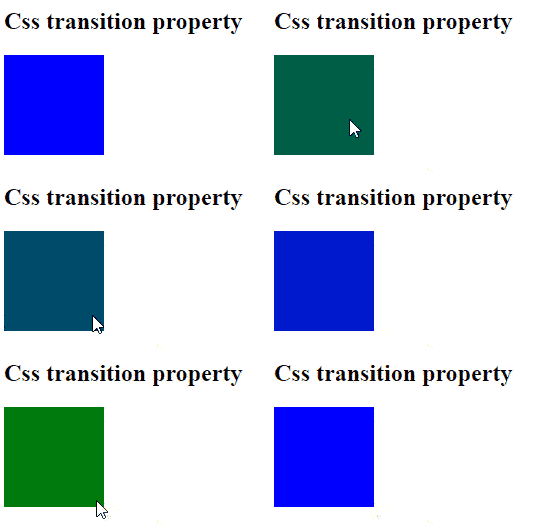
Example 1: Background Color Transition

In this example we creates a blue box that transitions to green when hovered over, utilizing the CSS transition property to animate the color change over 0.5 seconds with an ease timing function.

Output:

👁 gif5
CSS transition Property Example Output

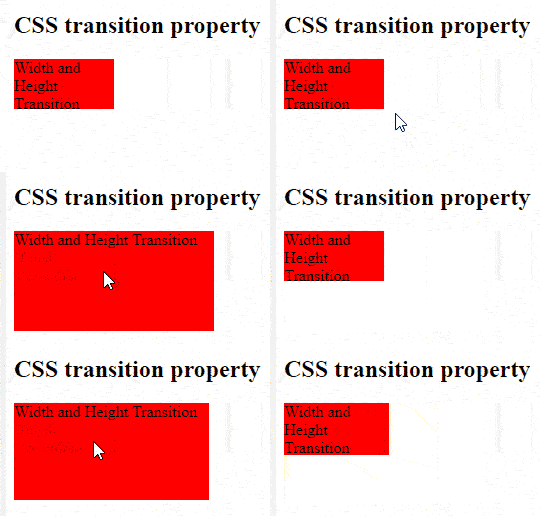
Example 2: Width and Height Transition

This example demonstrates the use of the transition property to change the width and height

Output:

👁 gif6
CSS transition Property Example Output
Comment